Home page: a calendar instead of a search form
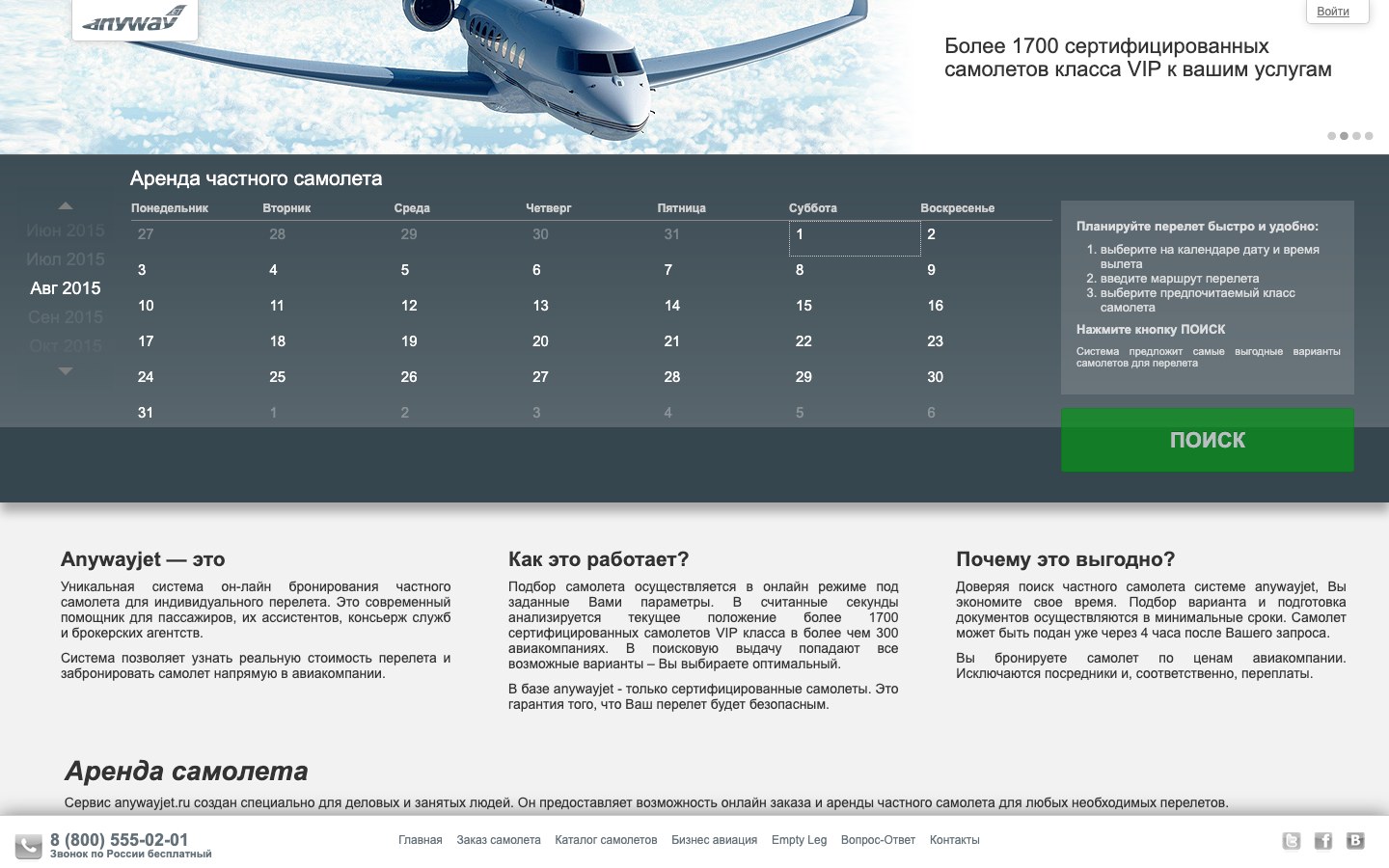
A booking starts with a date: the customer picks a day on the calendar, next to it are three steps of instructions and the “Search” button. Below, a short story of how the service works and why it beats calling a broker.
The first step of a booking is right on the home page, with no separate form.
Route, time and aircraft class
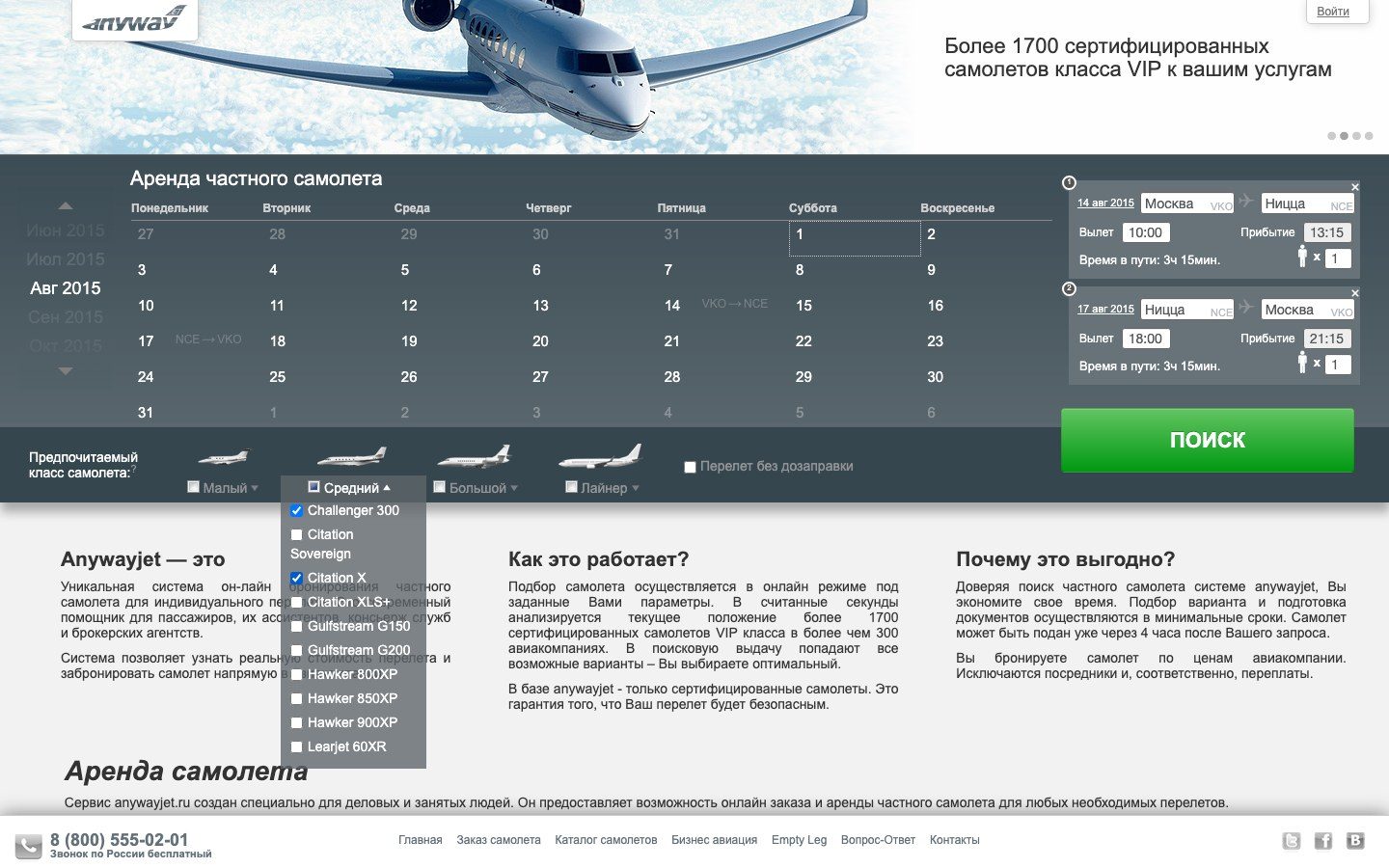
A click on a day opens a “From — To” window with airport suggestions and a departure time picker. The flight lands on the calendar, and its card appears on the right: airports with codes, departure, arrival, flight time and passengers. A return trip or a chain of several cities is built the same way. Under the calendar are the light, midsize and heavy classes and airliners: each opens a list of models to tick, plus a non-stop option.
The customer sees the whole trip before sending a request.
Aircraft catalogue
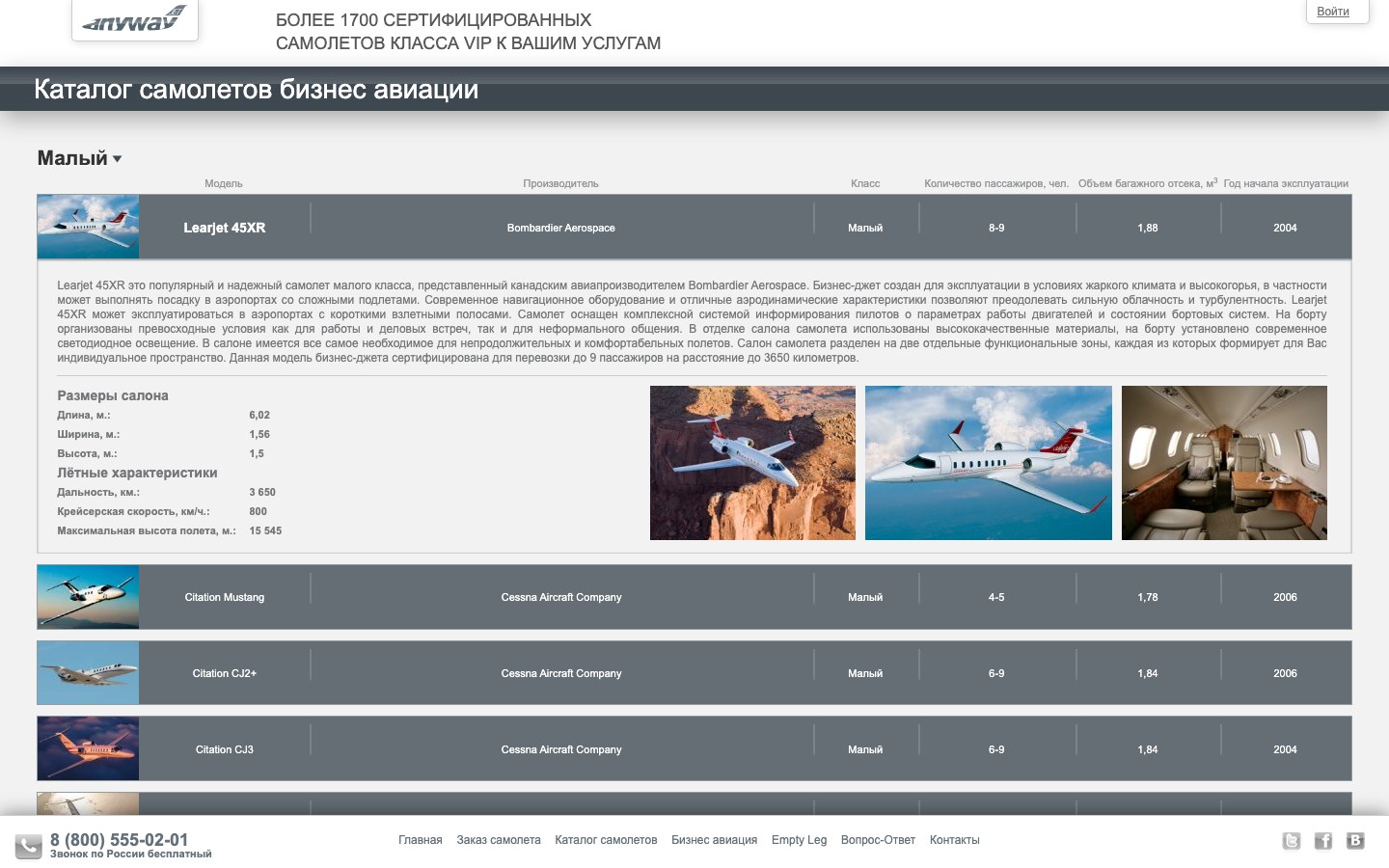
43 models in four classes. Each row shows a photo, the maker, class, passengers, baggage volume and the year the model entered service; a click opens a description, cabin size, range, speed, ceiling and exterior and cabin photos.
Customers understand the classes before booking and choose a model knowingly.
Mobile version
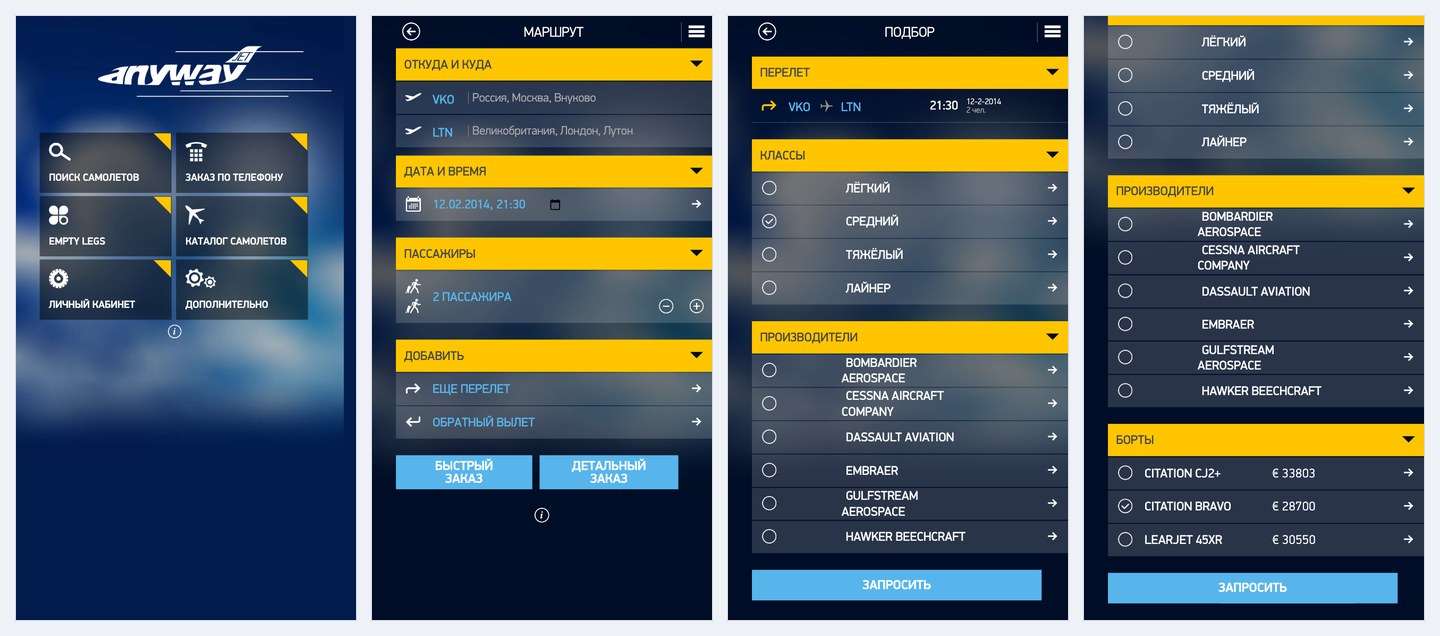
First we mapped out the app scenario step by step, from search to the personal account, then built a web app for phones: a six-section menu, a route with airports, date and passengers, a quick order by class and maker and a detailed one with specific aircraft and prices.
A flight can be ordered from a phone, on the same data as on the website.
Screens that stayed in mock-ups
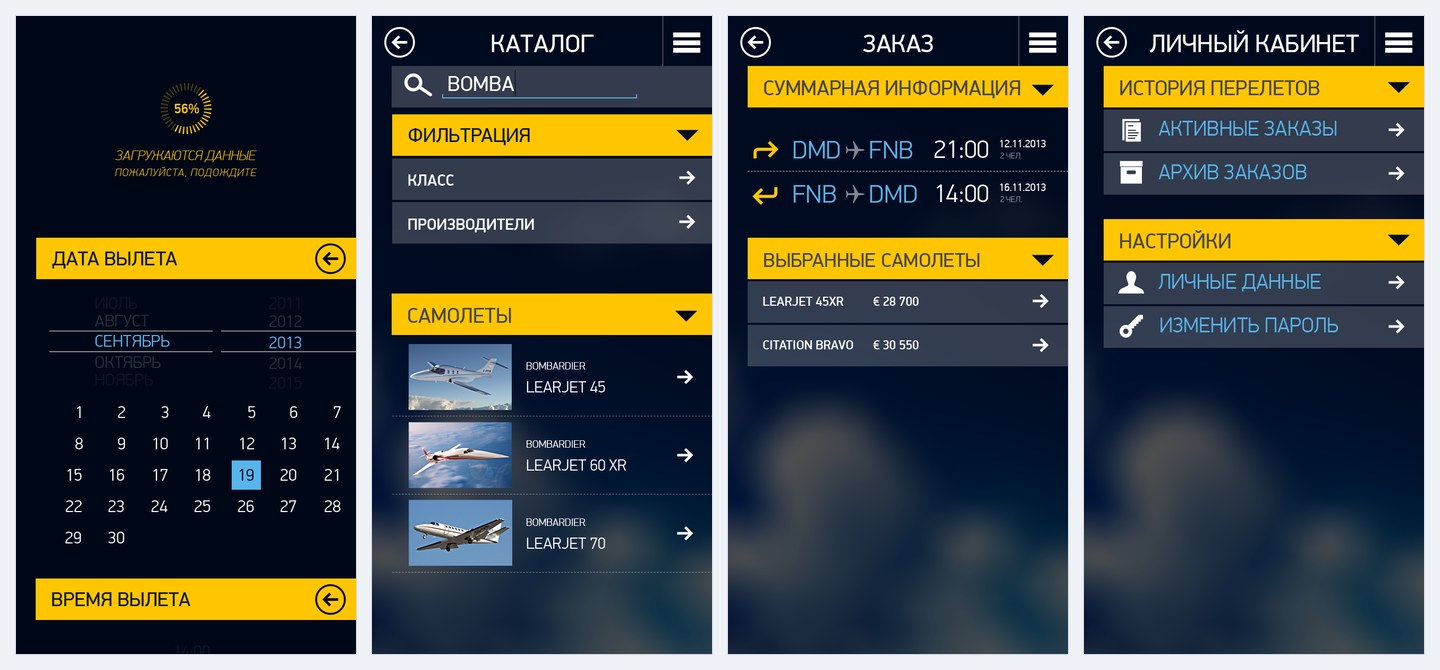
A calendar with month and time wheels, a catalogue with search and filters, an order summary with the chosen aircraft, a personal account with active and past orders. They did not make it into the build.
The app was thought through end to end, down to the personal account.
The whole platform
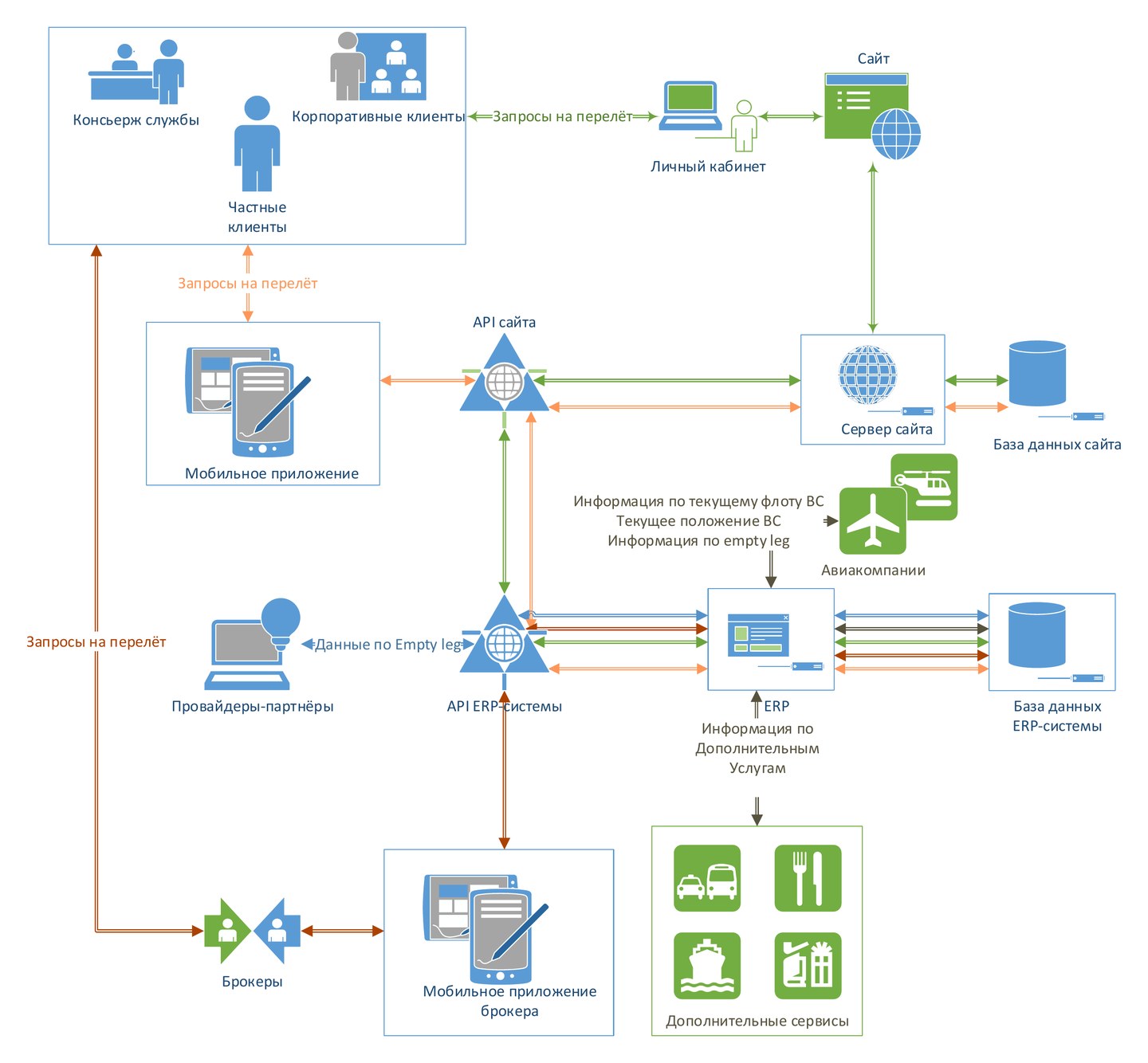
For the international launch we designed the system as a whole: private and corporate customers and concierge services book through the website, the personal account or the app, brokers through their own app, airlines feed their fleet, aircraft positions and empty legs into the ERP, partners receive empty leg data, and transfers, catering and other services are added to a flight. The websites, apps and ERP share one exchange scheme, and a new sales channel plugs into it instead of being built from scratch.
Charters Luxury, the international version
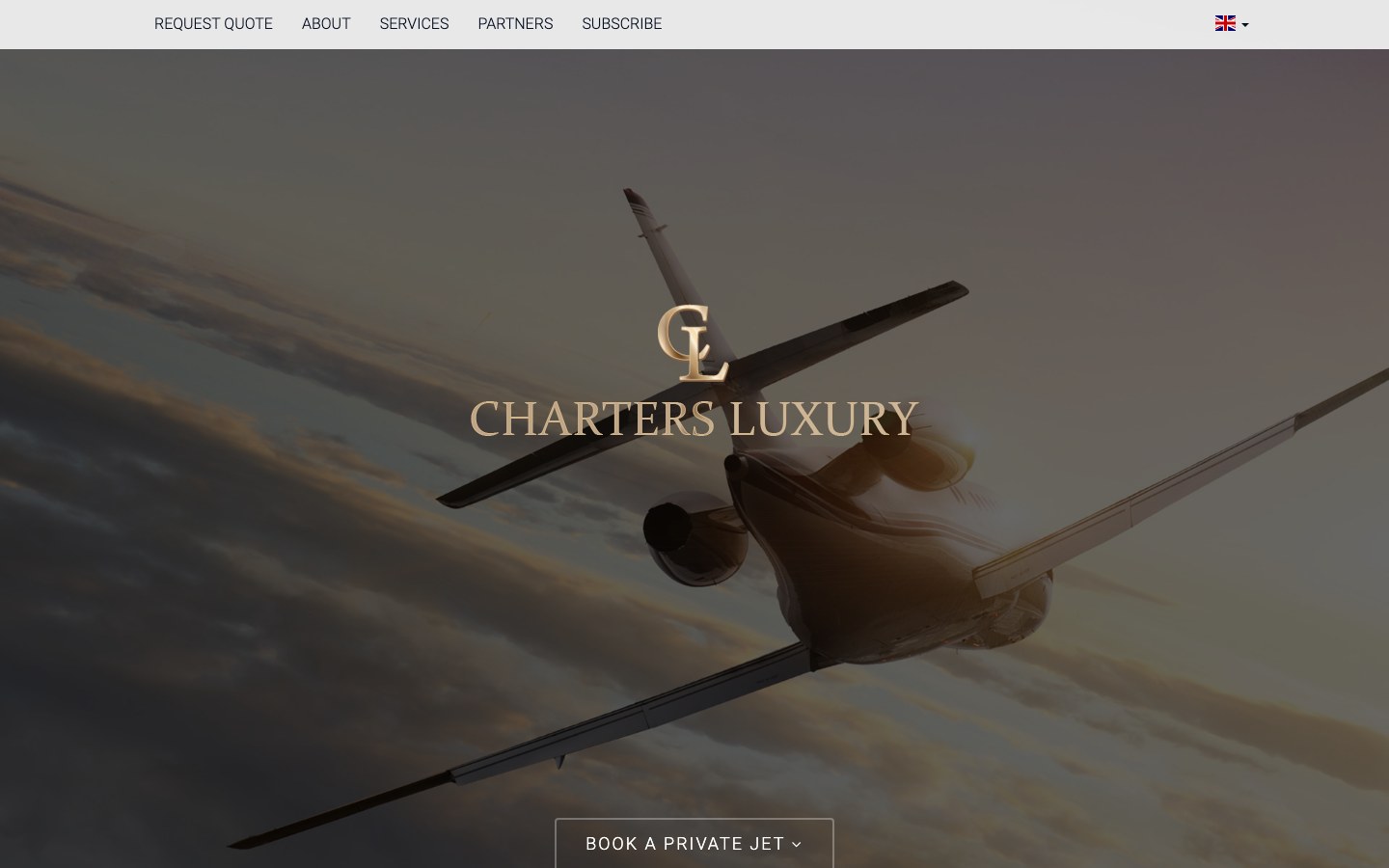
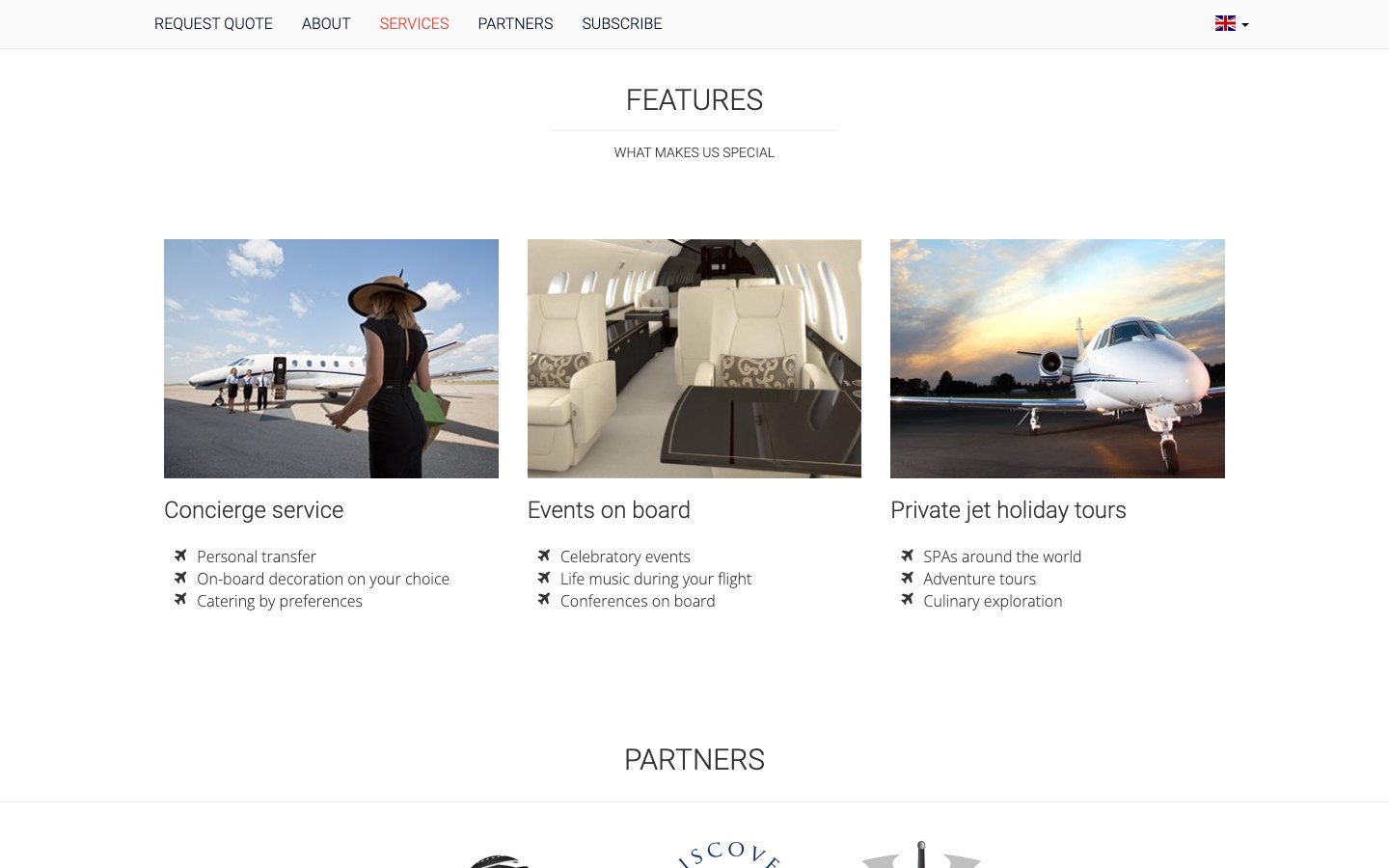
A website in English and Russian under the motto “The Art of Business Aviation”: booking a jet from the first screen, the service's advantages, concierge service, events on board, private jet holidays, partners and a newsletter.
The project got a showcase for customers abroad.
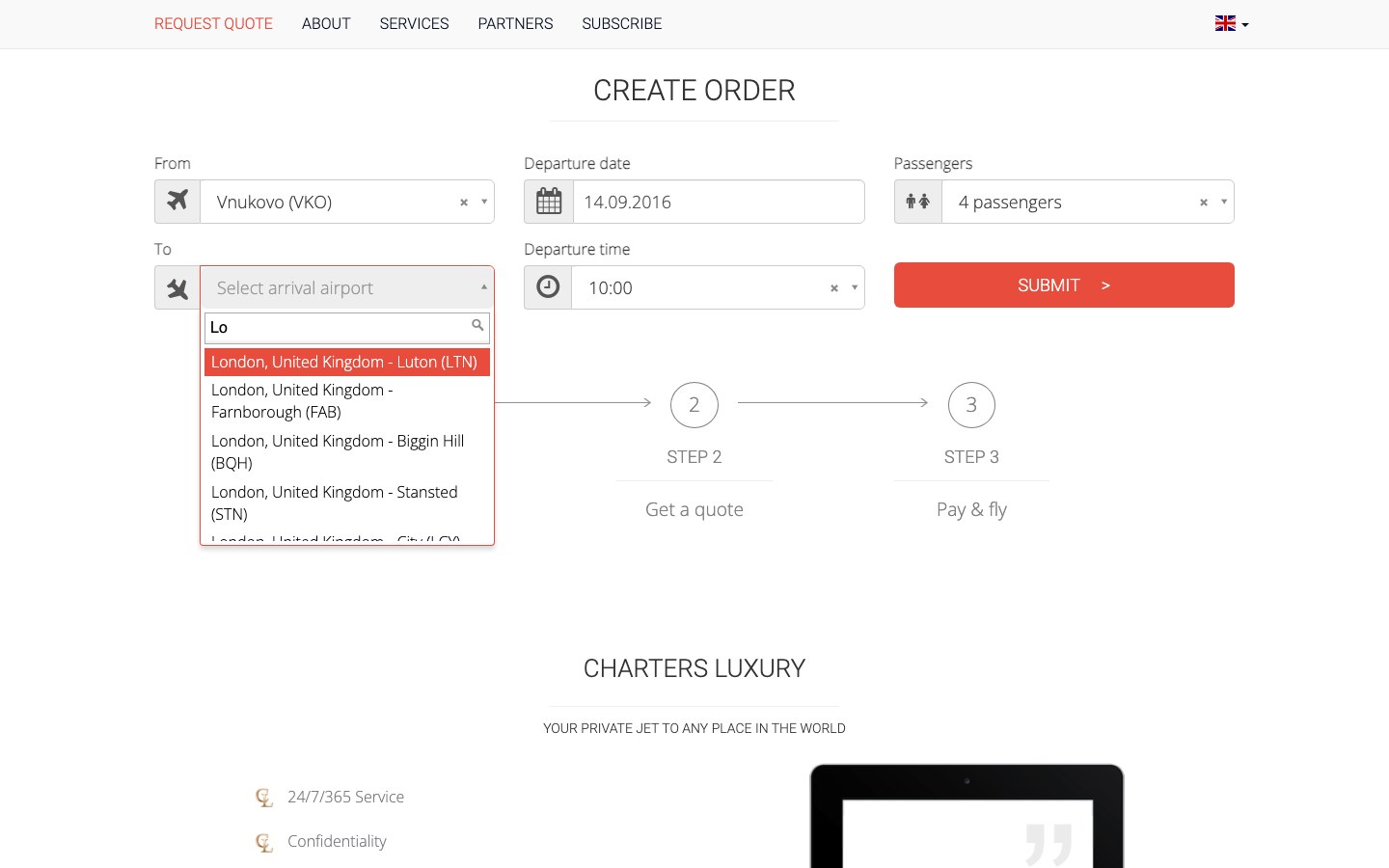
A request in three steps
“Request a jet”: from and to with airport suggestions, date, time and passengers; “Get a quote”: contact details for the offer; “Pay & fly”. In the 2014 version the third step let the customer choose classes, makers and specific aircraft with photos; in 2016 the request was cut down to the route and contacts.
A flight request takes one row of the form.