Incidents: groups and the incident card
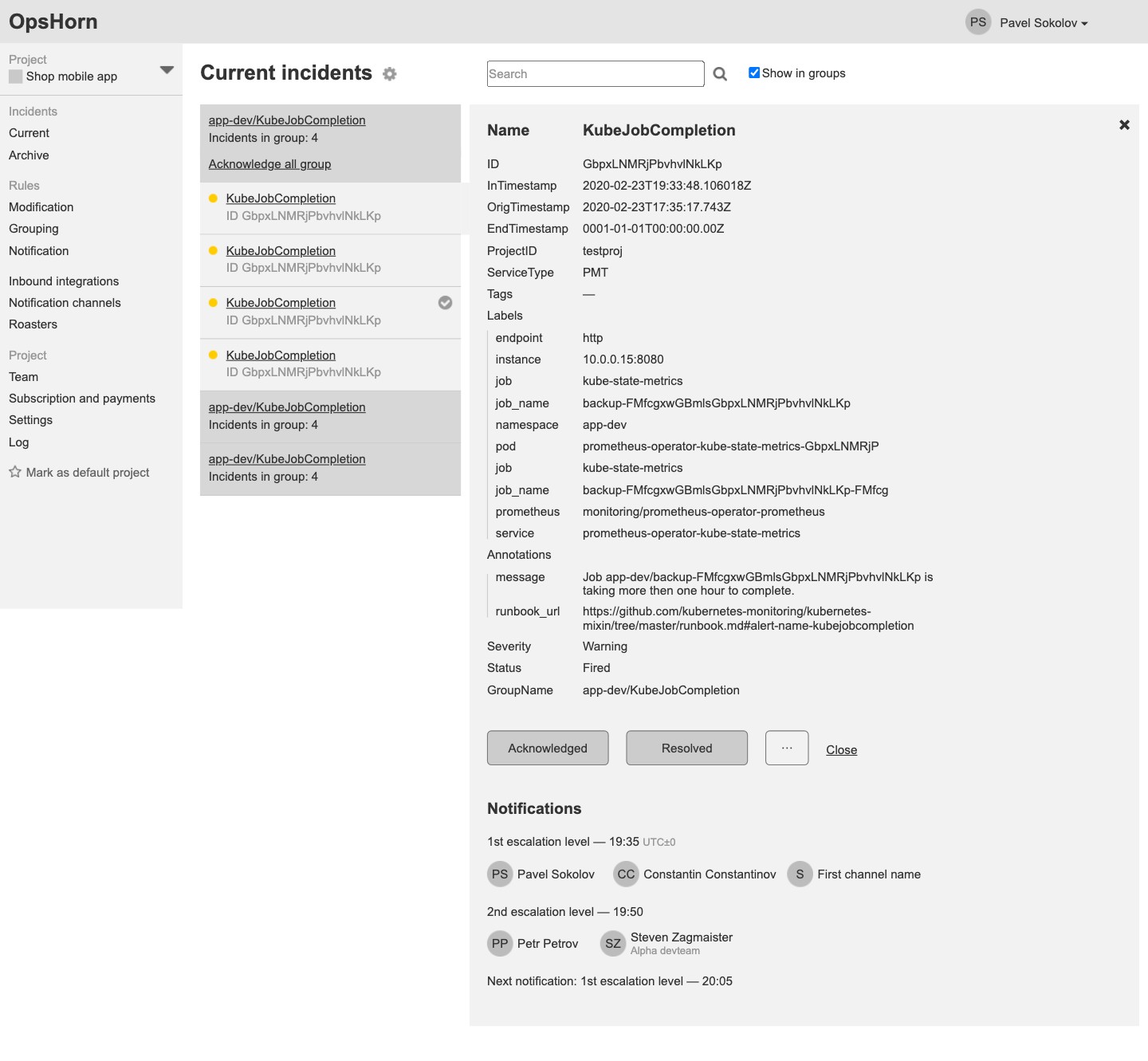
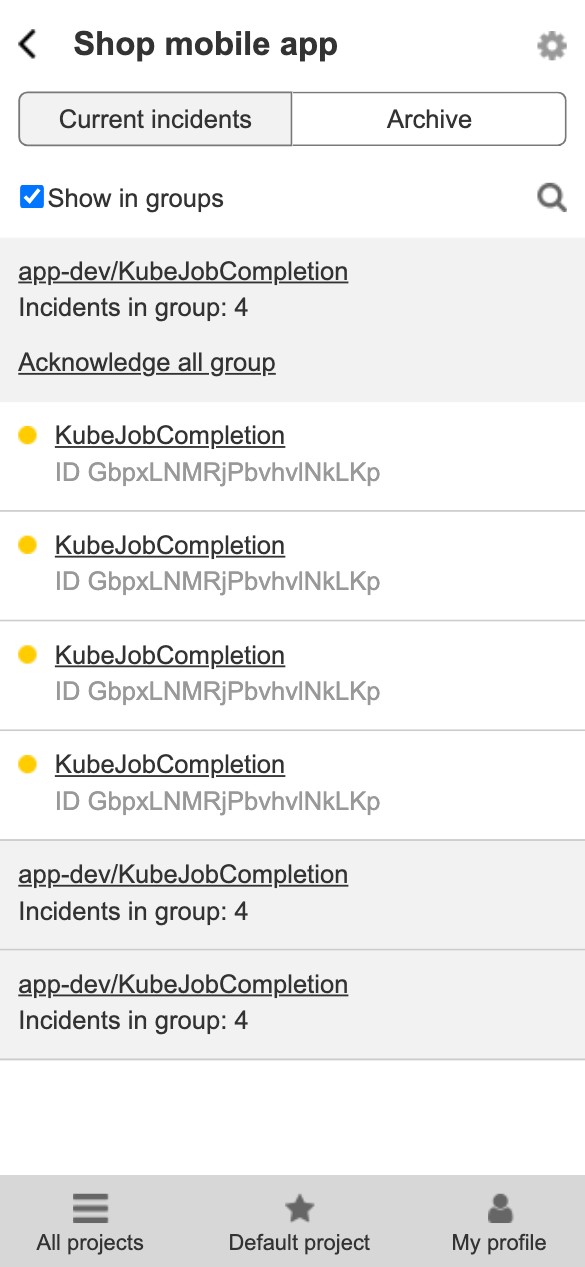
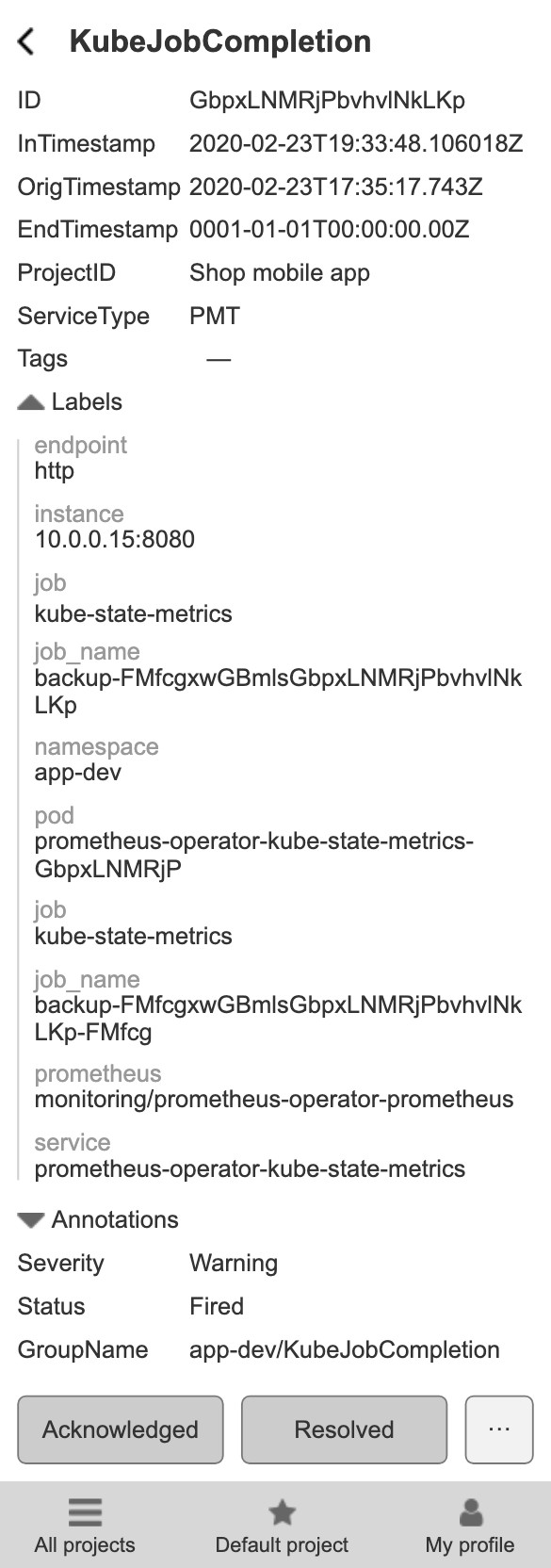
Current incidents are gathered into groups, and a whole group can be acknowledged at once. The card shows every alert field (labels, annotations, severity, status), Acknowledged and Resolved buttons, who was notified at each escalation level and when, the next notification and who responded. An explanation shows which integration the incident came through and which rules were applied. Search and an archive filtered by severity, integration and period.
The on-call engineer sees what happened, who has been called and why.
Notification rules
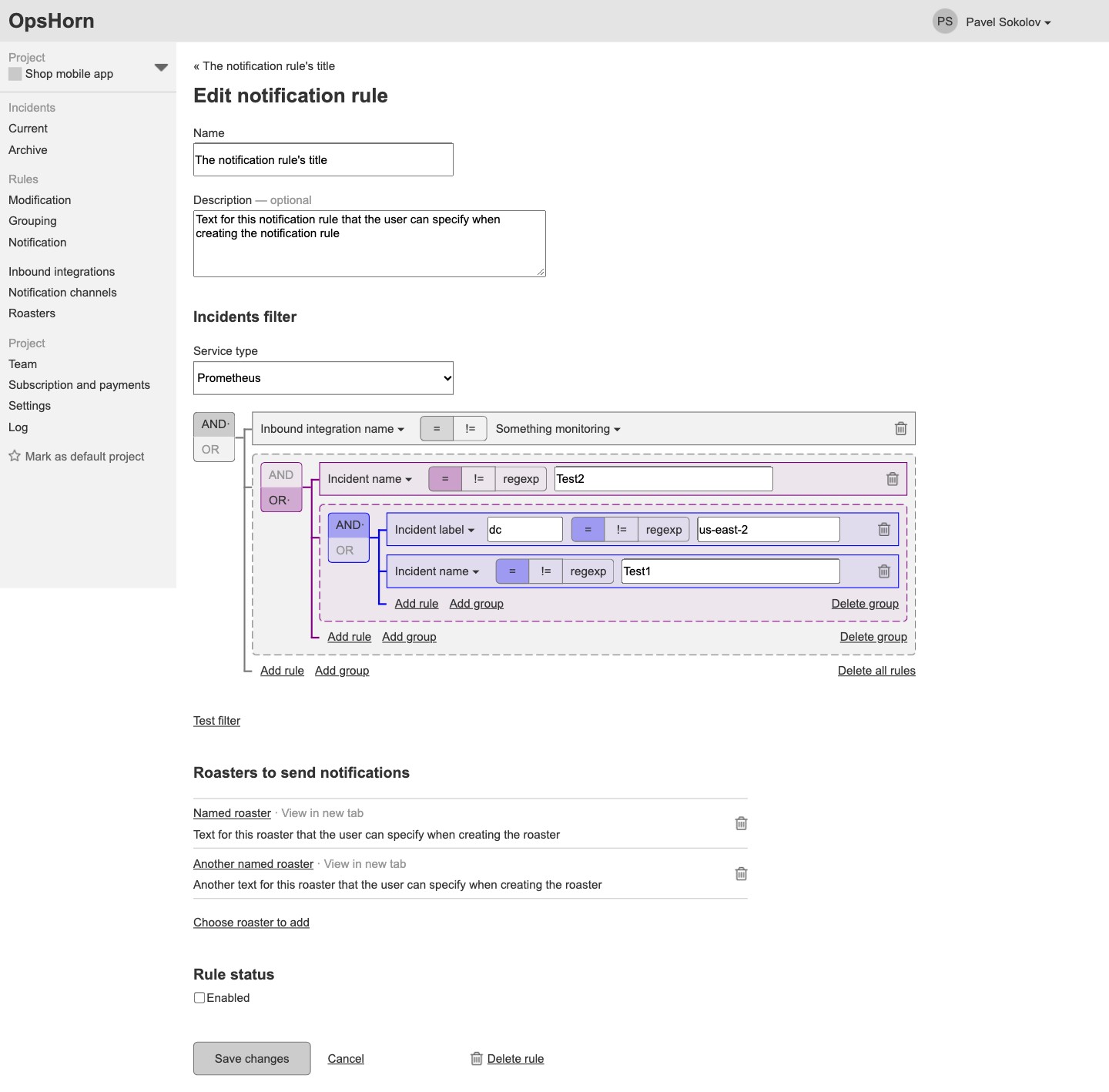
An incident filter is built from conditions and nested AND/OR groups: integration, name, label, tag, severity, description, a service-specific field — matched by equals, not equals or a regular expression. A rule sends incidents to on-call schedules, the filter is tested on past incidents, and whatever no rule catches goes to the default rule.
An incident reaches the right team instead of waking everyone.
Grouping and modification
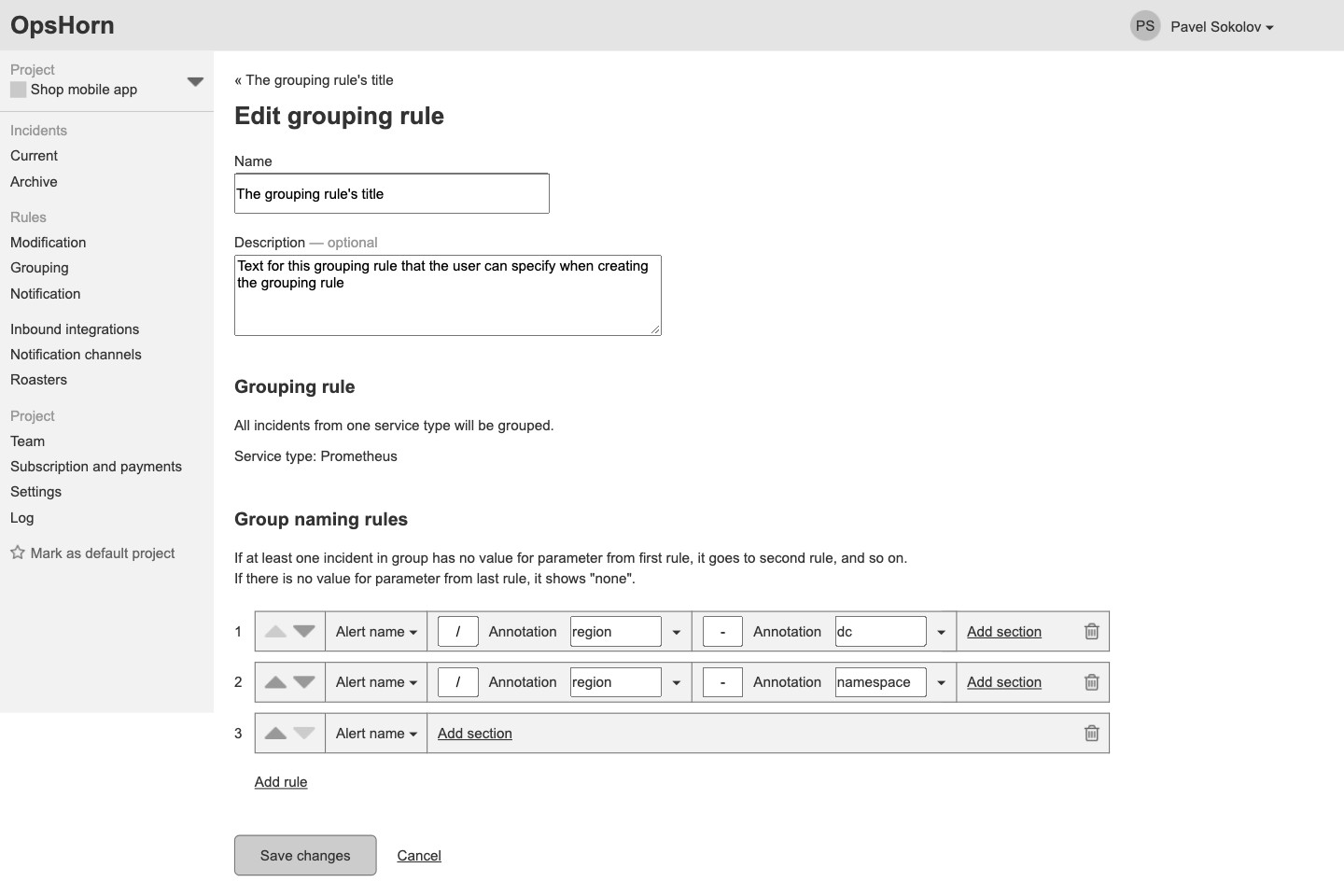
Grouping joins incidents of one service type and names the group by a chain of rules from the alert name and annotations. Modification changes severity, the alert name and annotations or adds new ones, including from other fields' values; the result is tested on the last 20 incidents.
Similar alerts come together in one group with a clear name.
On-call schedules
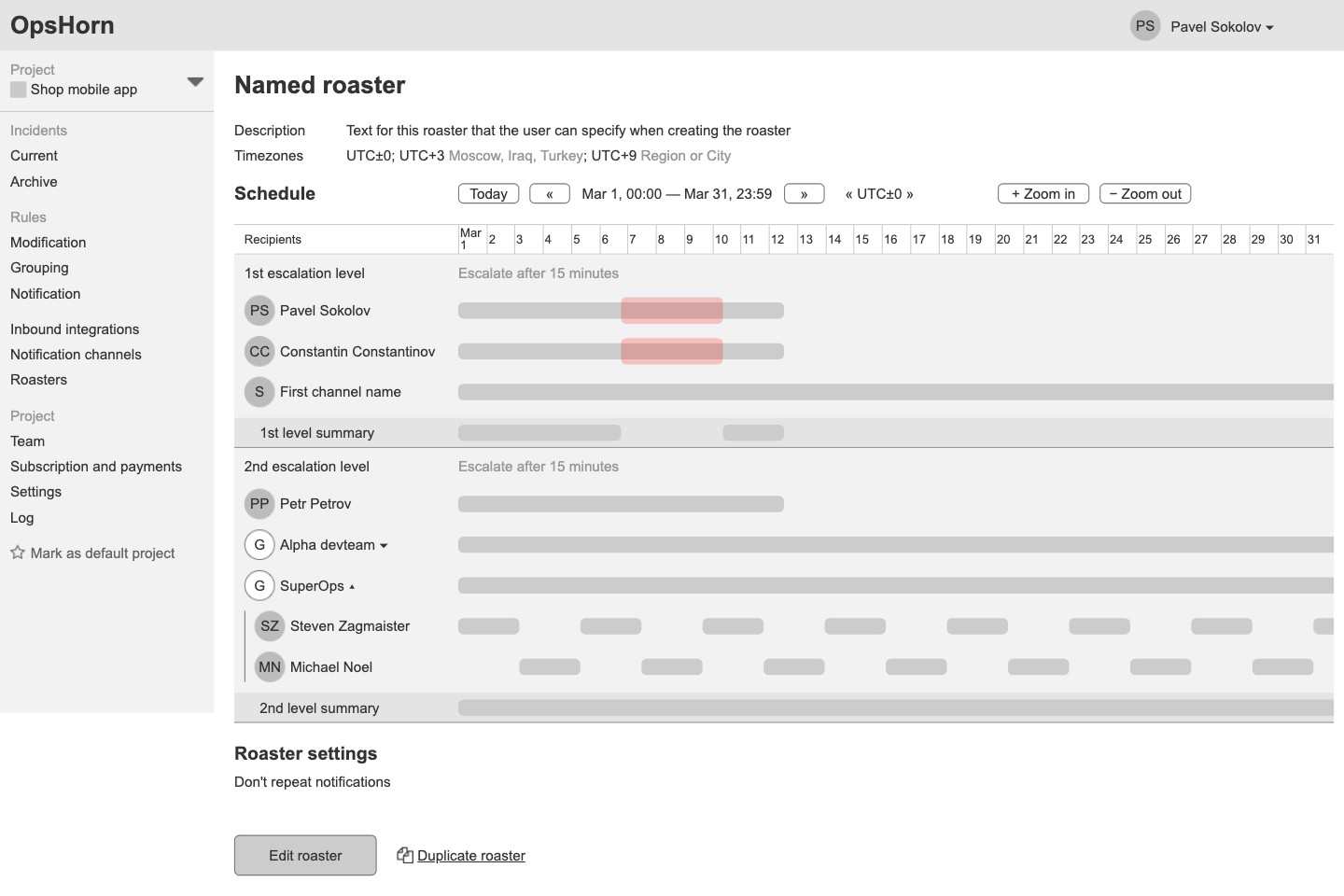
A month's schedule with escalation levels: if the first level doesn't respond in 15 minutes, the notification goes to the second. Recipients are people, channels and groups with schedule templates, and a schedule has its own time zones. Time is set by selecting it on the scale, one-off overrides go on top of the schedule, and a search finds gaps in coverage. Repeated notifications with a cap, and a schedule copy in one click.
At any moment it is clear who is on call and who will be called next.
Integrations and channels
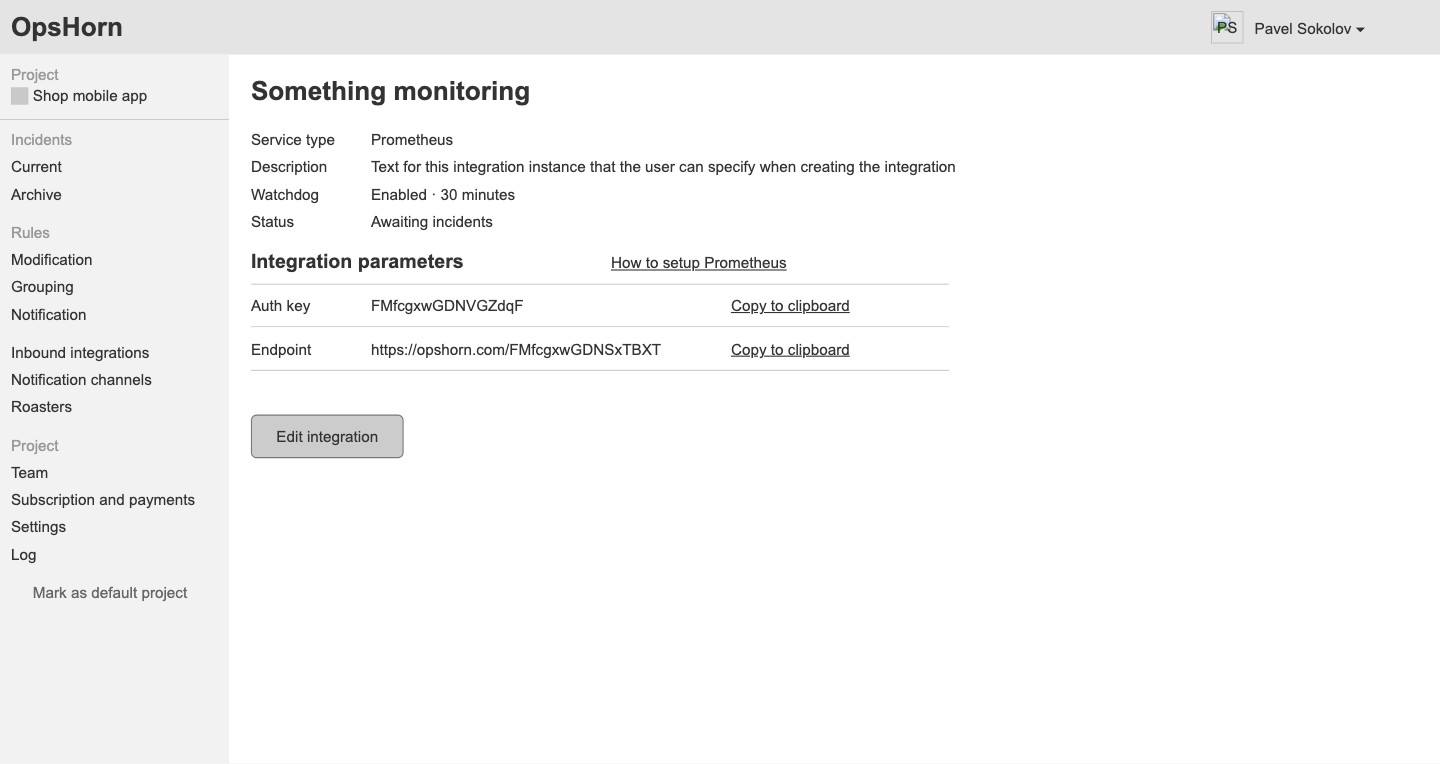
Alert sources are Prometheus, Sentry, Amazon CloudWatch and a generic integration, each with its own key and endpoint, a watchdog and setup instructions. Team channels are Telegram, Slack and Microsoft Teams.
Connecting monitoring means copying a key and an address.
Personal notification settings
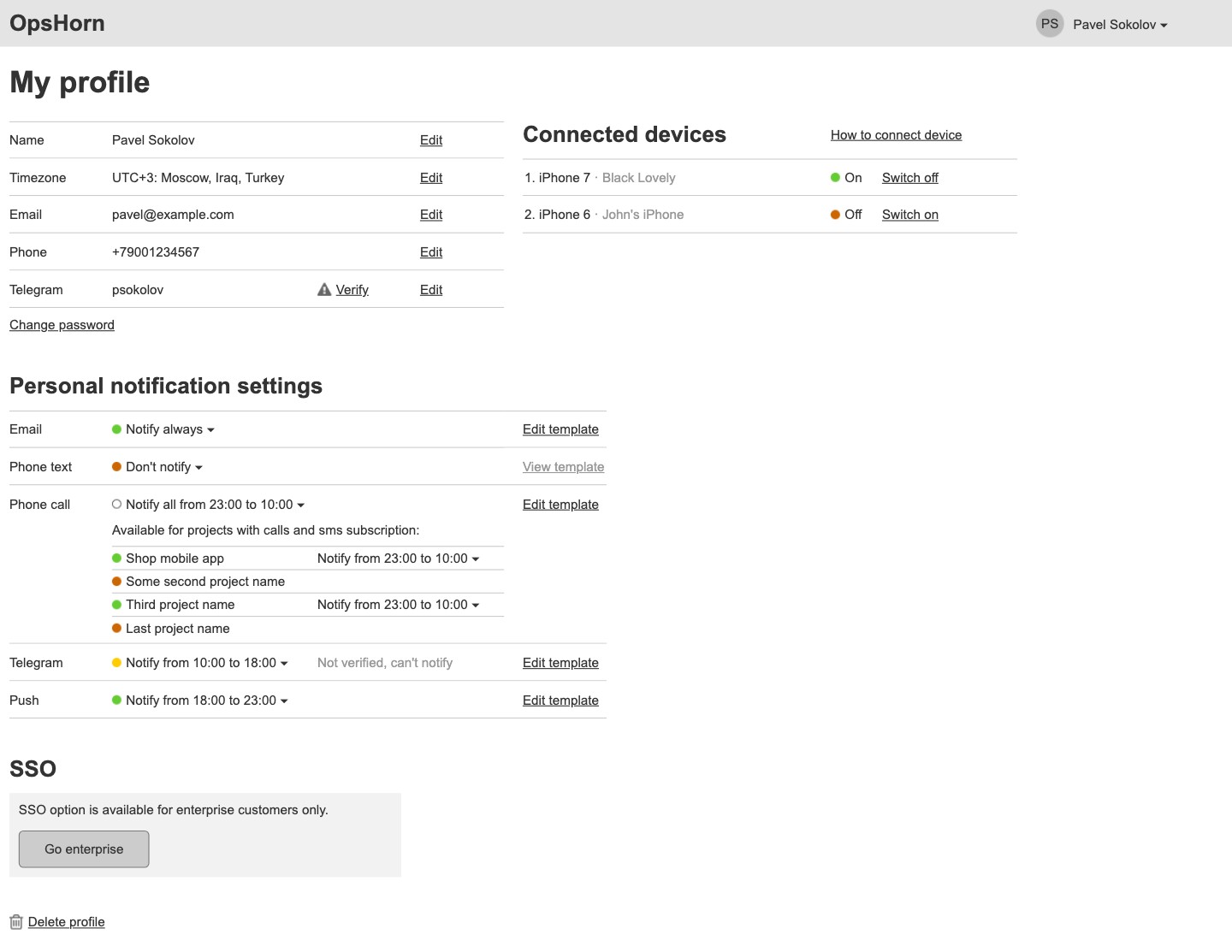
Everyone decides how to be reached: email, text, call, Telegram and push — always, never or at set hours, with separate settings per project. Email and message templates for each service type with a preview on a real incident; a phone with the app connects by QR code.
A notification arrives where and when the person will notice it.
Team, plan and log
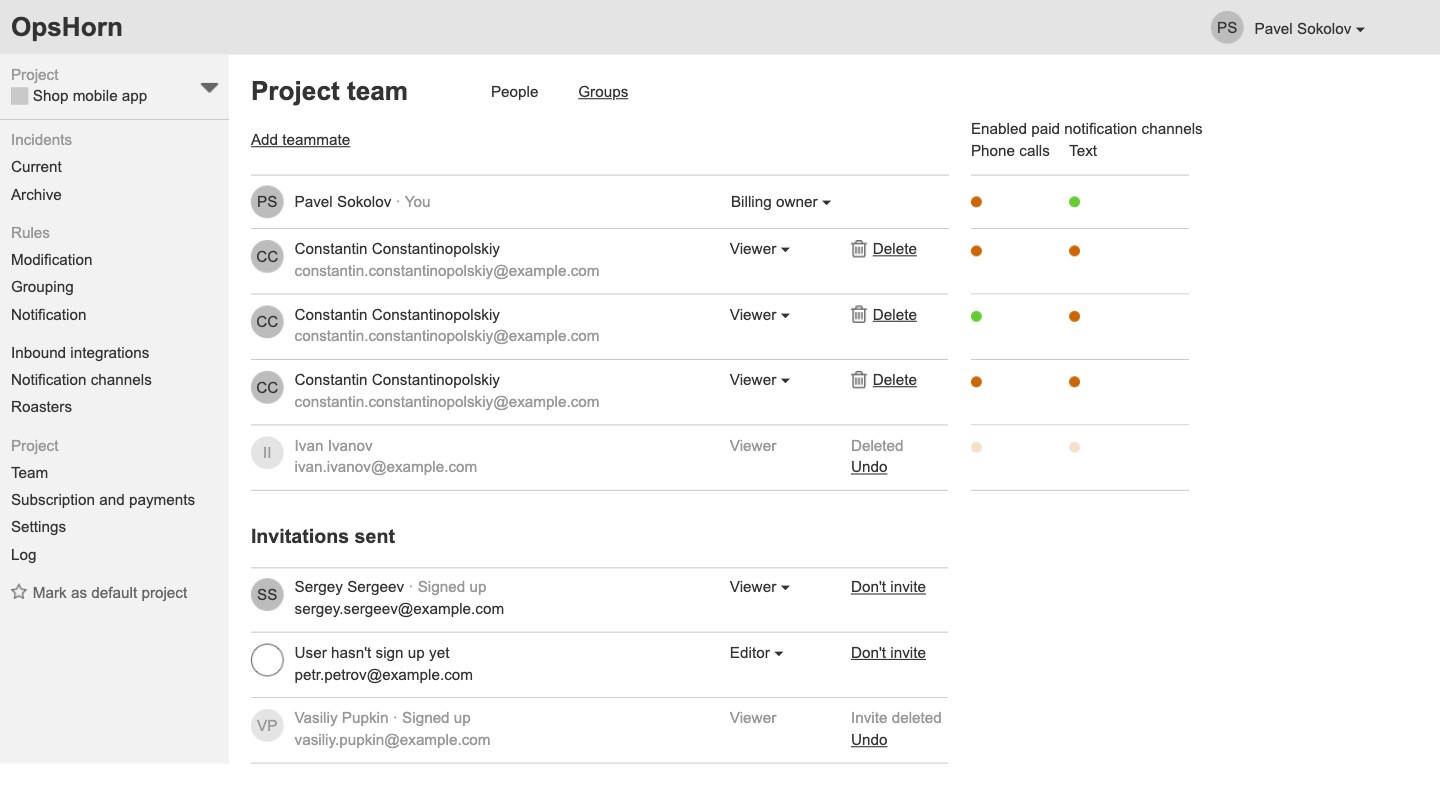
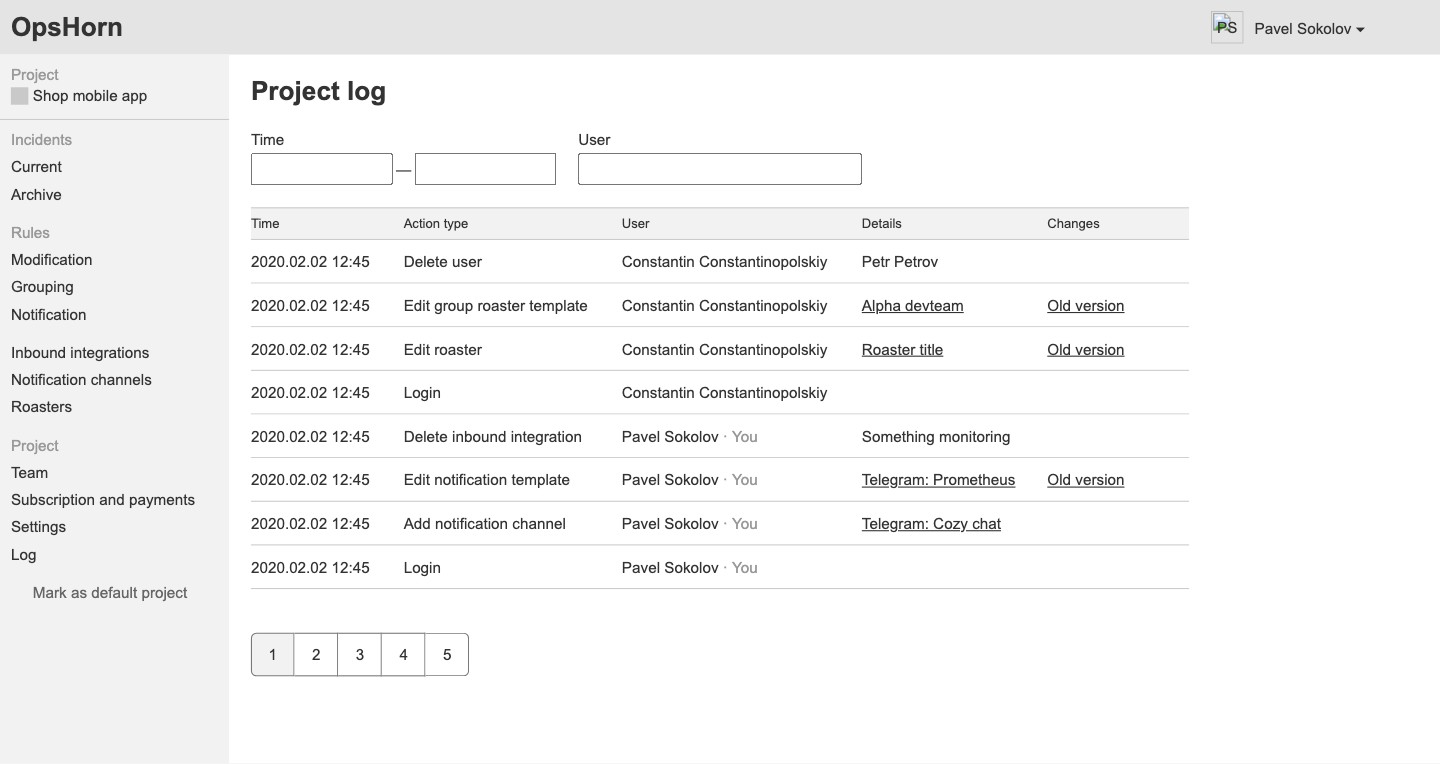
Project members with roles, invitations and groups; for each member you see whether paid calls and texts are on. Plans: free with limits on projects and people, Premium, and enterprise with SSO and a custom domain; call and text packages by country, usage statistics, the card and invoice recipients. The project log shows who changed what, with a link to the previous version.
The project's team, spending and changes stay under the owner's control.
Mobile app
Projects with incident counts by severity, current incidents in groups, archive and search, an incident card with Acknowledged and Resolved, and a push notification about an incident.
You can respond to an incident from your phone without opening a laptop.