spacetab

World WiFi: advertising in guest Wi-Fi

Project completed, 2017–2019

A platform for free Wi-Fi in cafés, hostels and clubs: guests get online with their phone number and see an ad, the venue owner gets a share, and advertisers pick venues on a map and pay per impression or per click.

Client and task

World WiFi was a guest Wi-Fi network with advertising. A venue installs a MikroTik router, guests connect for free and see an ad banner in exchange for access. Advertisers' money is split between the platform and venue owners.

We had to build everything except the routers themselves: a login page that works in the phone's built-in browser and identifies the guest, as required for public Wi-Fi in Russia; access through RADIUS; an installer that sets up the owner's router on its own; dashboards for advertisers and venue owners; and ad serving by schedule and place. We started in 2017 with the Adrenta ad platform and in 2018 rebuilt everything into a single World WiFi platform.

What we did

Three sides on one platform: the advertiser, the venue owner and the guest with a phone.

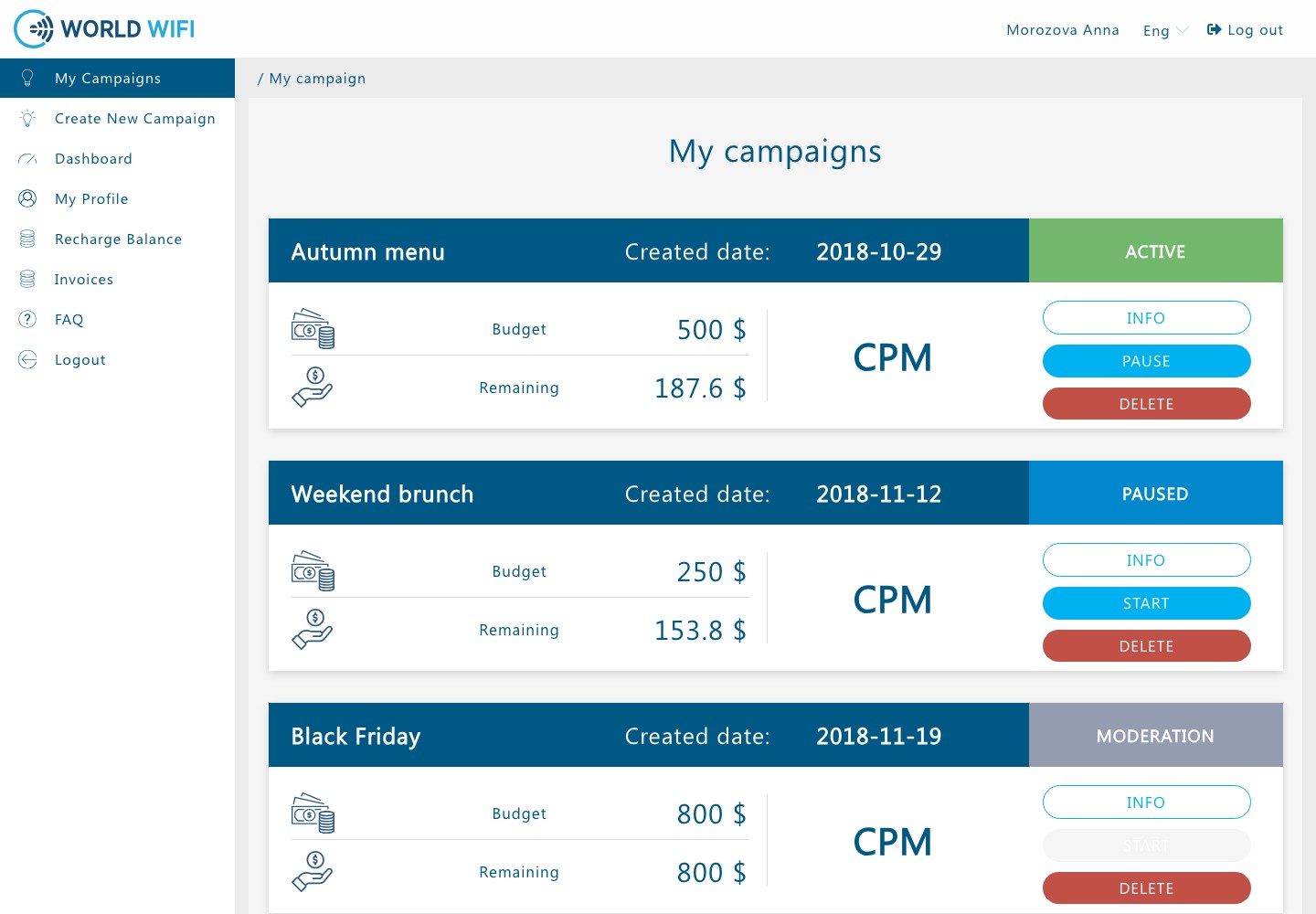
Advertiser campaigns: budget and remaining balance, pay per thousand impressions, running, paused and in-moderation statuses, start and pause buttons

Advertiser campaigns

A list of campaigns with budget and remaining balance, pricing model (per thousand impressions or per click) and status: in moderation, ready to start, running, paused, declined, finished. The advertiser starts and pauses campaigns, new ones are first checked by a moderator in the platform admin.

It is clear how much money is left in each campaign and what is happening to it.

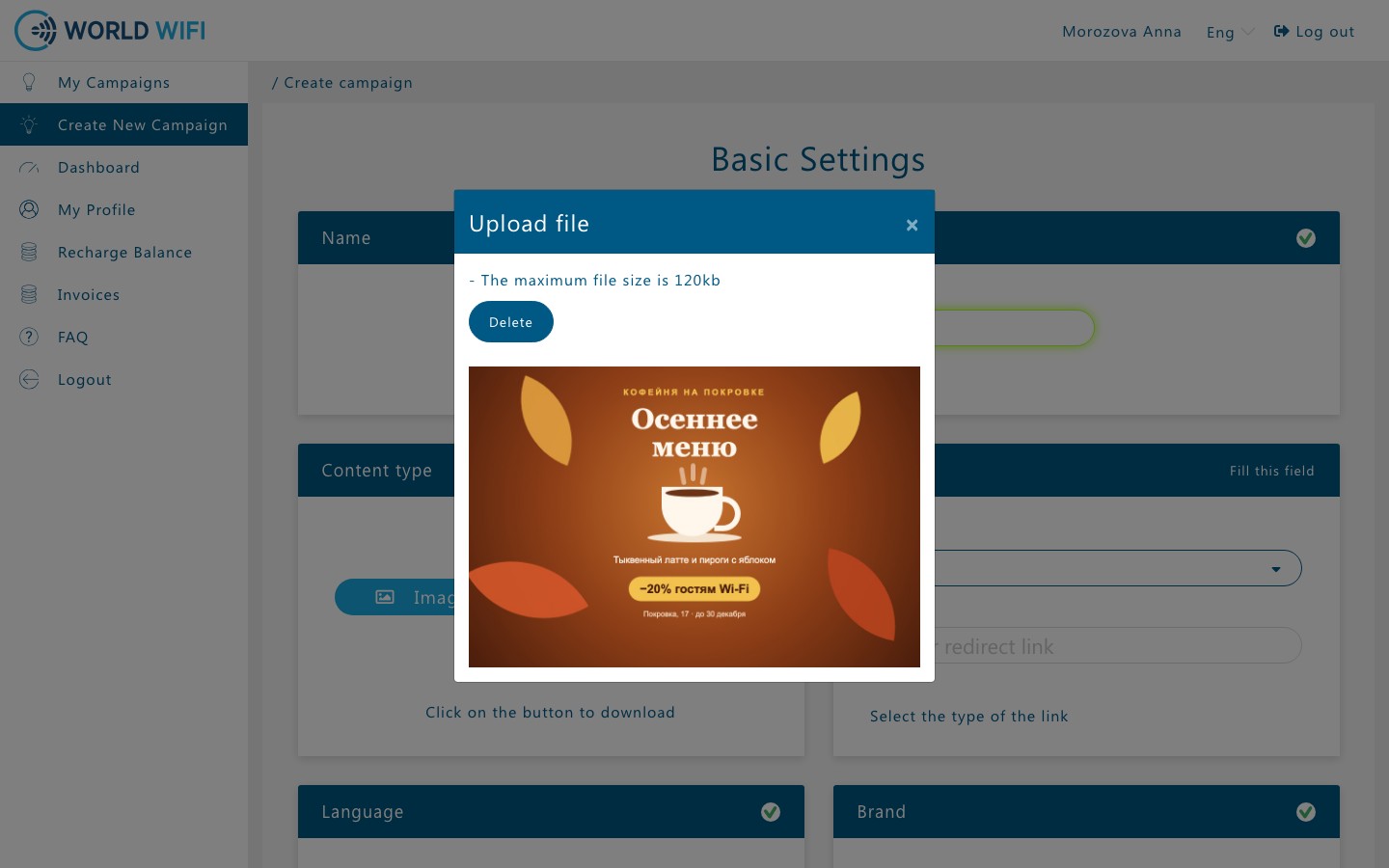
Creating a campaign: the uploaded café banner in a preview window over the form

Banner and payment

A campaign is set up on one page: name, image or video, a link or a Telegram channel to open, language, budget, pricing model and price. The uploaded banner shows up right away in a preview window.

Advertisers launch ads on their own, without an account manager.

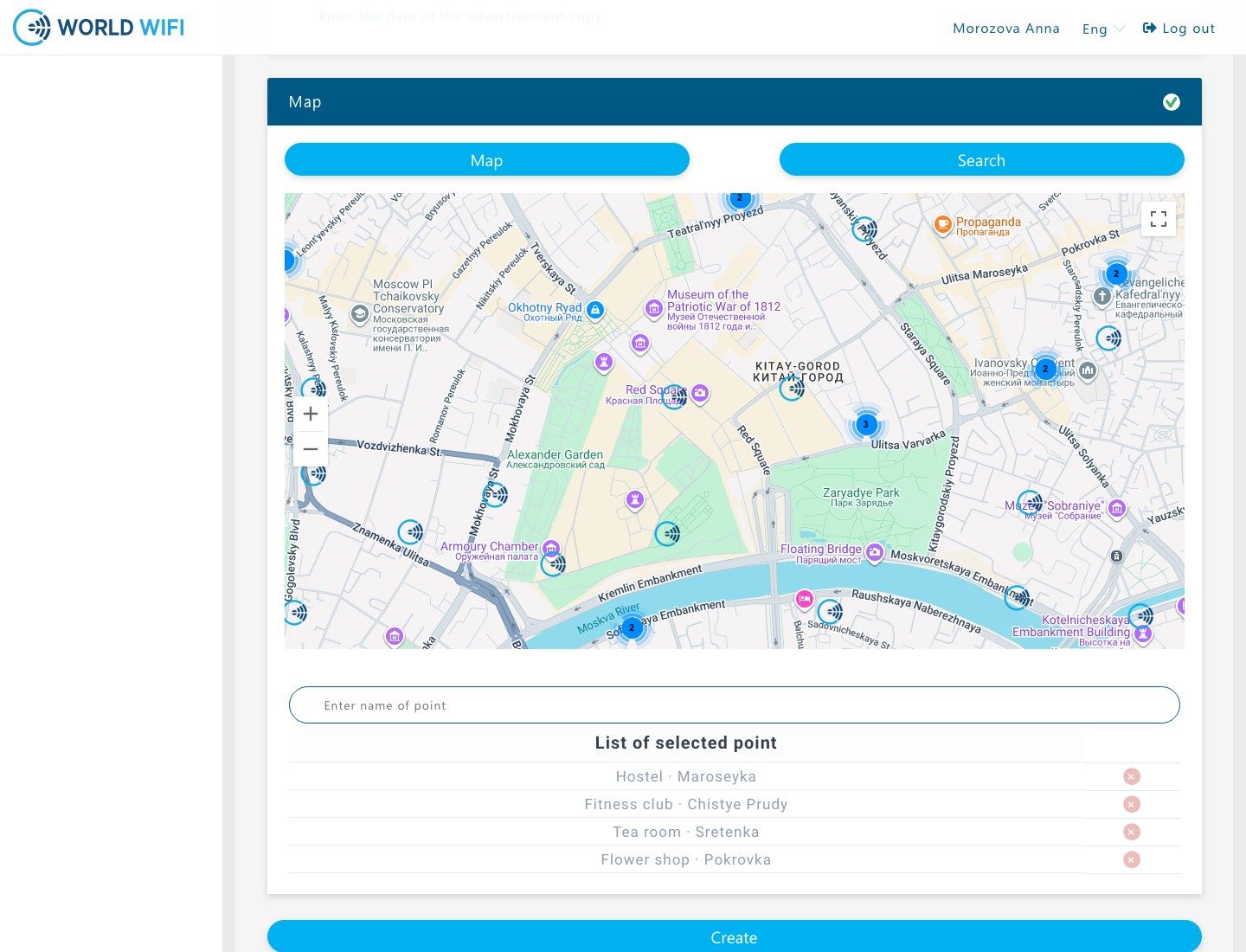
Picking venues on the map: venues and venue clusters in central Moscow, the list of picked venues and the Create button

Where and when to show

Dates, hours and days of the week, and venues on the map: the advertiser clicks venues and venue clusters near the right spot or searches them by name, and the picks gather in a list under the map.

A café's ad is shown to guests of nearby venues and only at the right hours.

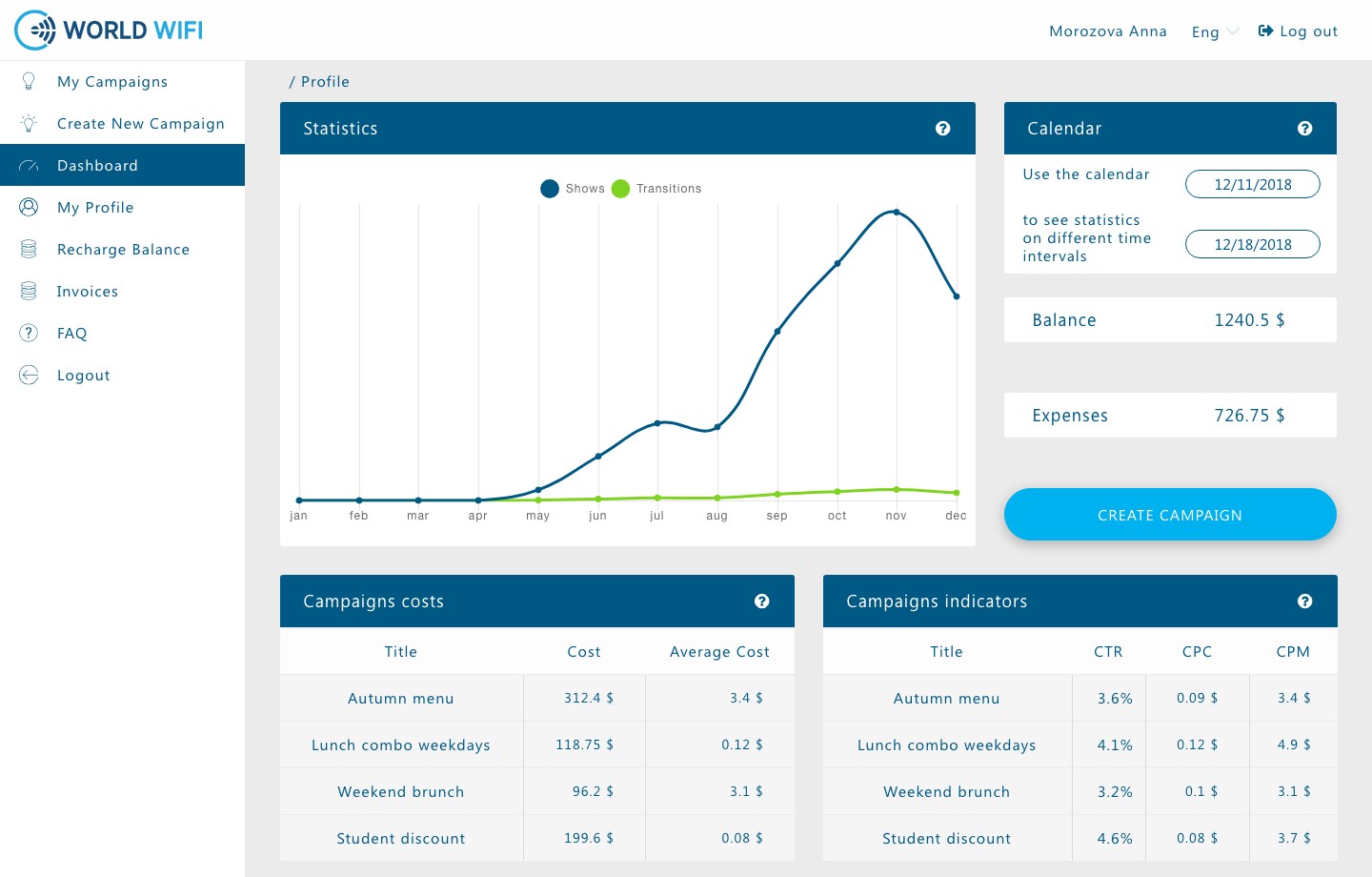
Advertiser statistics: impressions and clicks by month, balance and spend, cost and CTR, CPC, CPM per campaign

Advertiser statistics

Impressions and clicks by month, balance and spend for a chosen period, and for each campaign its cost, average price, CTR, cost per click and per thousand impressions.

It is clear which campaign works and which one just burns the budget.

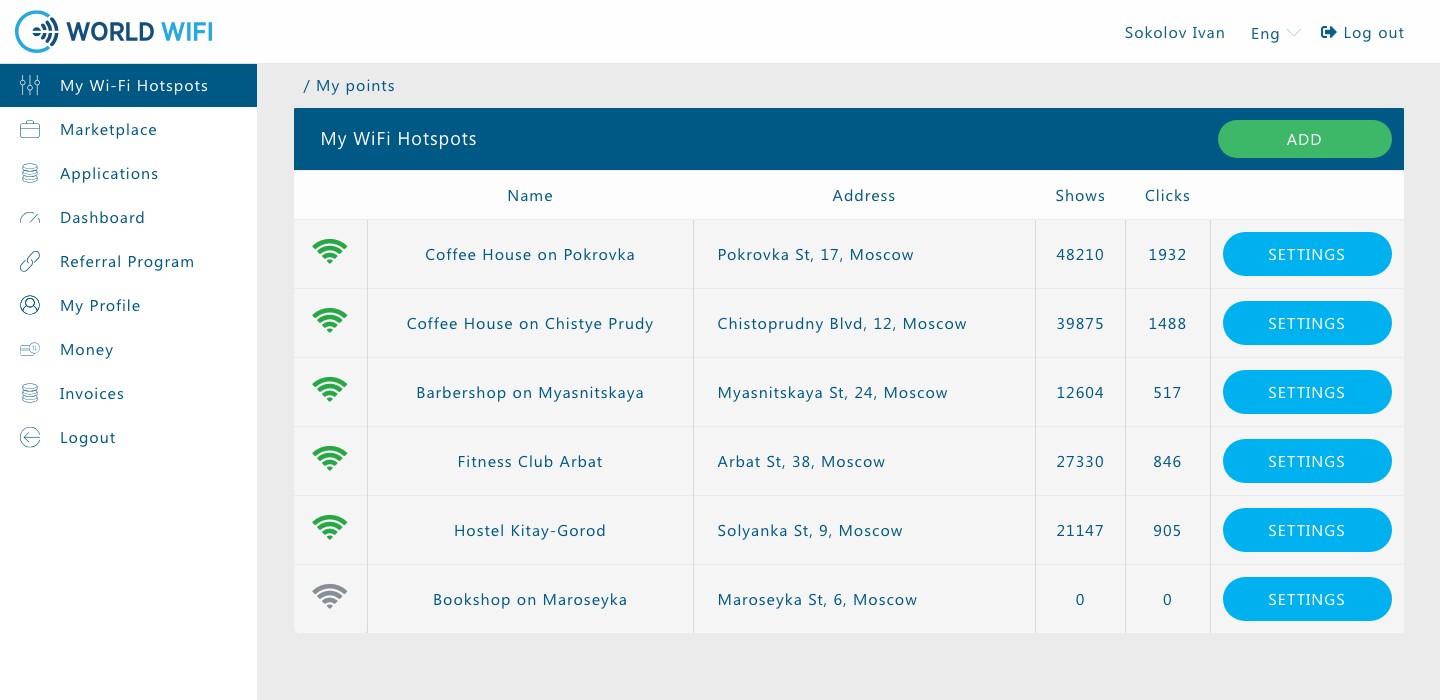
The owner's hotspots: connection status, address, impressions and clicks, settings buttons

Owner's venues

All of the owner's routers: whether the hotspot is connected, address, impressions and clicks, and a way into settings. While a new hotspot waits for its firmware, the next one cannot be added.

Owners see how much advertising went through each of their venues.

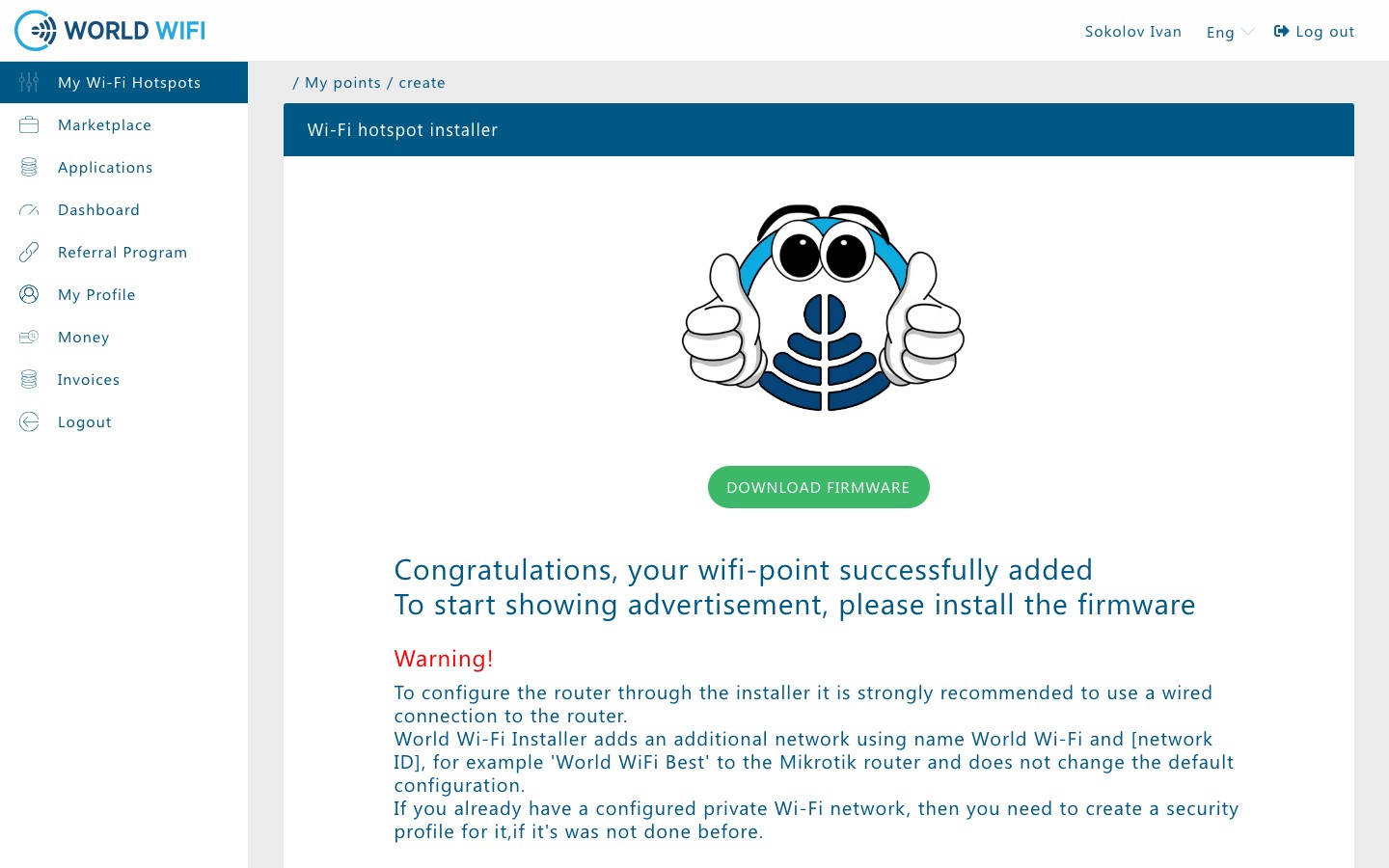
Hotspot added: the installer download button, warnings and router setup steps

Connecting a router

A new hotspot is created by name, the address is filled in from geolocation. Then the owner downloads the installer: a Windows program logs into the MikroTik router, adds the World WiFi guest network and leaves the venue's own network alone. The same script also runs with a single command in the router terminal.

Owners connect hotspots themselves, no engineer visit needed.

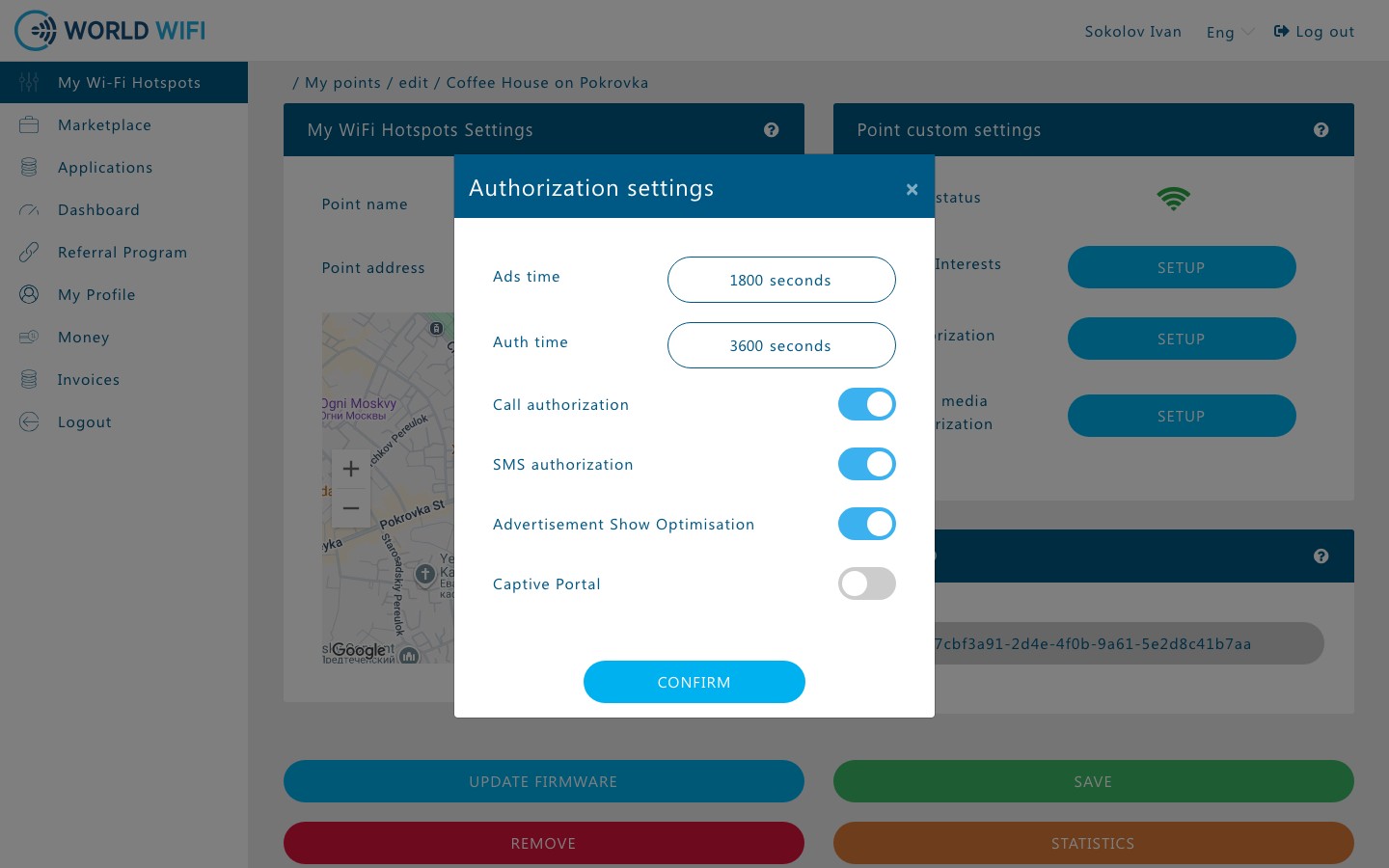
Hotspot settings: session and guest memory time, call and SMS login, ad optimisation

Hotspot login settings

The owner decides how guests identify themselves — by a call, by SMS or through social networks — how long a session lasts until the next ad and how long to remember a guest, and turns on ad optimisation. For hotspots in Russia identification switches on automatically and cannot be turned off.

Each venue tunes the login for its guests without breaking the law.

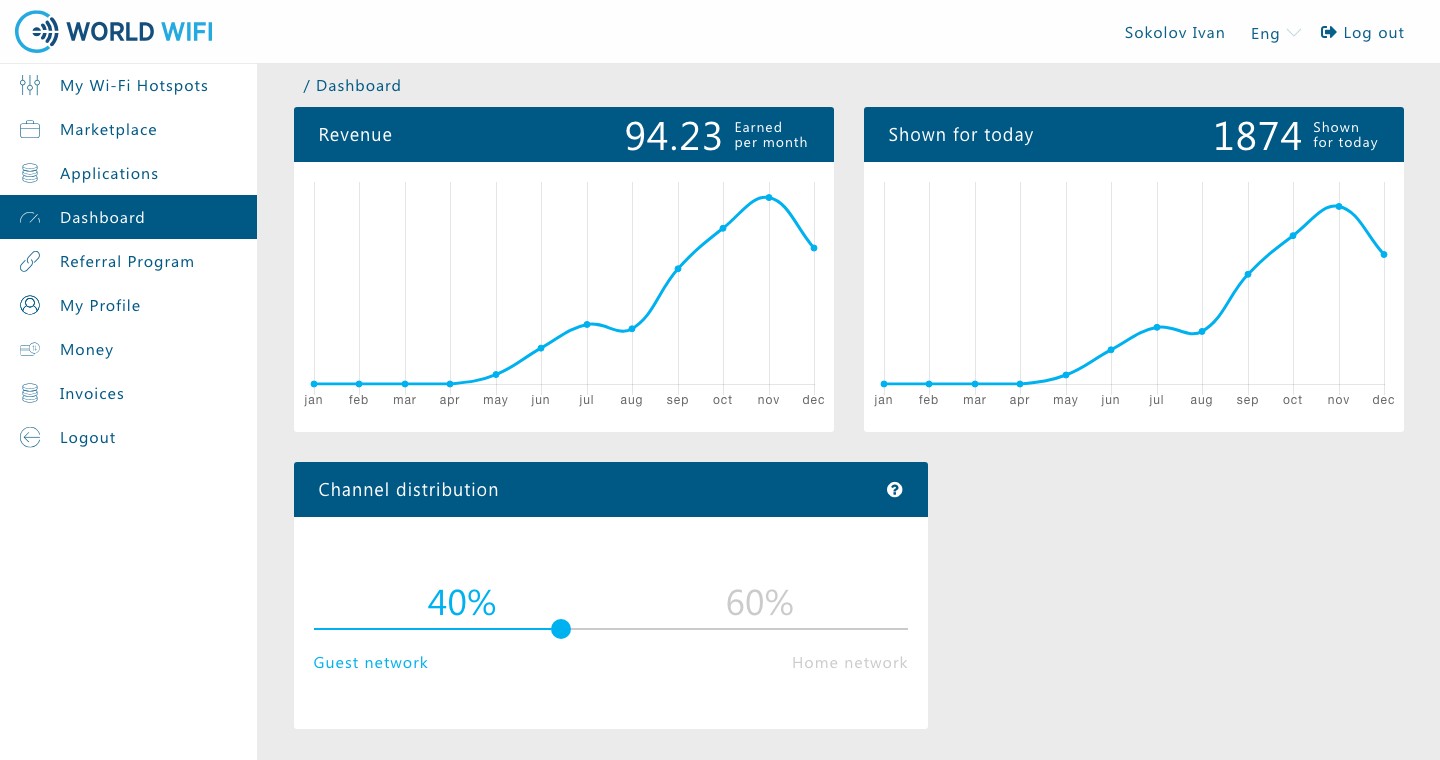
Owner dashboard: earnings and impressions by month, impressions today, bandwidth split between the guest and the home network

Owner's earnings

Earnings and impressions by month, impressions today, how the bandwidth is split between the guest and the home network; withdrawals, a referral program and a marketplace of services for venues — hotel chat, live queue, polls. If enabled, hotel chat and live queue are shown to guests instead of ads.

Wi-Fi at the venue starts earning money.

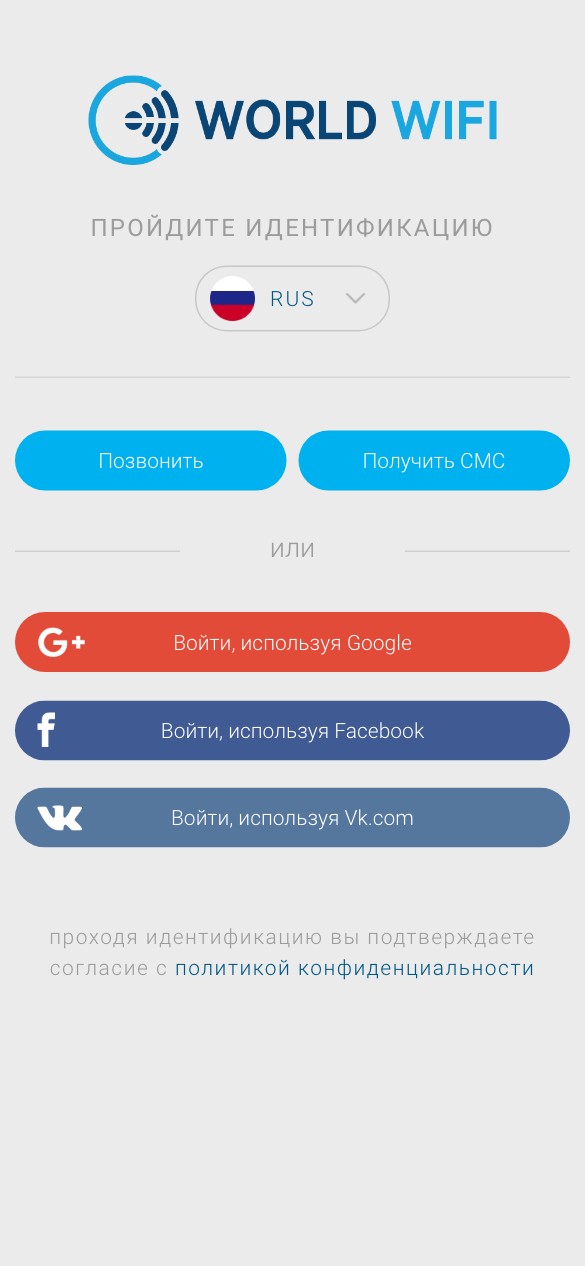
Wi-Fi login on a phone: call, SMS, Google, Facebook and VK, language switch

Wi-Fi login on a phone

The guest joins the network and sees the World WiFi page: call, get an SMS or log in with Google, Facebook or VK. For a call, the page assigns a number for two minutes — the call is dropped within a second and costs nothing. Russian and English to choose from.

Guests get online on their own, for free and without signing up.

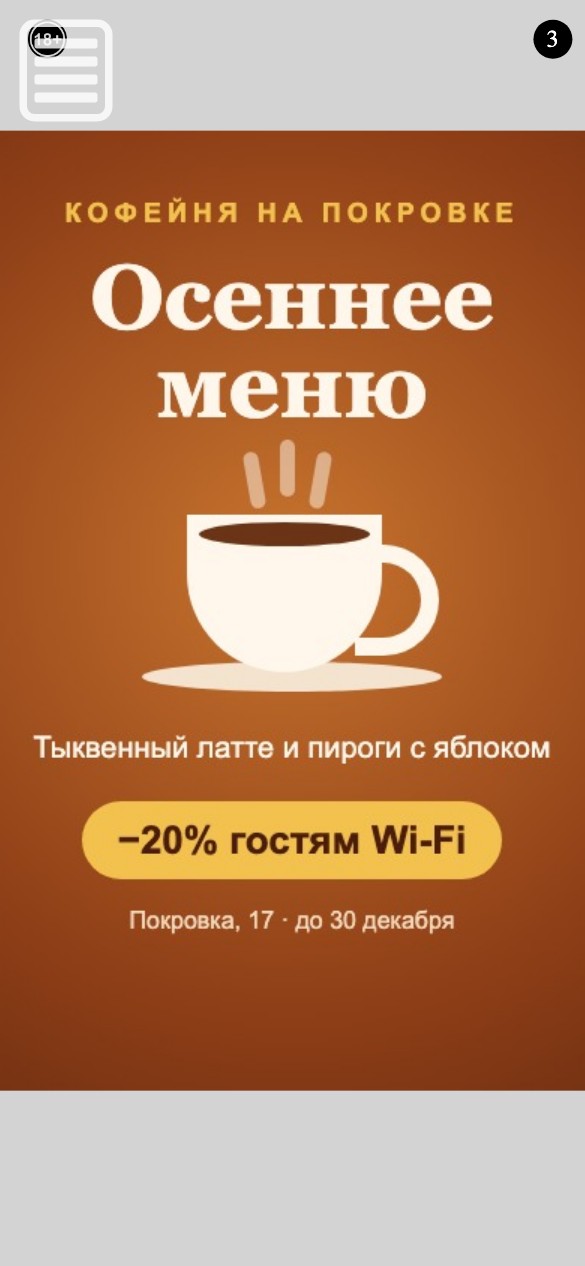
An ad after login on a phone: a café banner, the 18+ label and the countdown to closing

An ad after login

Right after identification the guest sees a banner chosen by place, time and the venue's interests, or a partner offer if no campaign fits. After five seconds the banner can be closed and the internet used; on a repeat visit within the set time there is no need to identify again.

The advertiser gets an impression, the guest gets internet, the owner gets a share.

1 / 10

How it works

The router serves the guest a light page that immediately sends them to the identification server; after a call, an SMS or a social login the server creates a RADIUS account for the guest and lets them online through an ad view. The platform server picks the banner by venue, campaign schedules and the venue's interests. The login page was rewritten three times: the built-in browser a phone opens when joining Wi-Fi does not run background requests, so in the last version everything is computed on the server and the page is made of plain forms.

Timeline and scale

  1. June 2017 we started with the Adrenta ad platform: campaigns, placements, bids and invoices.
  2. September 2017 the guest identification service and the first login page on the router.
  3. April 2018 the new World WiFi platform: advertiser and venue owner dashboards, the ad server.
  4. May 2018 the auto-installer for MikroTik routers and the third version of the login page.
  5. July 2018 the Windows installer.
  6. December 2018 the ad view after login moved to a separate service.
  7. February 2019 latest changes.

Scale: 22 repositories, about 5,700 commits — dashboards, the platform server, the identification service, RADIUS, router pages and installers, ad serving and the admin panel.

What the client got

  • The whole chain from one contractor

    From router firmware and the login page to dashboards, banner selection and payouts to venue owners.

  • Owners connect hotspots themselves

    Download the installer and run it — the router is set up without an engineer, and the venue's own network is left alone.

  • Login by the rules

    Phone identification for hotspots in Russia switches on by itself, other login methods are chosen by the owner for their guests.

  • Self-service

    Advertisers create campaigns, pick venues on the map and follow statistics on their own, owners connect hotspots and withdraw earnings on their own.

Technologies

Status

Project completed. We worked on the platform in 2017–2019, with the latest changes in February 2019.

Have a similar task?

Tell us about it: we reply within one business day and suggest where to start.

Telegram: @spacetab_bot · Email: bip@spacetab.io