Specification, prototype and design first
A functional specification described every screen and its behaviour for four roles: chief expert, expert, observer and administrator. From it we built a clickable prototype of 37 pages and 17 dialogs, then the design: 114 layouts for desktop and for 320 px phones, and a kit of interface elements in WorldSkills Russia colours.
Screens and exam rules were agreed on the prototype before development, not on finished code.
All of an expert's exams in one list
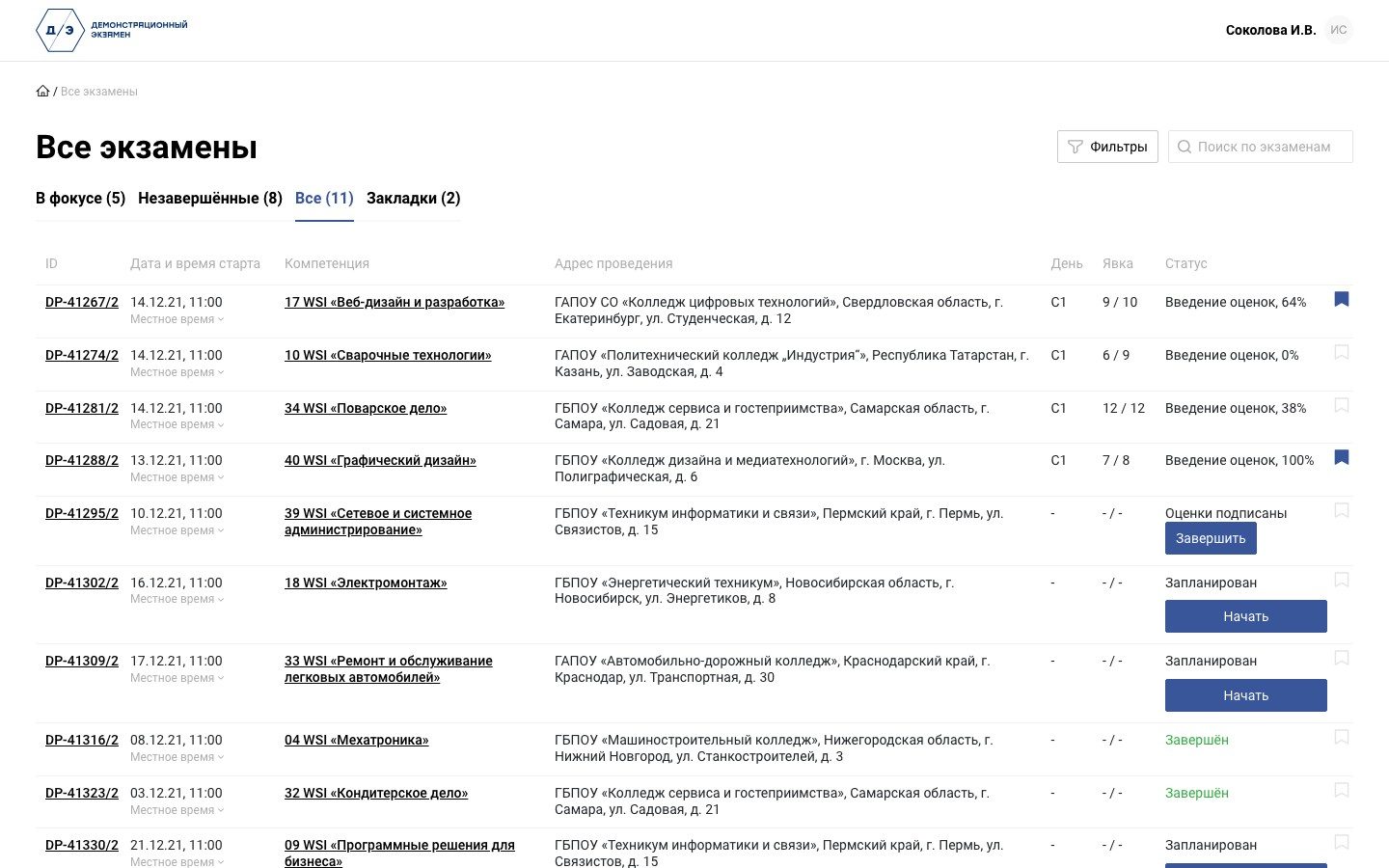
“In focus”, “Unfinished”, “All” and “Bookmarks” tabs, filters by status, skill and dates, search. Each row shows the number, start time in local time, skill, venue, exam day, attendance and status: planned, attendance check, mark entry, mark lock, marks signed, completed. The chief expert starts and closes an exam right from the list.
An expert running several exams sees what is happening where and doesn't have to look for the right one.
Exam summary
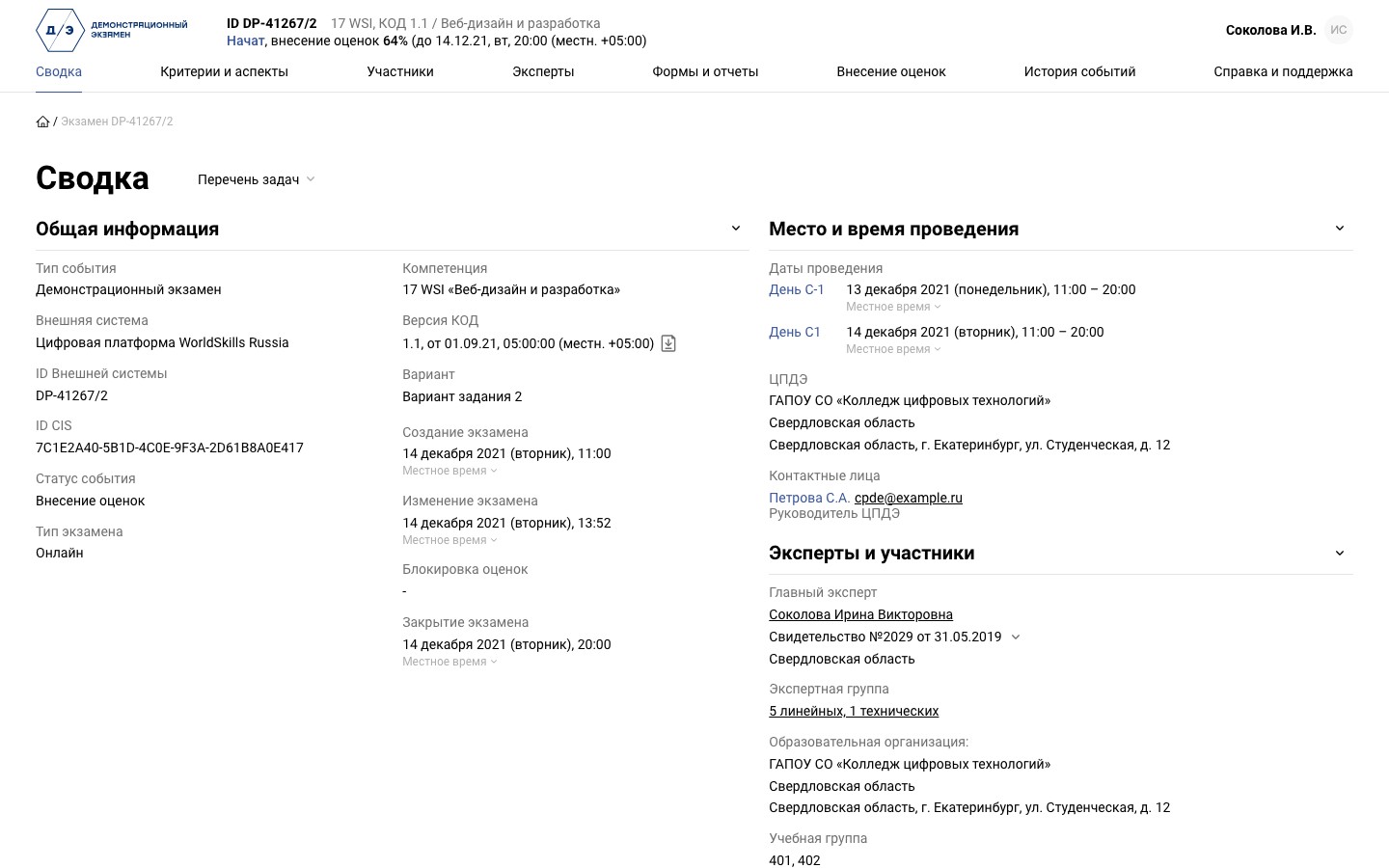
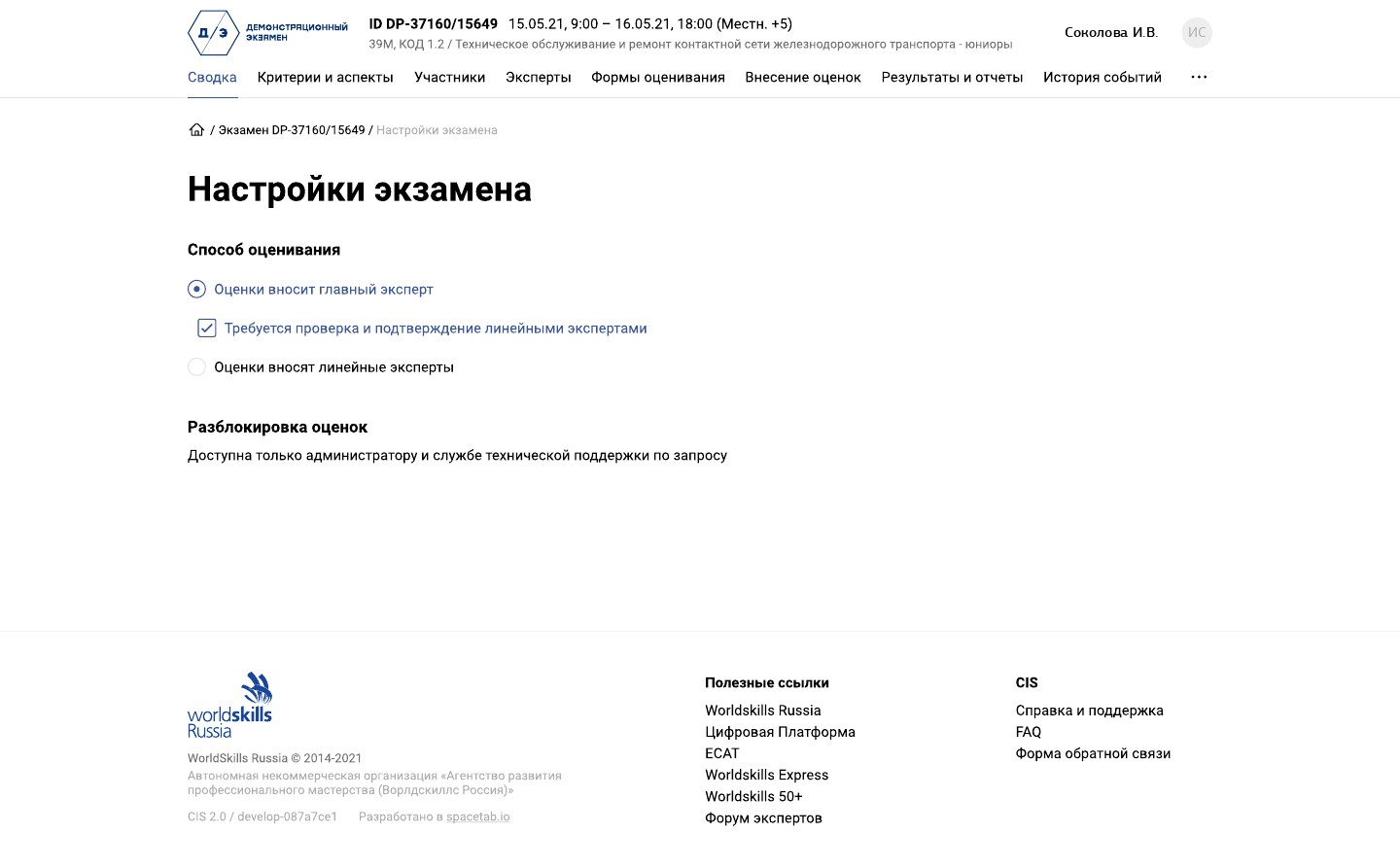
The skill and the version of the assessment kit, the task variant, days C-1 and C1 in local time, the exam centre and its contacts, the chief expert, the expert group and study groups. The exam arrives from an external system through the API together with candidates and experts; the marking scheme and the task variant come from ESAT. The settings set the marking method: experts enter marks, or the chief expert does with confirmation by the experts; marks can only be unlocked through an administrator.
Everything about the exam on one page, without emailing the organisers.
Attendance with a face check
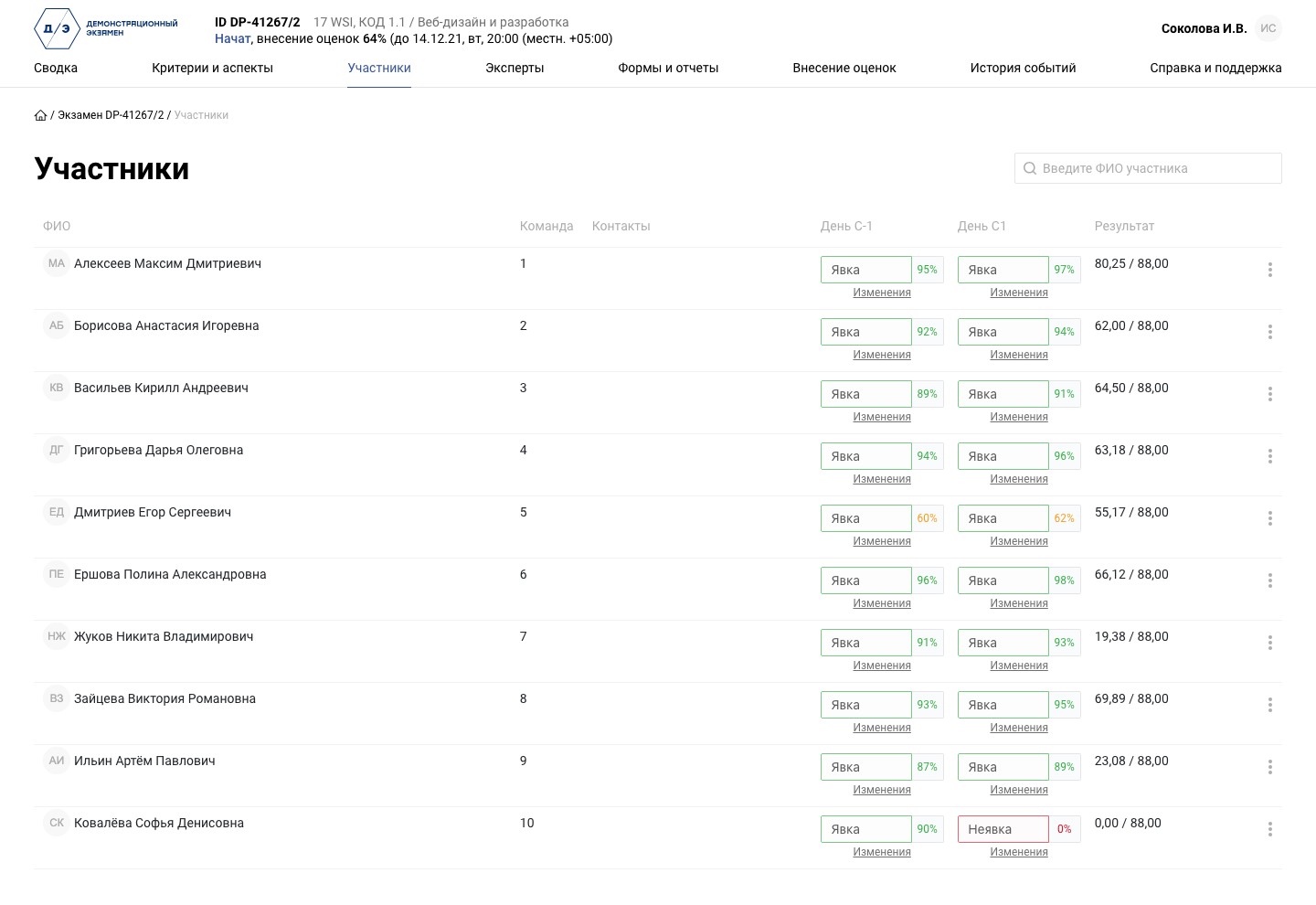
For each day: present, absent or left early, with a reason, a comment and files, next to the face match percentage from the proctoring system. Moving a candidate to another team also needs a reason. For the first 15 minutes an attendance record can be corrected without explanation, after that only with a reason.
It's clear at once who came to the exam and whether it is the right person, and every correction is explained.
Marking scheme from ESAT
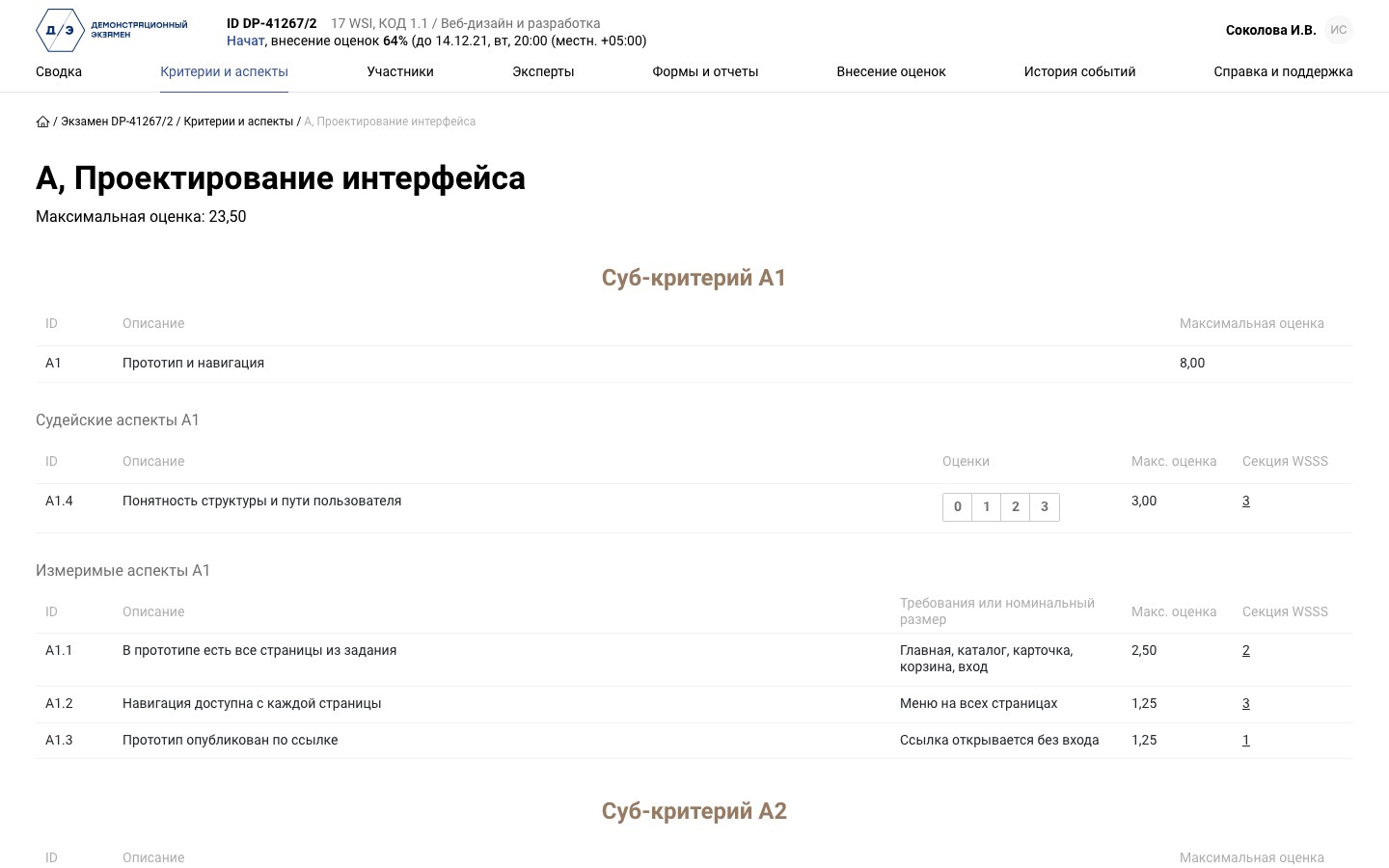
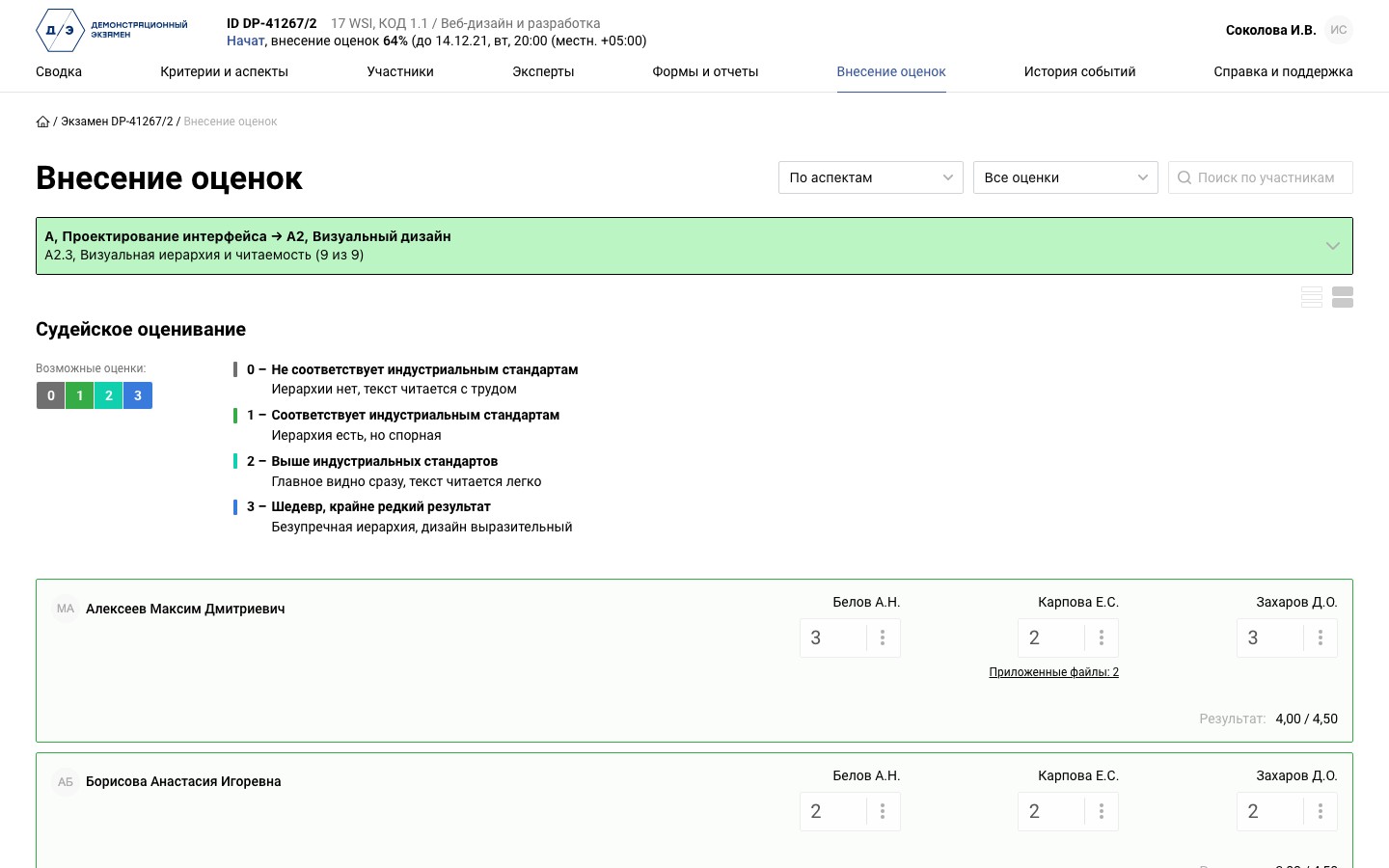
Modules, sub-criteria and aspects: measurement aspects carry a requirement or nominal size, judgement aspects a 0 to 3 scale with a description for each score. Every aspect has a maximum mark and a section of the WSSS skill standard.
Experts mark against the approved scheme, nobody copies it over by hand.
Marking by candidate, on a computer or a phone
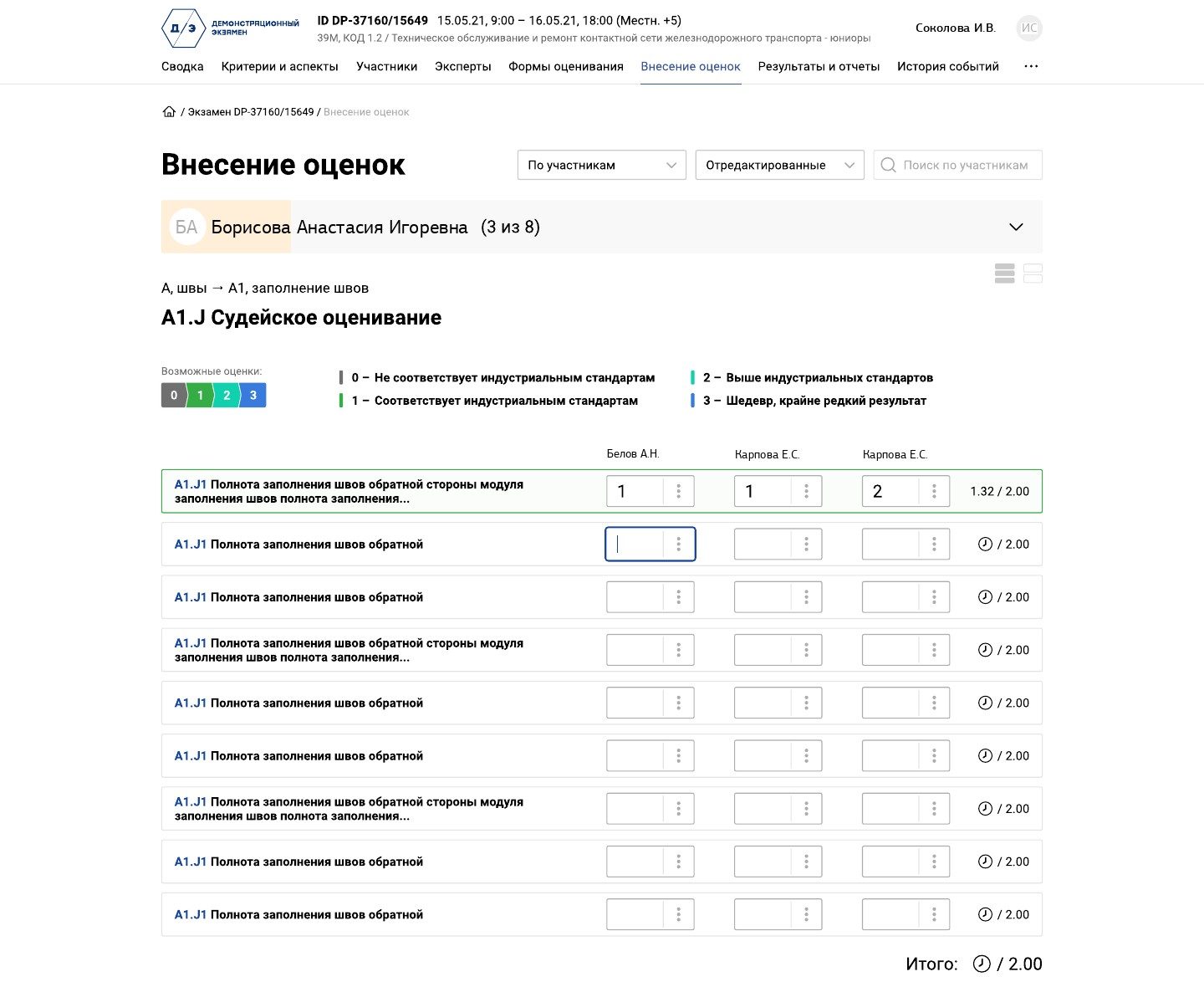
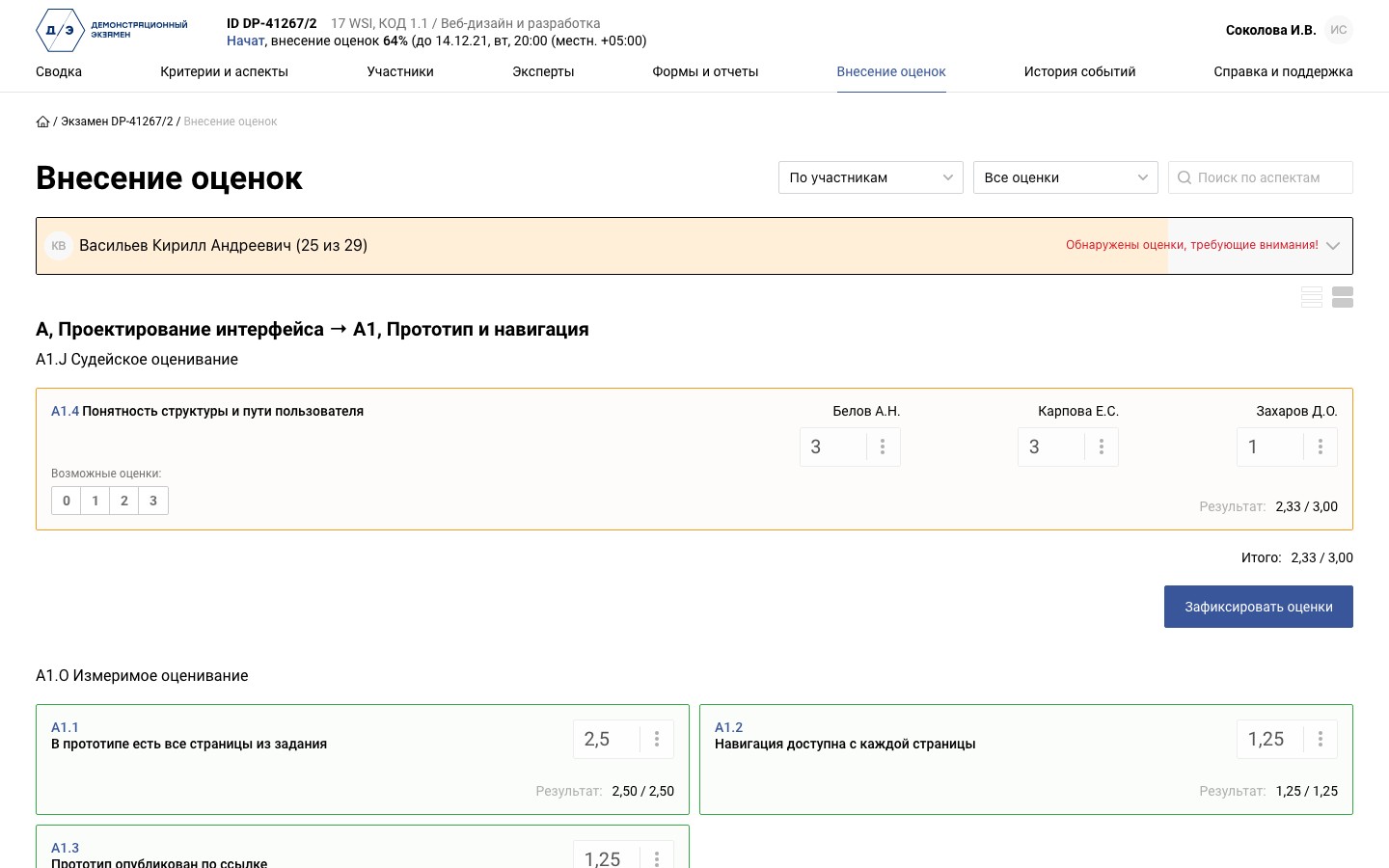
Experts enter marks online, and each one is saved at once. The chief expert sees every expert's score on a judgement aspect and the result; if the scores differ by 2 points or more, the aspect and the candidate are flagged for attention. Finished groups of aspects are locked, and if the connection drops the system warns the expert and blocks input. The old way still works too: the chief expert enters marks from paper forms.
Expert disagreements show up while marking, not when the mark sheet is signed.
Marking by aspect
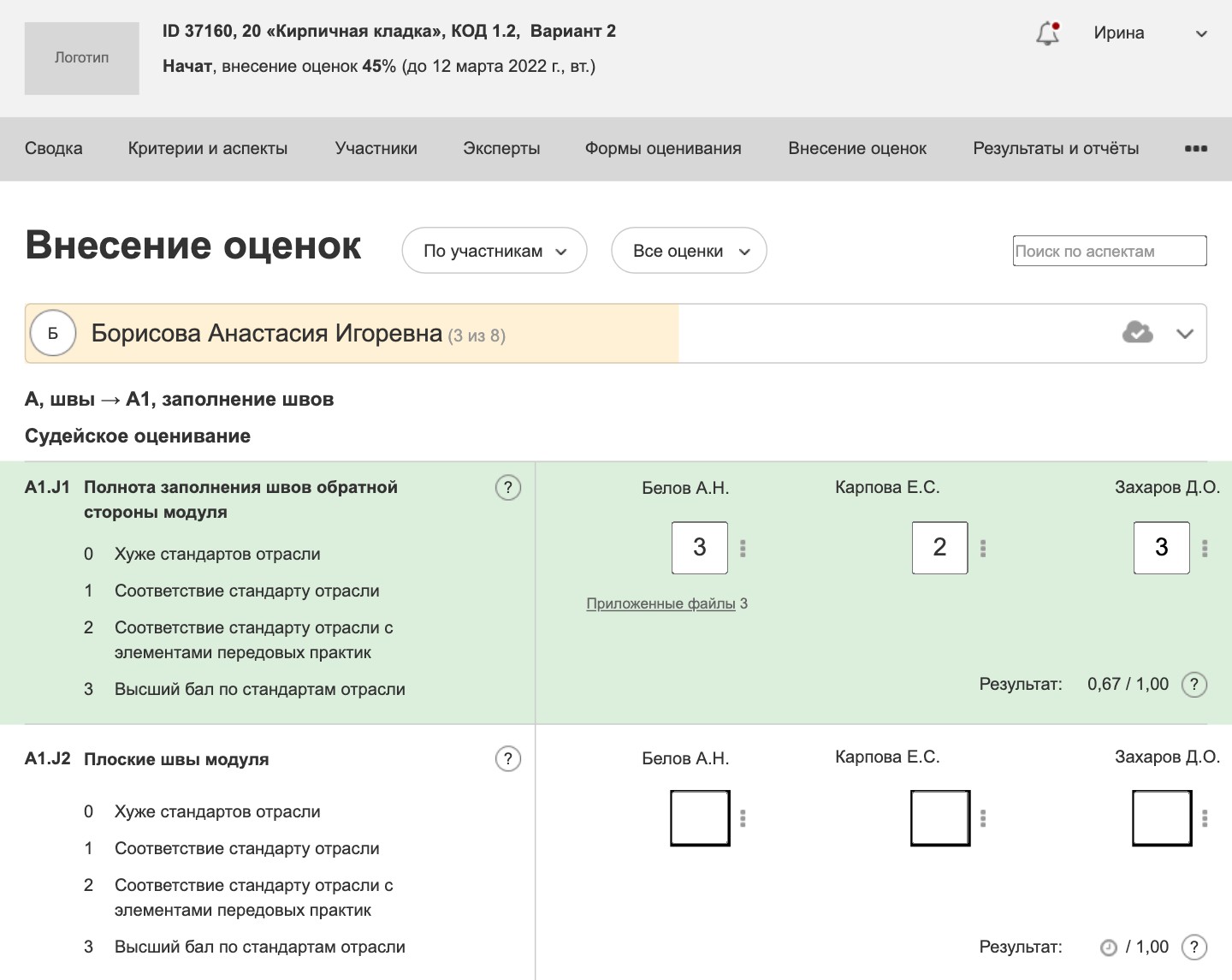
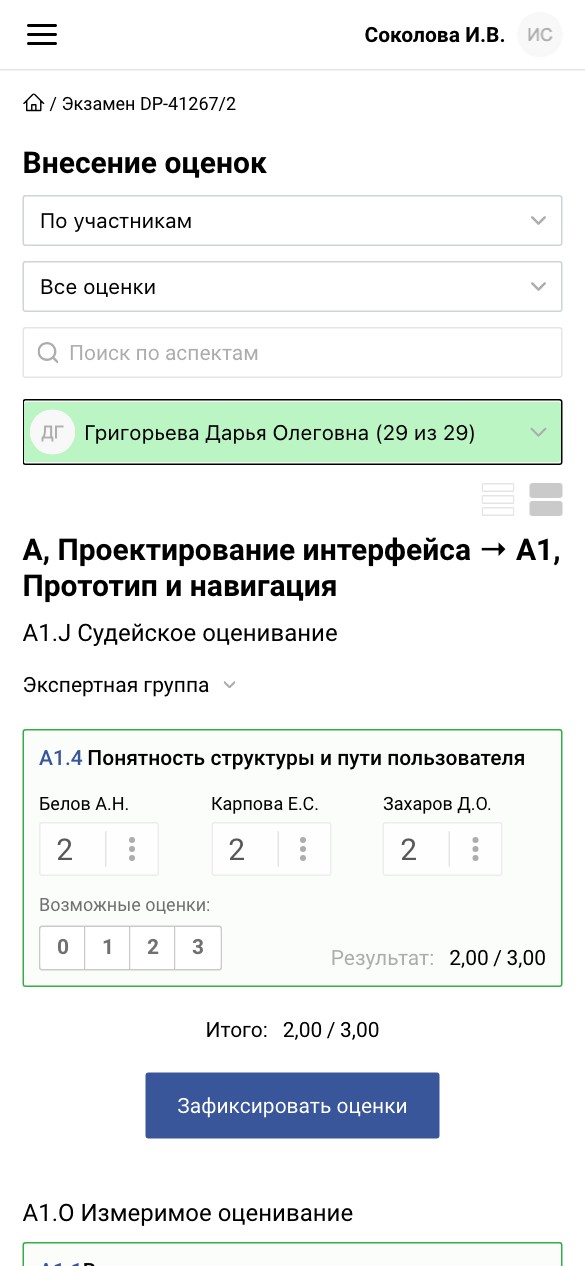
One aspect for all candidates in a row: the scale with a description of each score in view, attached files and a counter of how many candidates are already marked.
An expert judges one piece of work after another by the same yardstick, so marks are more consistent.
History of every mark and the exam log
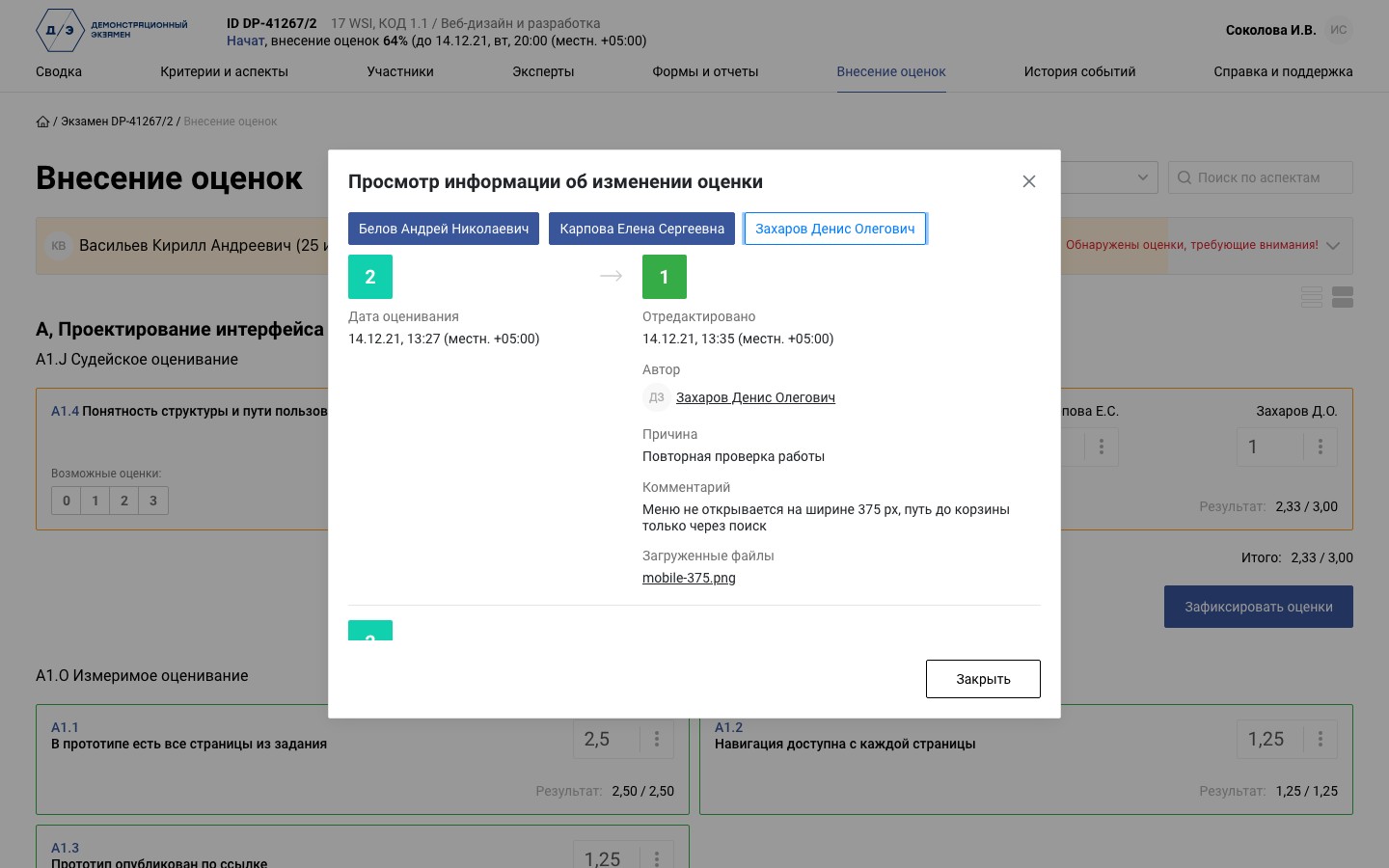
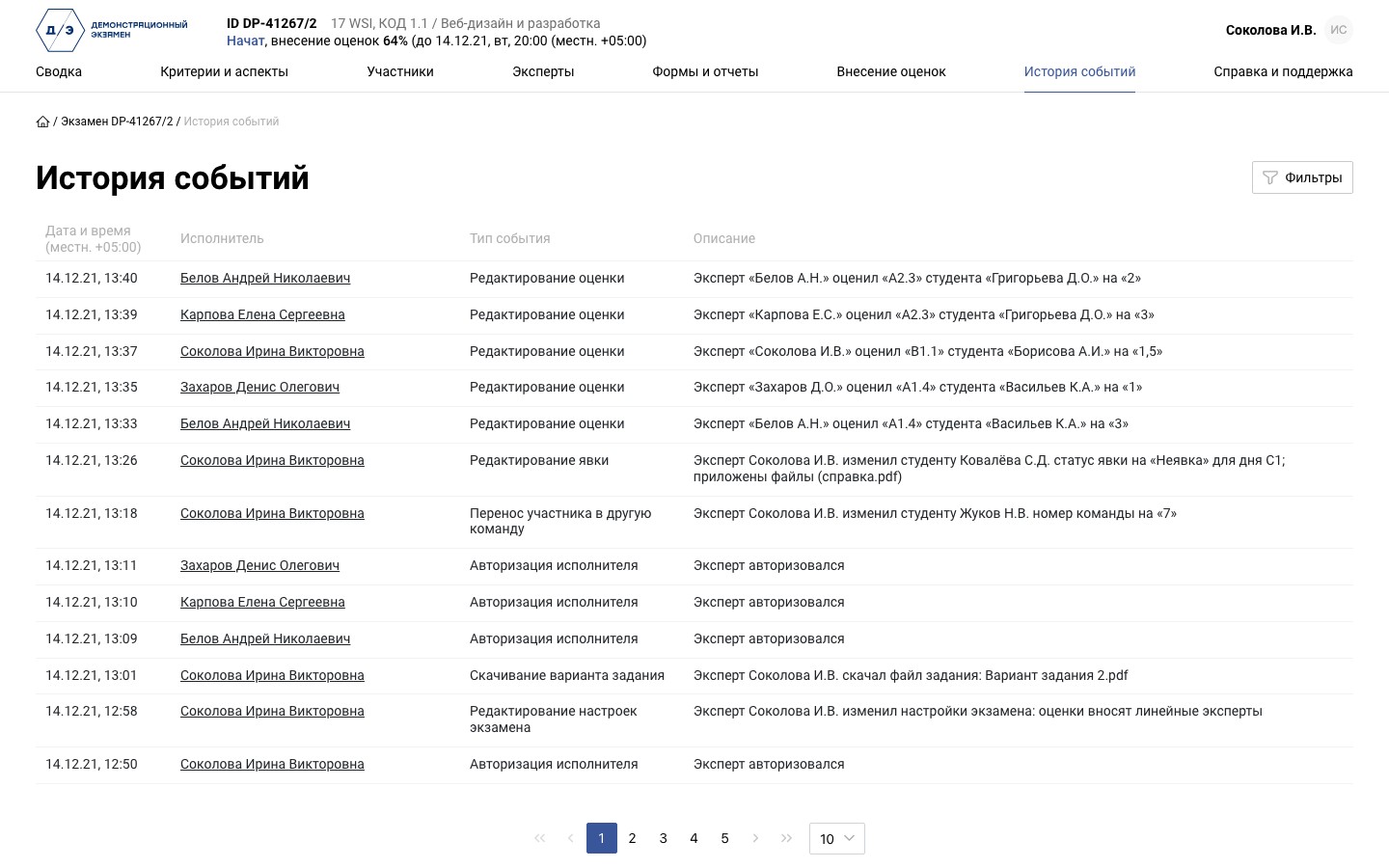
Each mark keeps all versions for every expert: who, when, from which score to which, the reason, a comment and files. The log records sign-ins, attendance, team changes, changes to marks and settings and task downloads, filtered by author, event type and time.
Any disputed score can be traced: you can see who gave it and why it was changed.
Marking forms and the skills passport
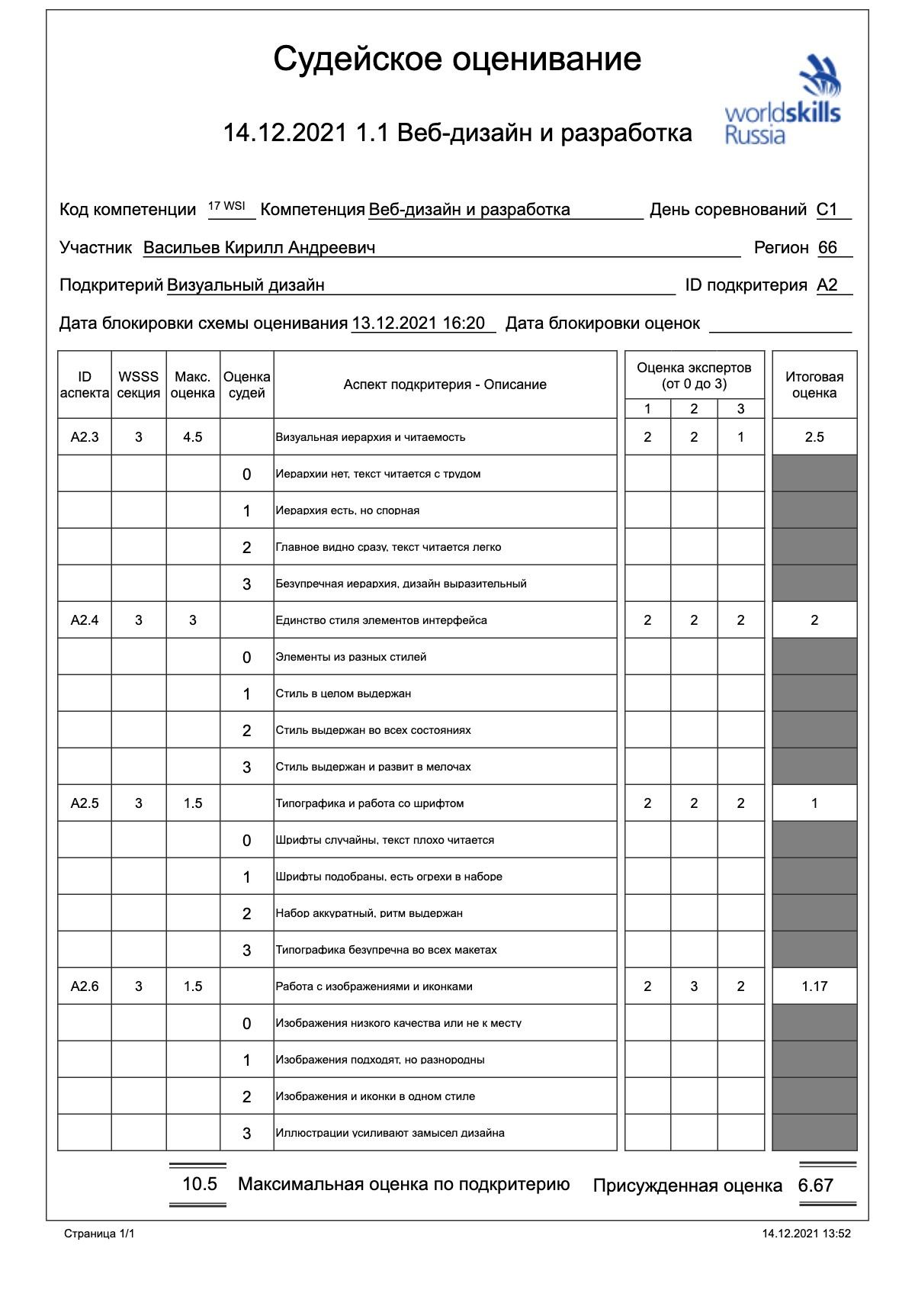
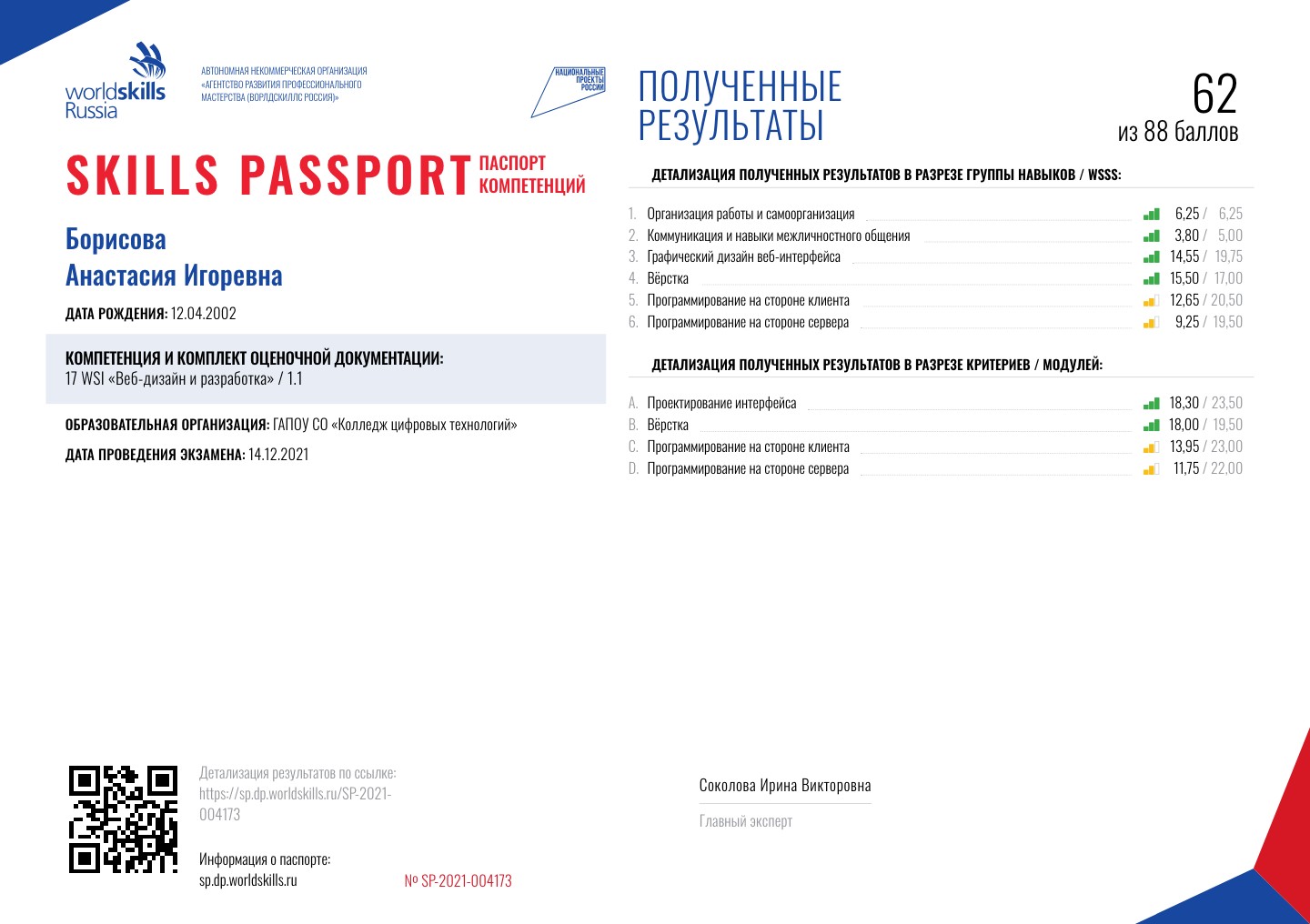
Six sets of forms: blank forms, forms with aspects, forms for handwritten marks, forms with aspects and marks, and sign-off sheets for the marking scheme and for entered marks. A candidate's skills passport shows scores by standard section and by module, with a QR code and the chief expert's signature. Everything is rendered to PDF on the server.
The paper side of the exam stays, but the system fills in the paperwork, not the expert.
Exam reports
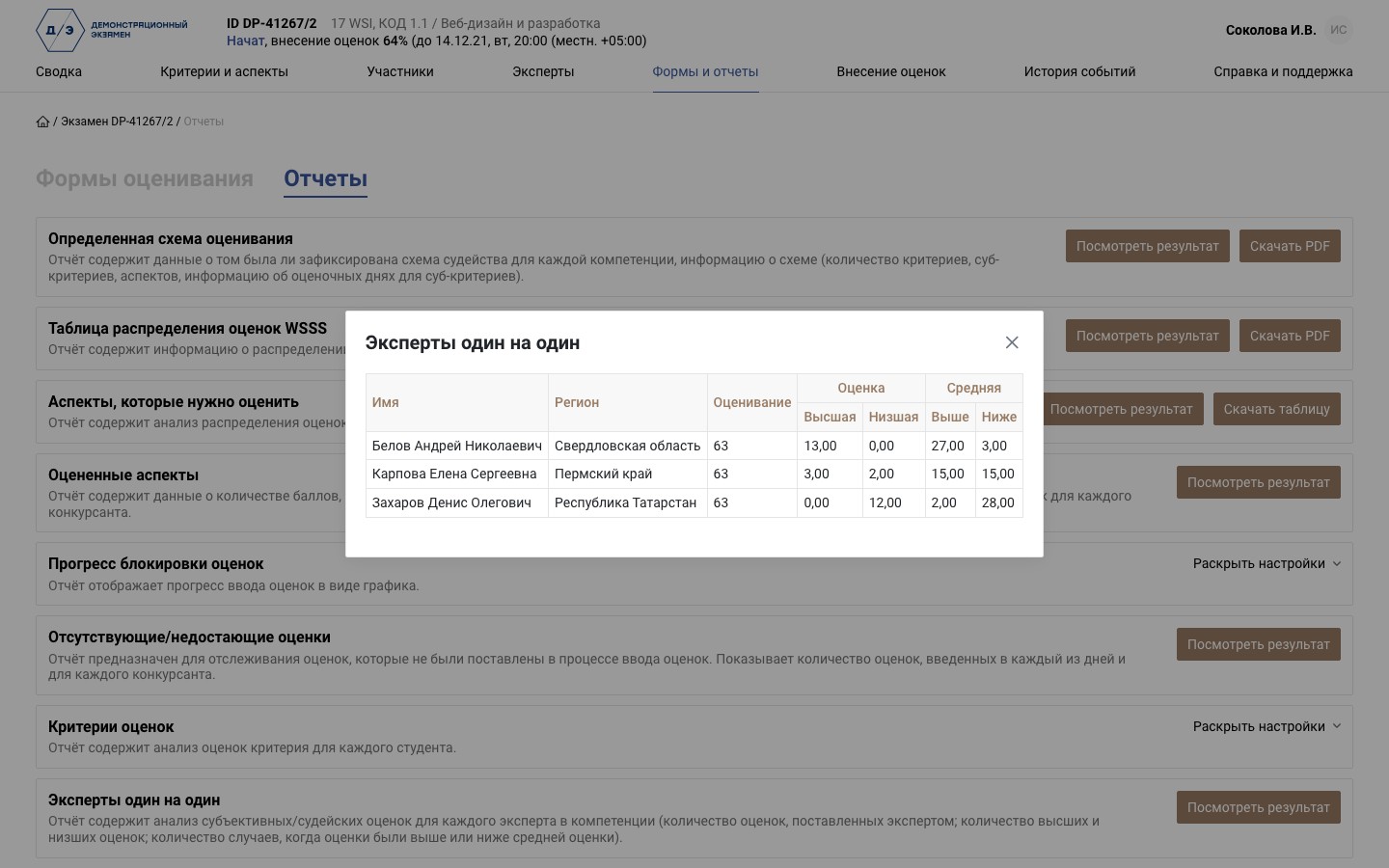
17 reports for the chief expert: the marking scheme and the WSSS mark allocation, marked and still unmarked aspects, mark lock progress and times, missing marks, “Experts head to head” showing who marks above or below the group, skill and region comparison, official results. Results open on screen, as a PDF or as a spreadsheet.
The chief expert sees how the exam is going and each expert's marking habits without compiling data by hand.