The receipt on the customer display
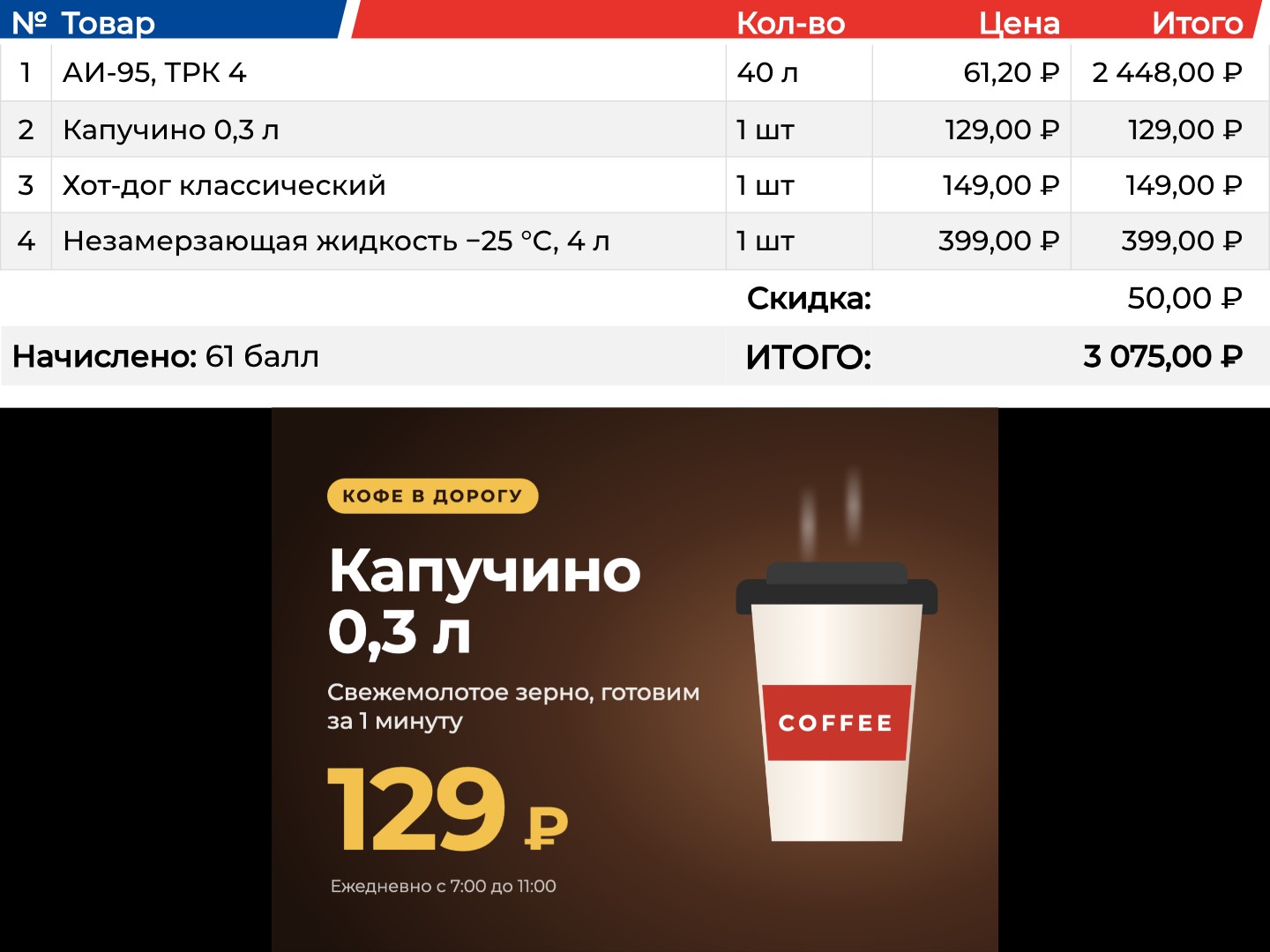
The second screen mirrors the purchase as the cashier rings it up: items with quantity and price, the discount, loyalty points earned and the total. The receipt table is at the top, and the ads keep running below it. Every two seconds the screen asks the till's local service for the data of its workstation number.
The customer sees what they are paying for before they pay.
Payment by Faster Payments QR code
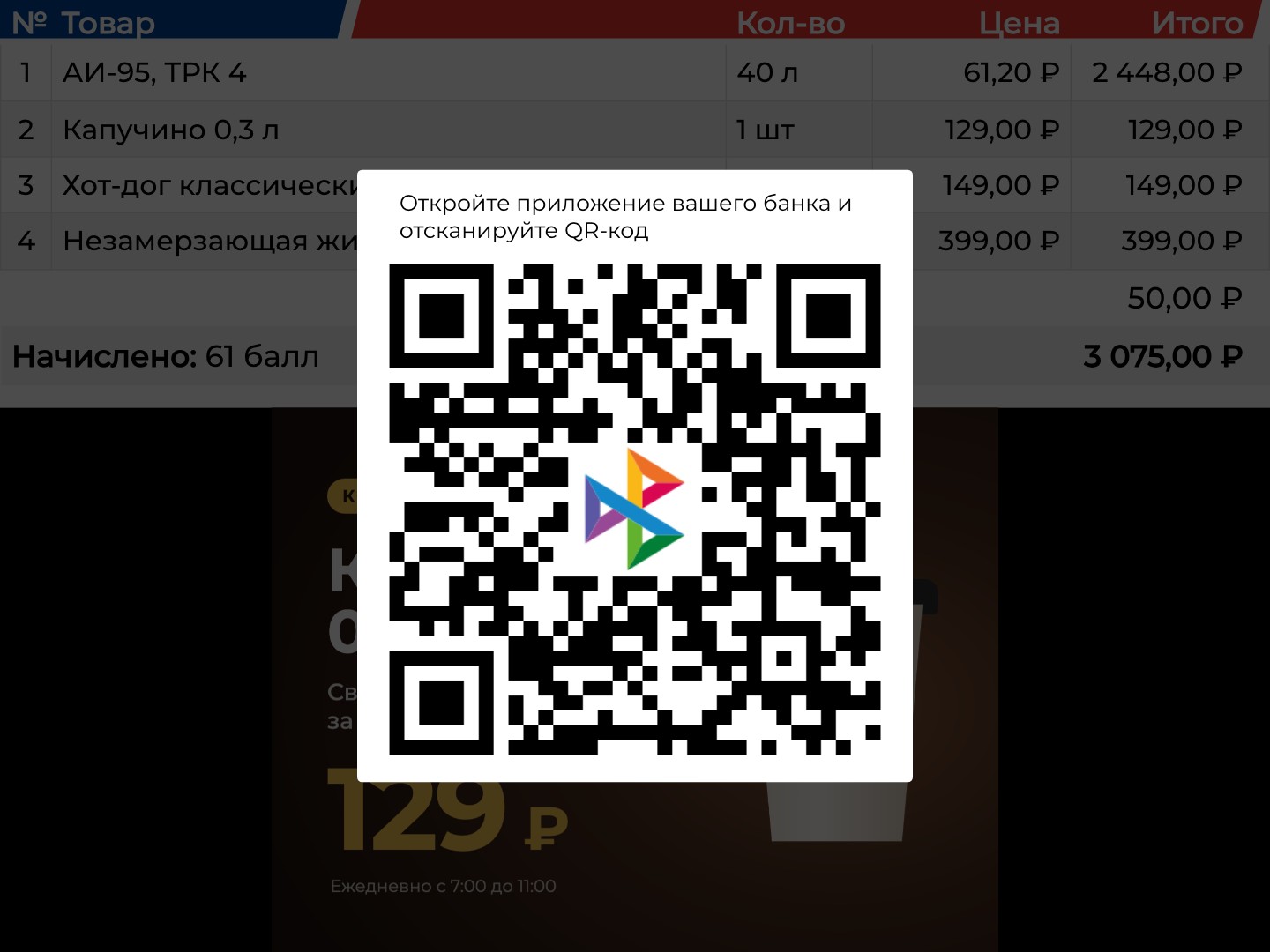
When the cashier chooses a Faster Payments payment, a large QR code with the system's logo and the hint “Open your banking app and scan the QR code” appears on top of the receipt.
The customer pays with a phone right at the till, without a card or a terminal.
The closed receipt and the fiscal QR code
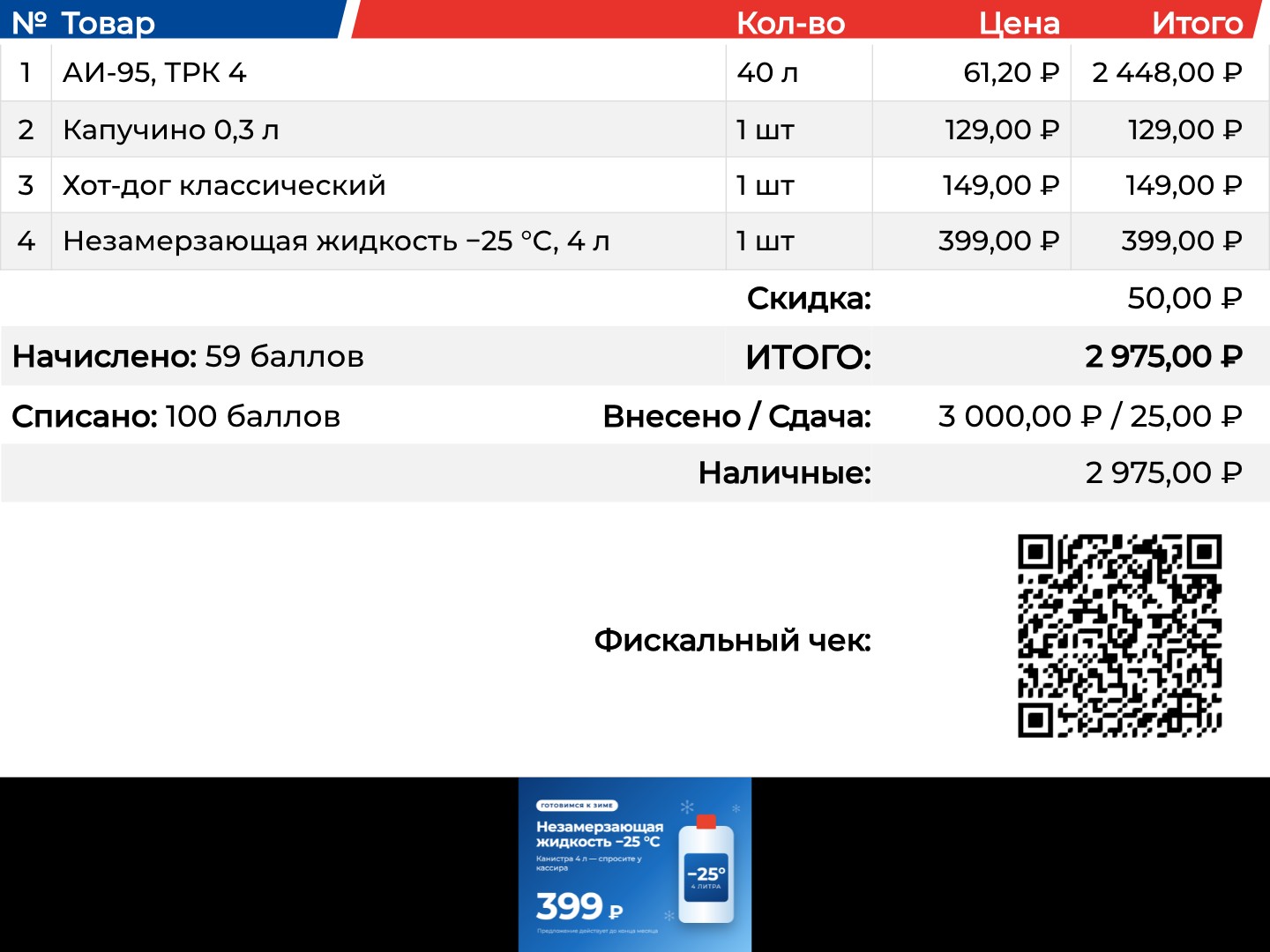
After payment the screen shows points redeemed, cash handed over and change, payment methods and a QR code of the fiscal receipt that the customer scans with a phone. Then the screen returns to ads.
Everything on the paper receipt is on the screen, and the customer can take it in their phone.
Workstation setup on the screen itself
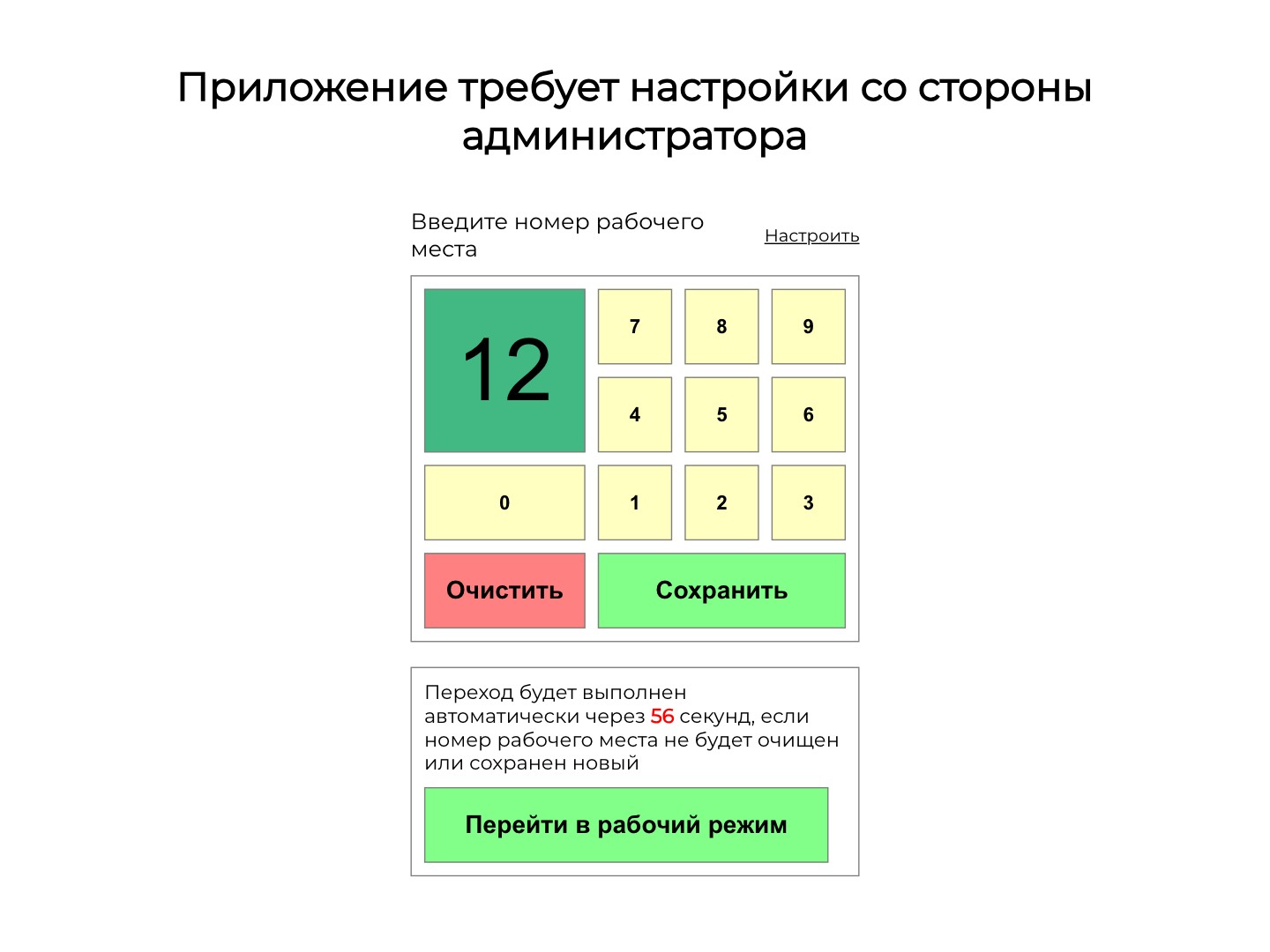
On first launch the screen asks for the workstation number: an administrator enters it with on-screen buttons and saves it, and after 60 seconds the screen switches to working mode by itself. An inconspicuous corner area leads back to setup, which also holds the local service address, the logo link and a cache reset.
The screen goes on any till without a keyboard or a separate program.
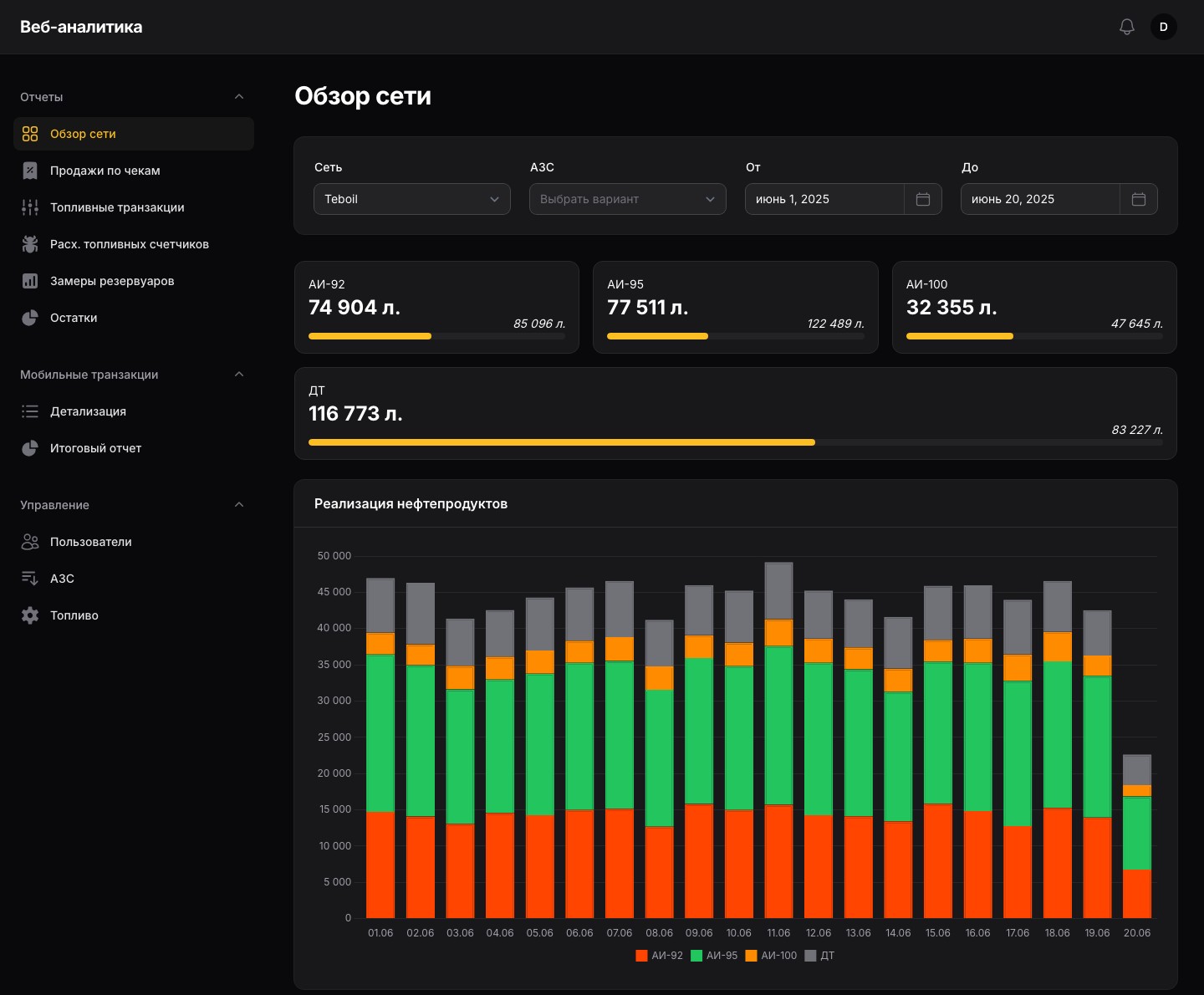
Network overview
Stock of each fuel type across all the network's tanks with the space left to full, fuel sales by day as bars and as a table in litres and roubles with a total for the period. Filters: network, station and dates.
Sales and stock of the whole network on one screen.
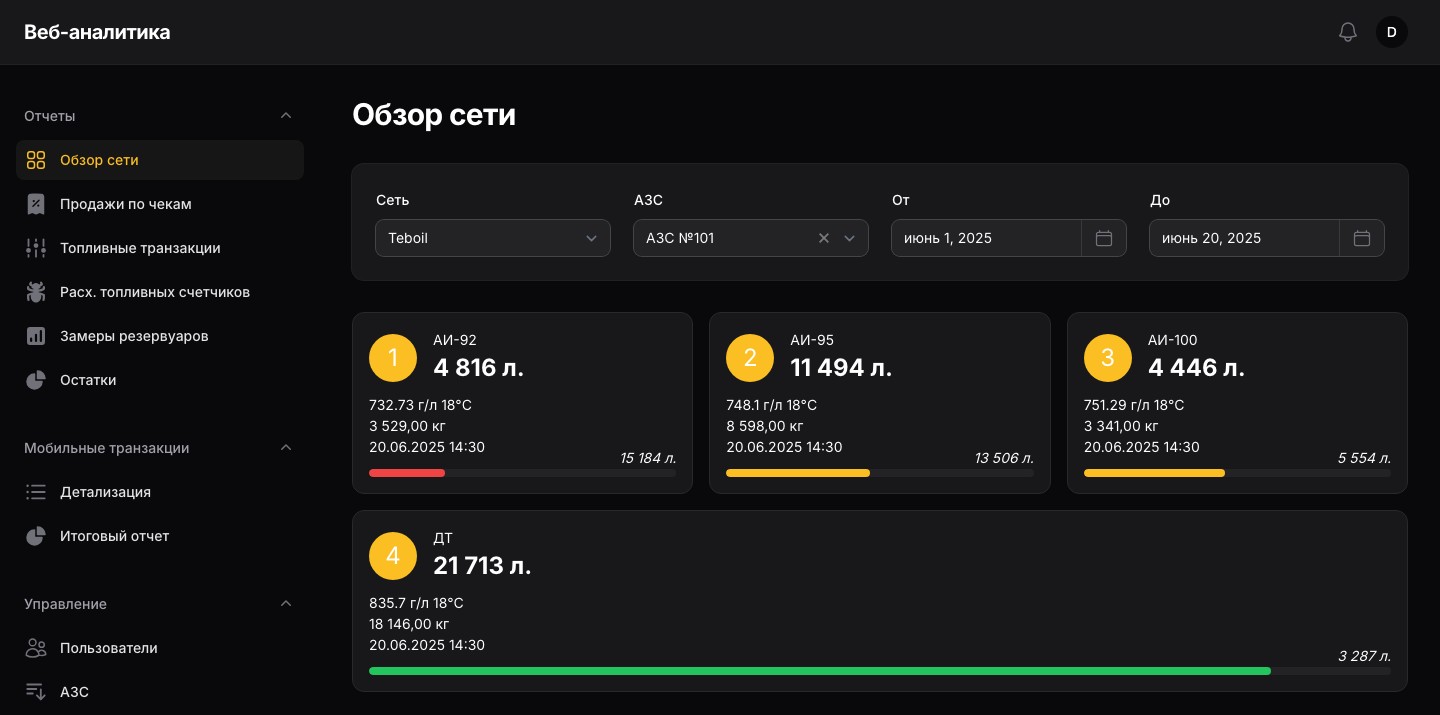
Station tanks
Pick a station and every tank gets its own card: fuel, volume, density, temperature, mass, time of the latest reading and free volume. The fill bar turns yellow below 50% and red below 30%, and the card leads to the readings chart of that tank.
It is clear at once which tank needs refilling.
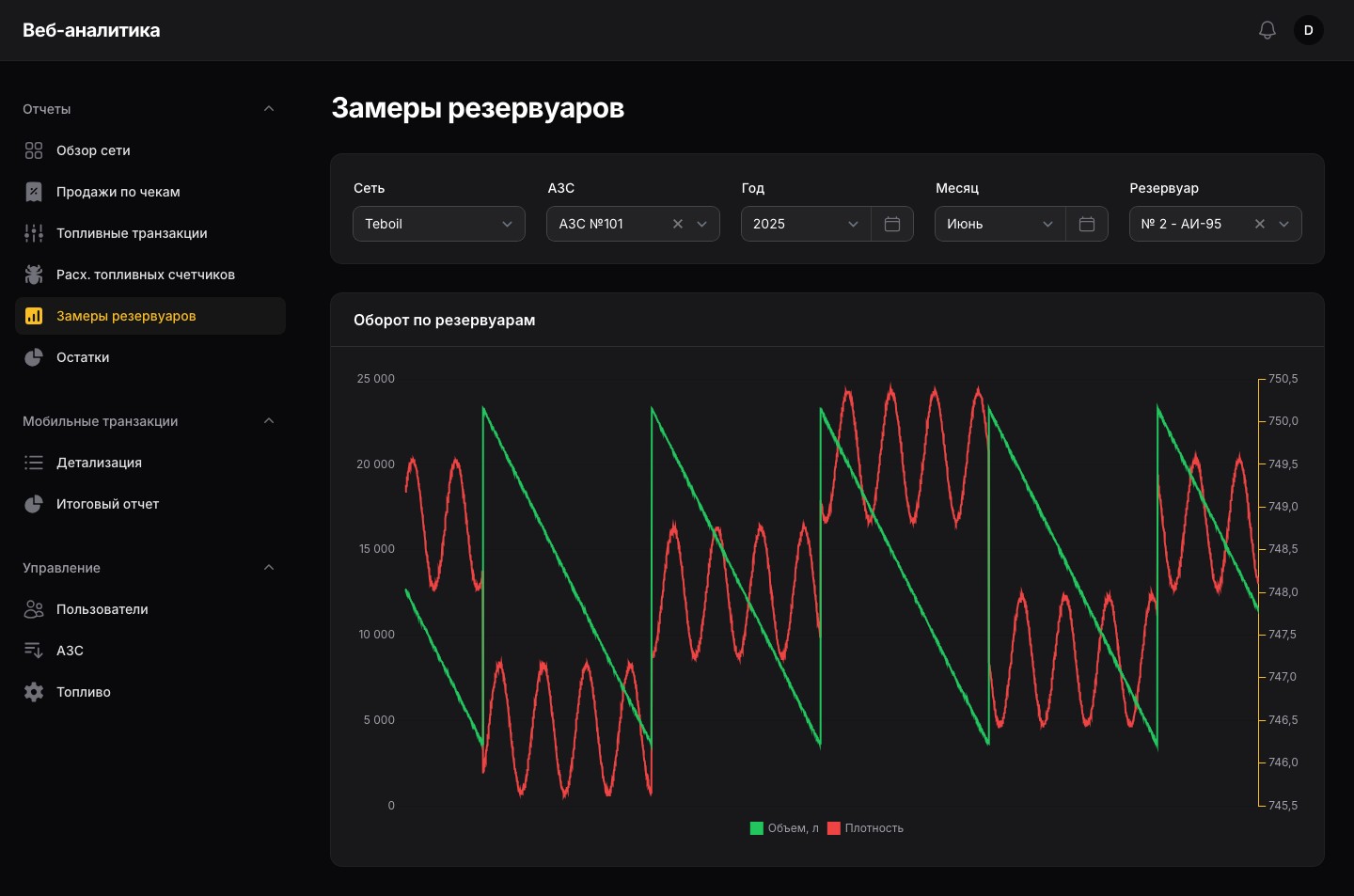
Tank readings
A month chart for the selected tank: volume from the level gauge and density on a second axis. The sawtooth shows consumption and every delivery.
Fuel consumption and deliveries are checked on a chart, without database exports.
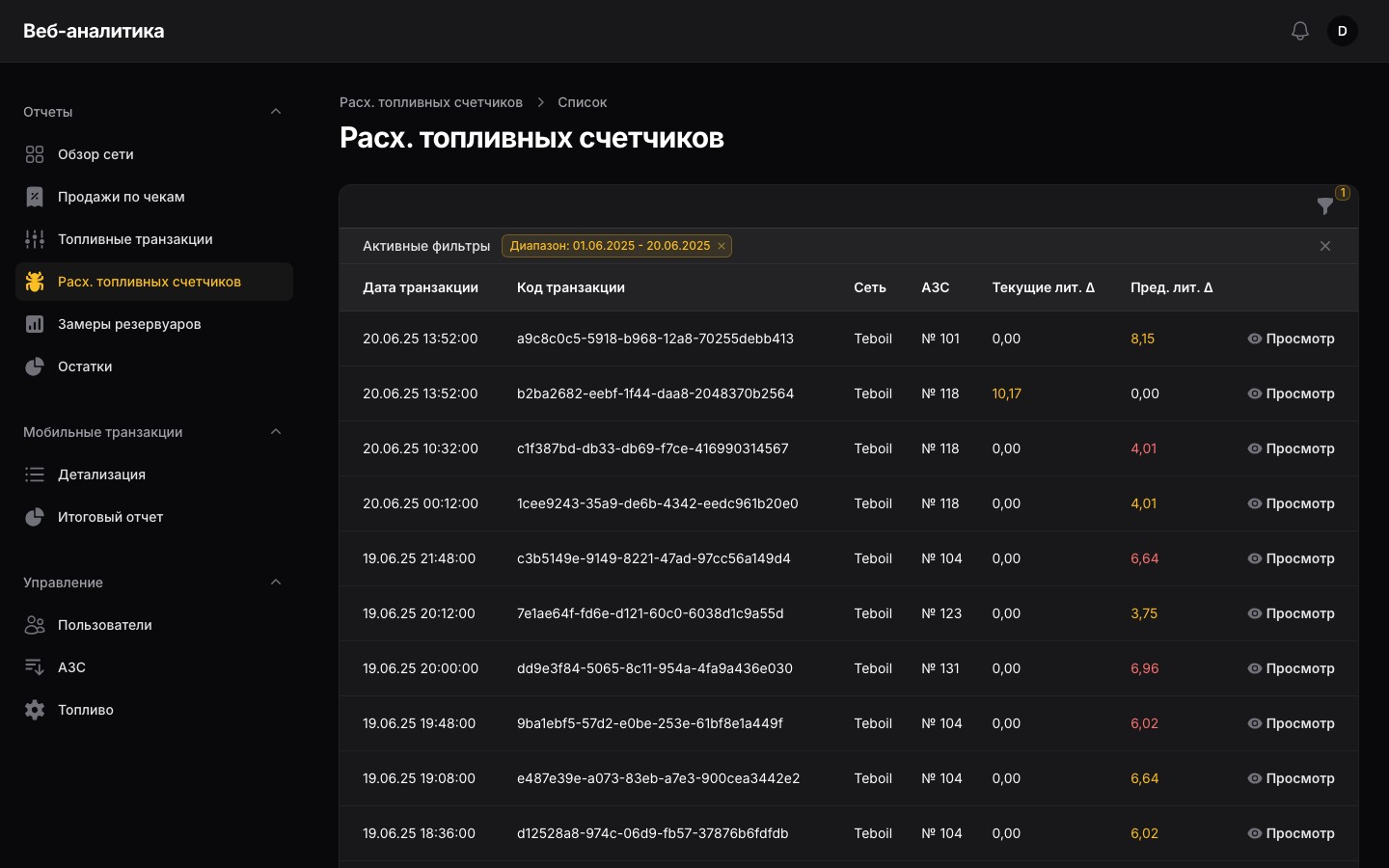
Fuel meter discrepancies
Every night the panel checks the latest days' fuel transactions: whether the dispensed volume matches the change of the pump's totaliser and whether a transaction starts where the previous one on the same nozzle ended. Discrepancies over a litre go to a report, highlighted as plus or minus, and the detail card shows the transaction and the previous one. Next to it is the list of all fuel transactions with pump, nozzle, preset, price and meter readings.
Meter faults don't have to be hunted down by hand among thousands of transactions.
Receipt sales
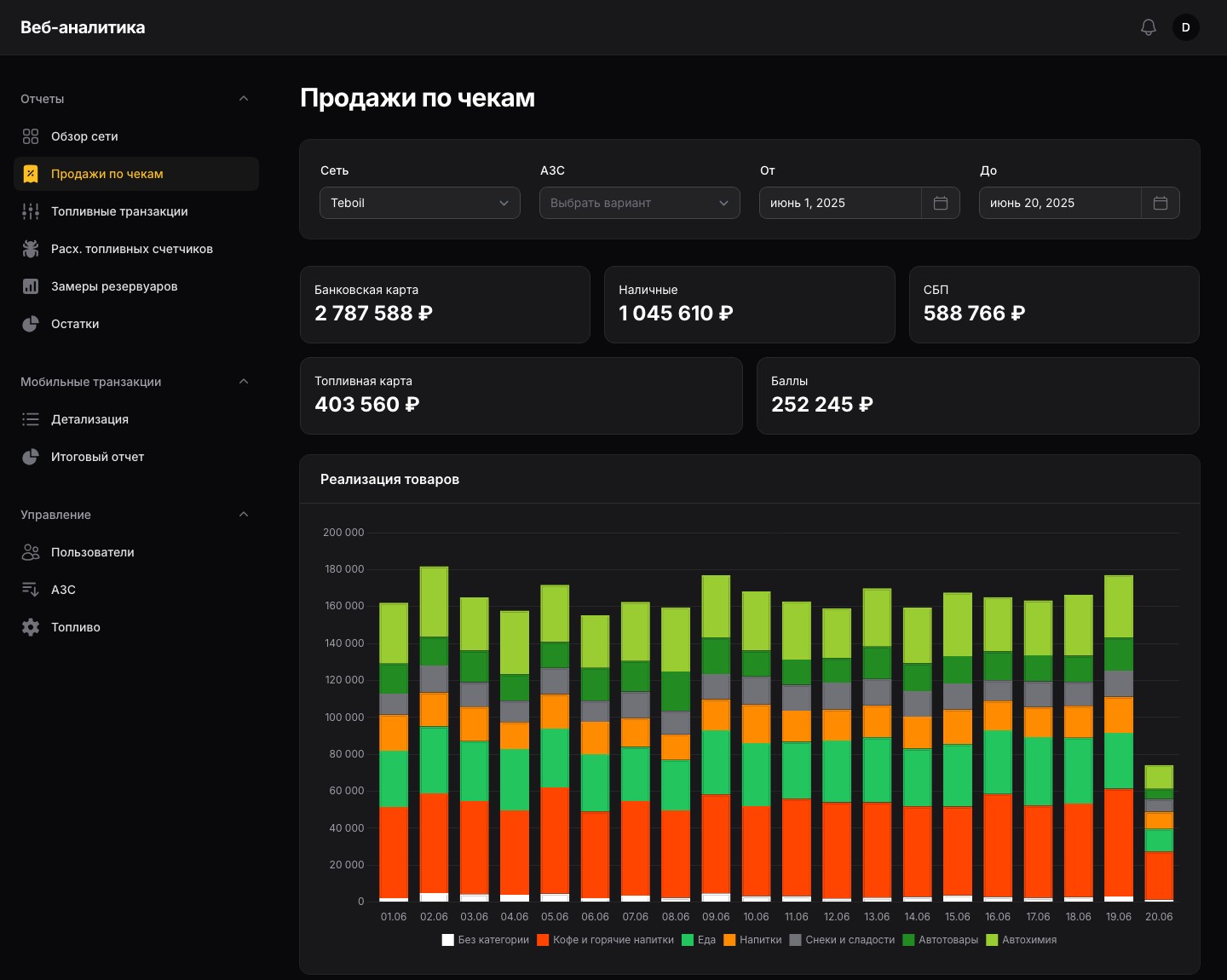
Shop revenue by payment method — card, cash, Faster Payments, fuel card, points — product sales by category by day and a category table with a total. Each category opens sales by product with sorting and paging.
It shows what the station shop sells and how customers pay for it.
Mobile fuelling
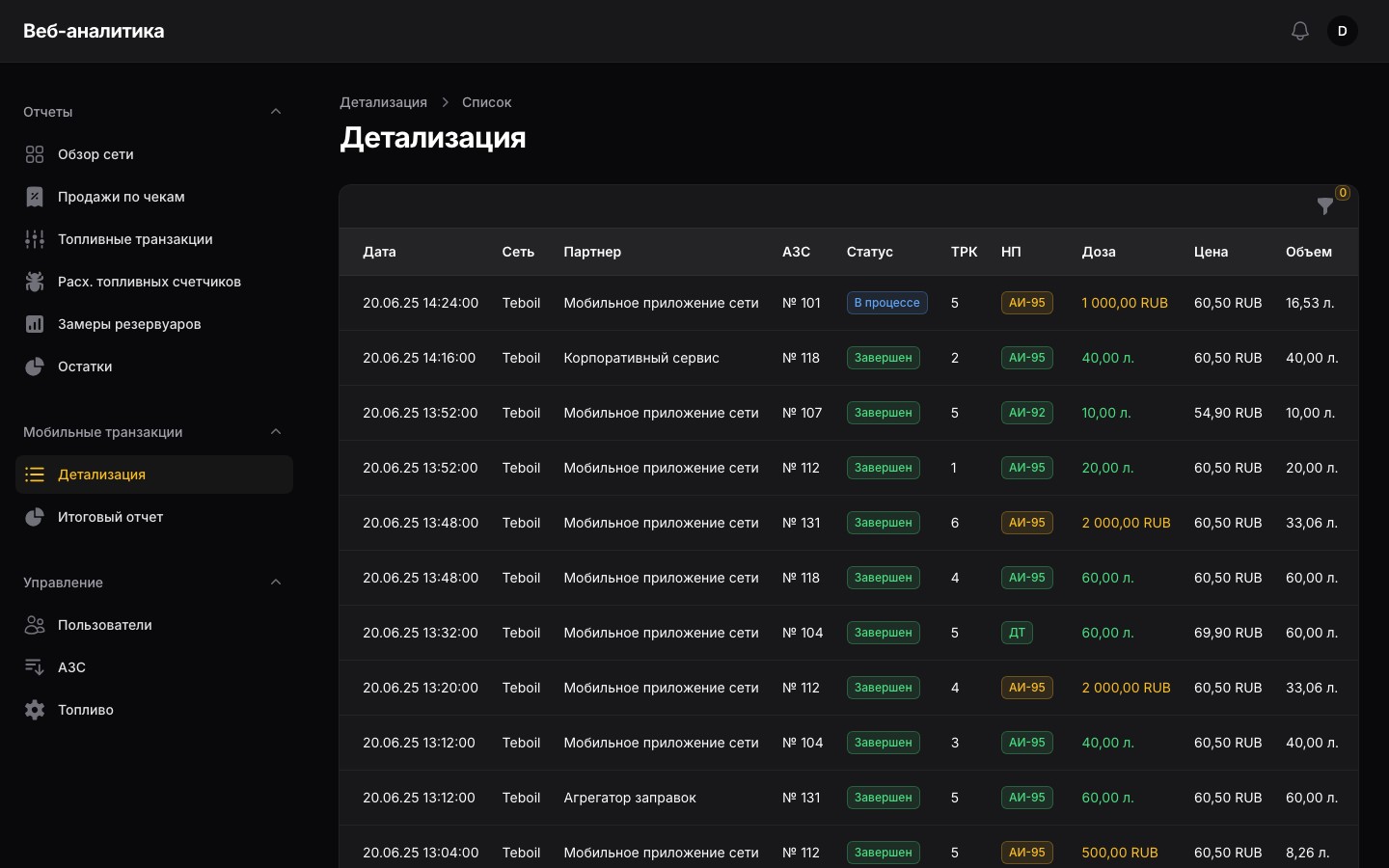
Fuel orders from partners' apps: partner, station, pump, preset in litres or roubles, price, volume and status from “Accepted” to “Completed”, with search by external and internal ID. The status of a stuck transaction can be fixed by hand. The summary report gives litres and roubles per partner for the period.
Settlements with partners are checked against one report.