Monitoring: every wellbore on one screen
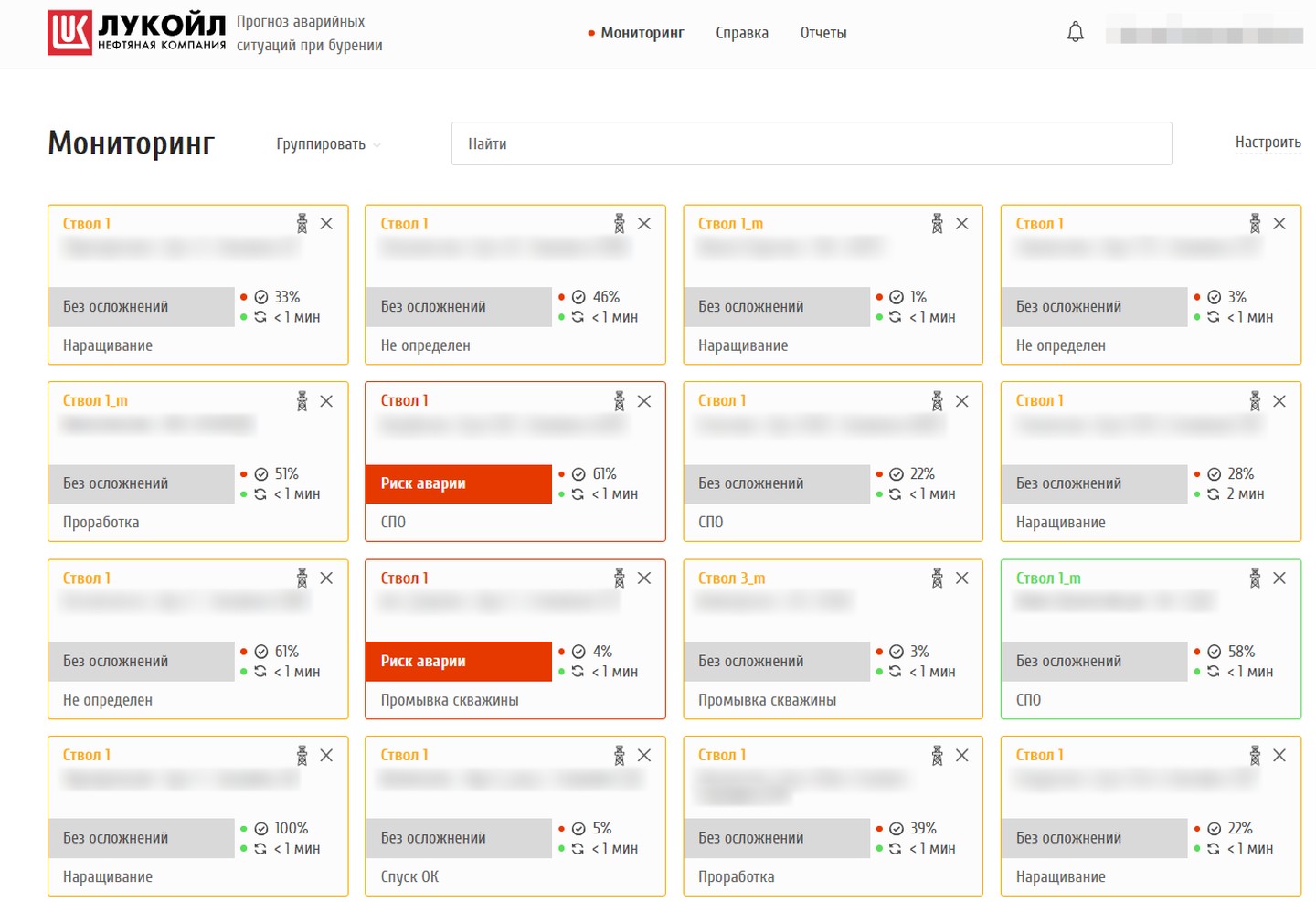
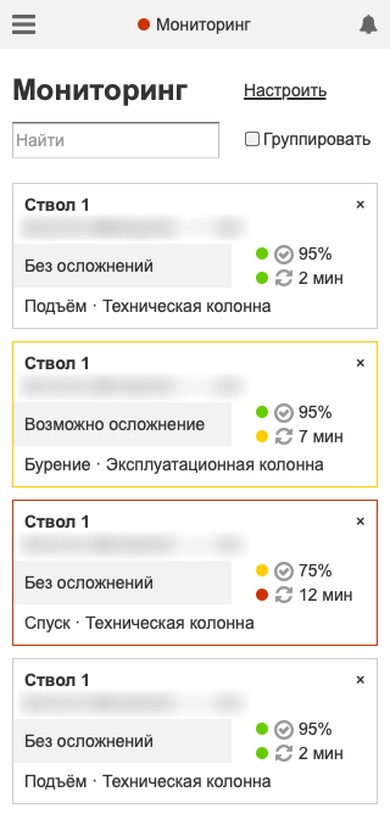
Each wellbore has a card: field, pad and well, status (“no complications”, “possible complication”, “incident risk”), the current operation — drilling, connection, tripping, reaming — data quality and time since the last sync. The frame colour shows whether the data can be trusted. Search, grouping by status or field, updates every 10 seconds.
An engineer keeps all their wells in view and spots at once the one where risk is growing.
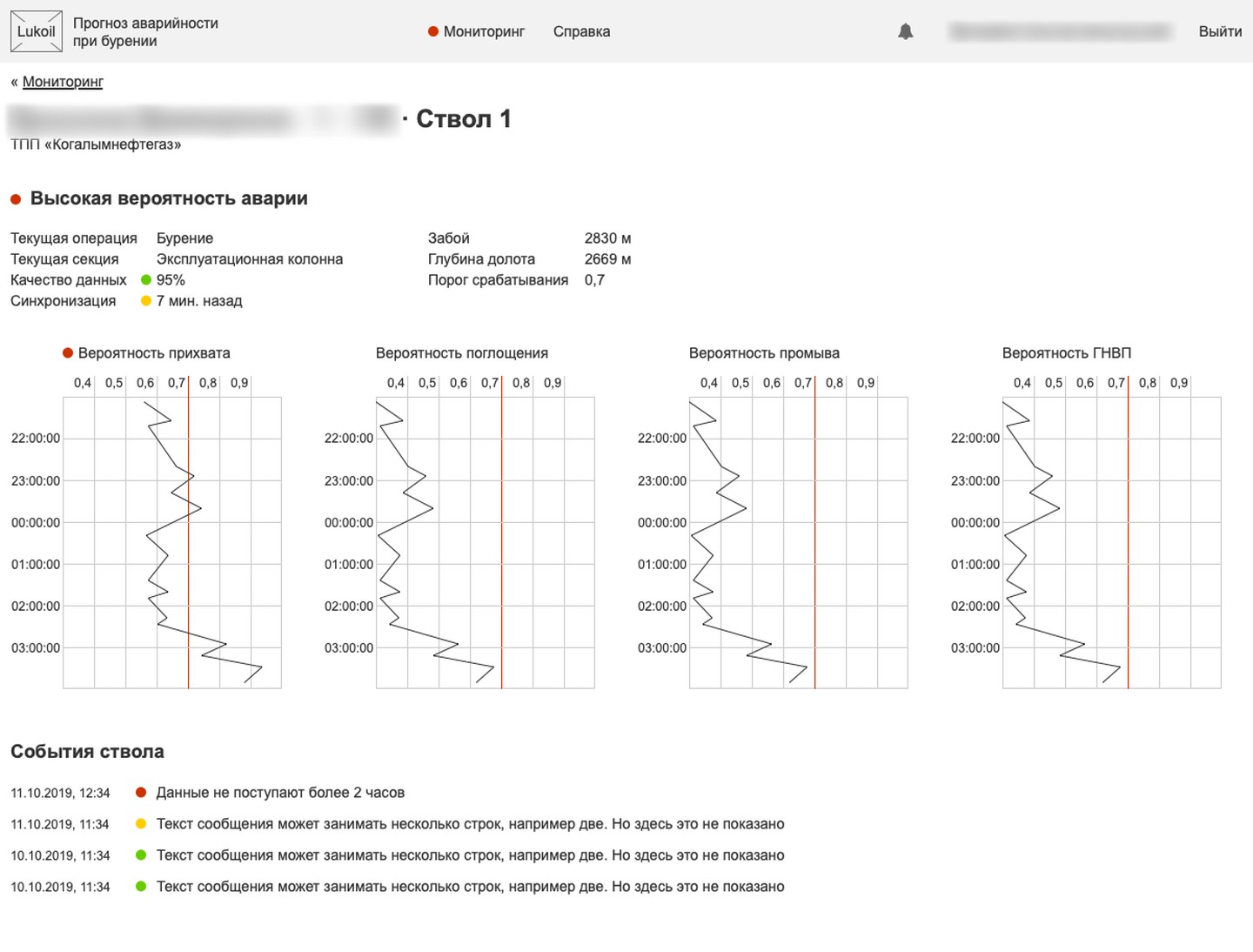
Wellbore page: the probability of each complication
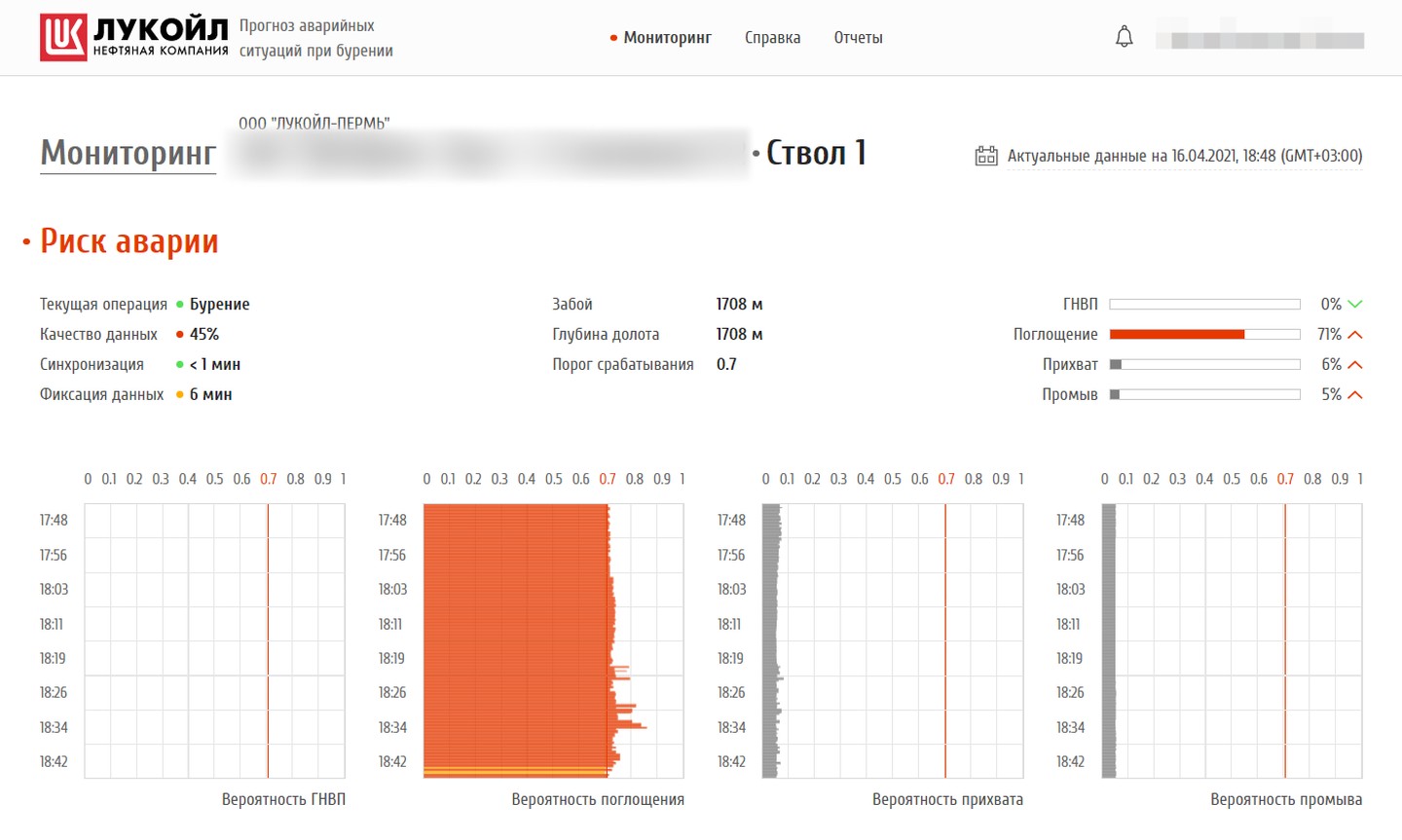
Gauges and time charts for kicks, mud losses, stuck pipe and washouts, with a red line for the alert threshold. Next to them — hole depth, bit depth, operation and data quality. A time switch opens the archive: the wellbore's state at any past date and hour.
You see not only that the risk is high, but which one it is and how it built up.
Six types of complications and a brand of its own
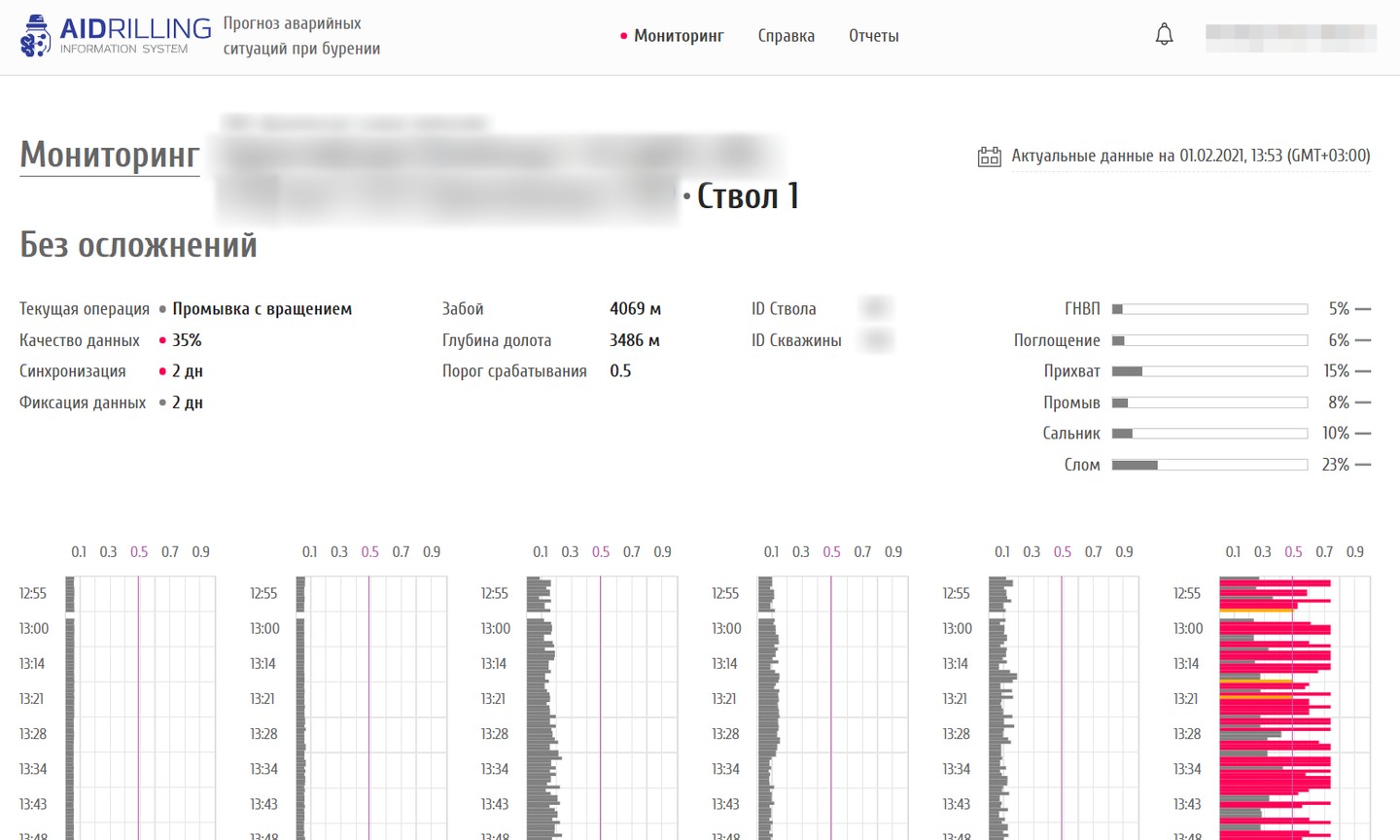
The AIDRILLING version adds tool failure and bit balling to the four complications. Logo, colours and contacts are set in configuration: for LUKOIL the system wears the company's style, as Digital Petroleum's own product it carries the AIDRILLING brand.
One system goes to different clients without rework.
Choosing wellbores and the alert threshold
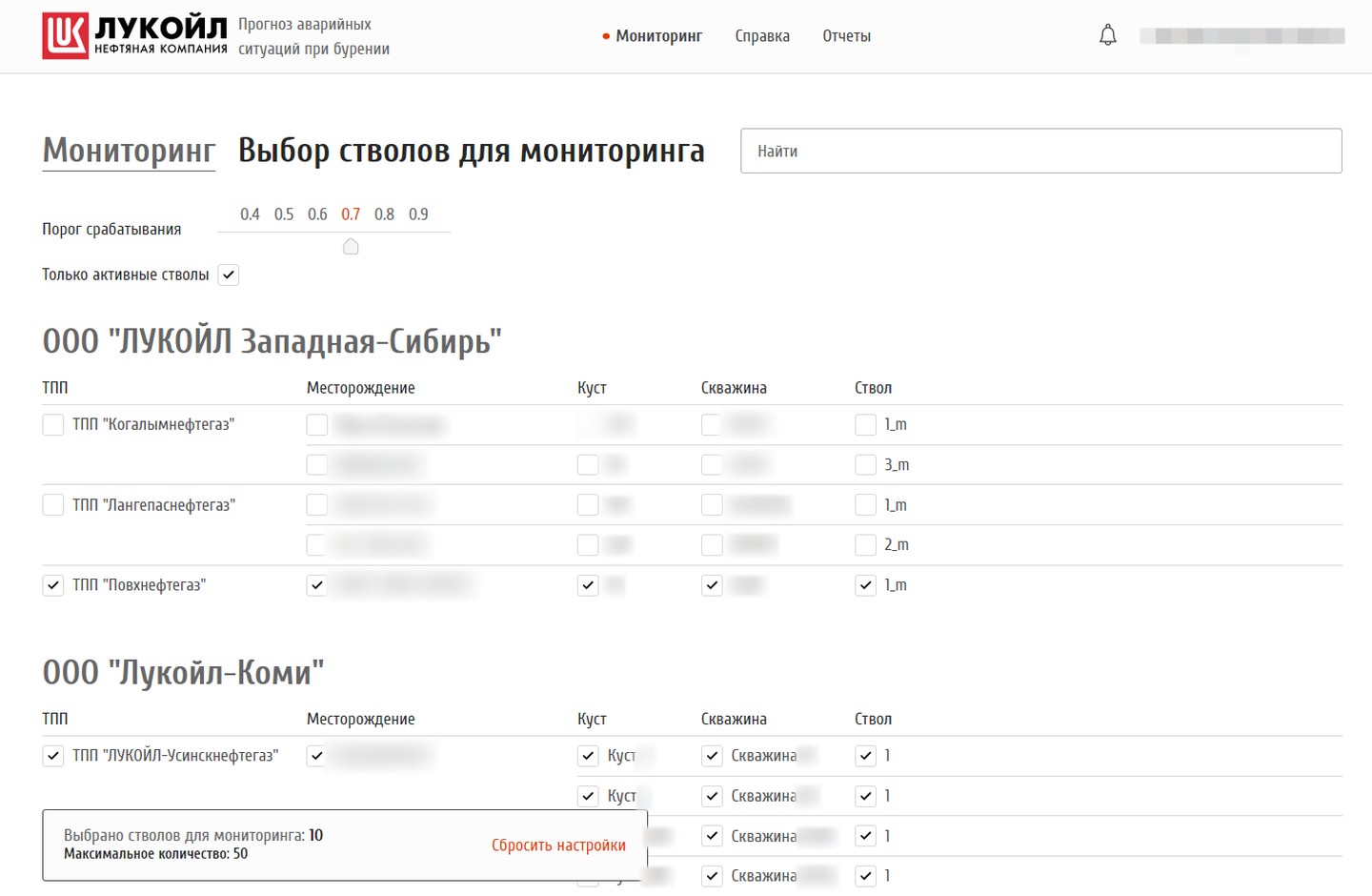
A tree of available wellbores: subsidiary, production unit, field, pad, well, wellbore — with search at any level and an “Active wellbores only” checkbox. A slider from 0.4 to 0.9 sets the probability at which the system raises an alarm. Which wellbores are visible depends on user rights.
Everyone watches their own wells and chooses how sensitive the alarm should be.
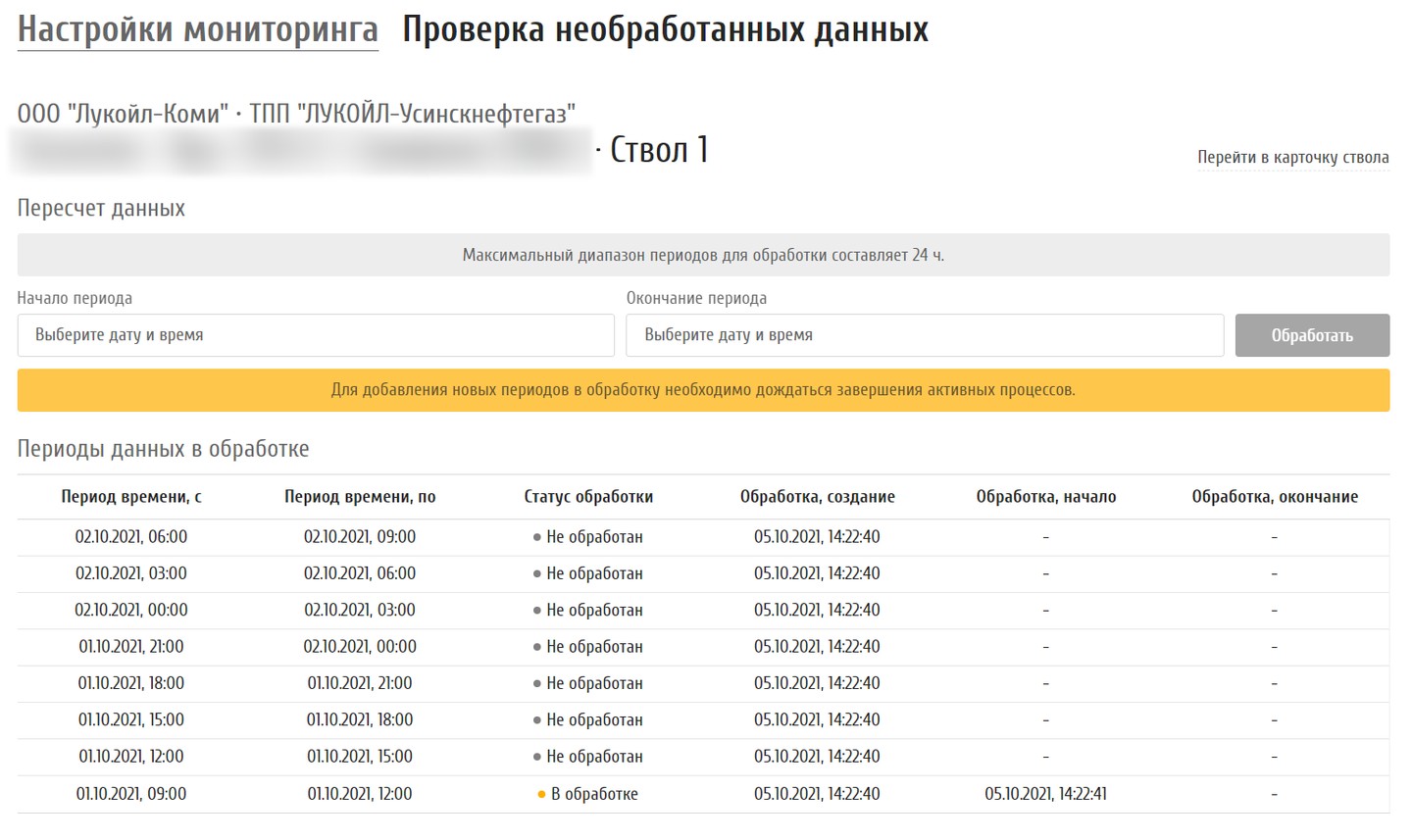
Recalculating historical data
If data arrived late or a forecast needs re-checking, the user picks a period of up to 24 hours and the system queues it for processing. A table shows every chunk: not processed, processing, done. Access to the section is granted through corporate directory groups.
Gaps in the forecast are closed without developers.
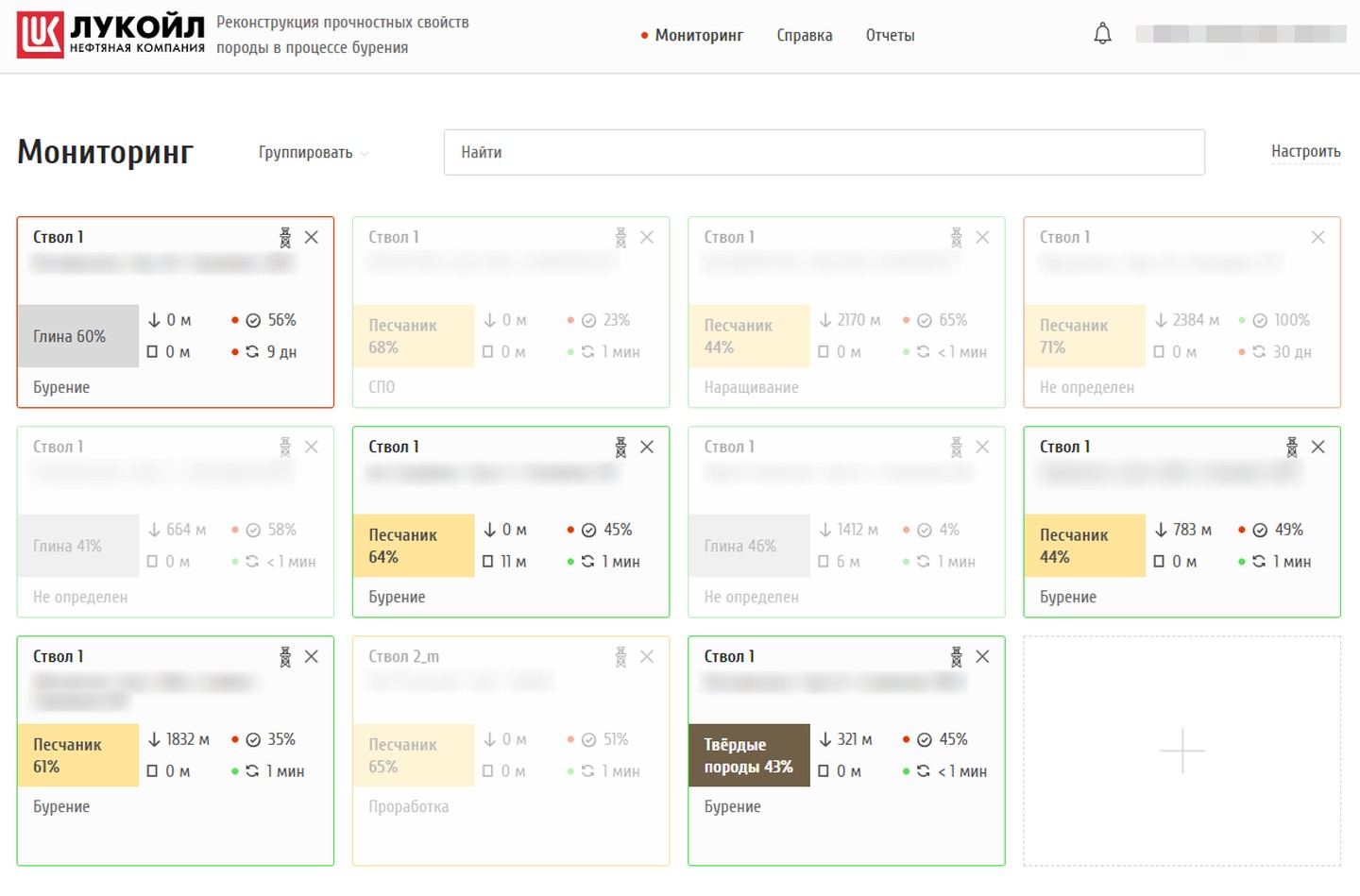
Reconstruction: which rock is under the bit
The second module on the same platform. A wellbore card shows the most likely rock — clay, sandstone or hard rock — with its percentage, the depth where it was detected and the footage drilled without change. When a wellbore is not being drilled, its card fades. Grouping by rock type or field.
A change of rock shows up the moment the bit enters it.
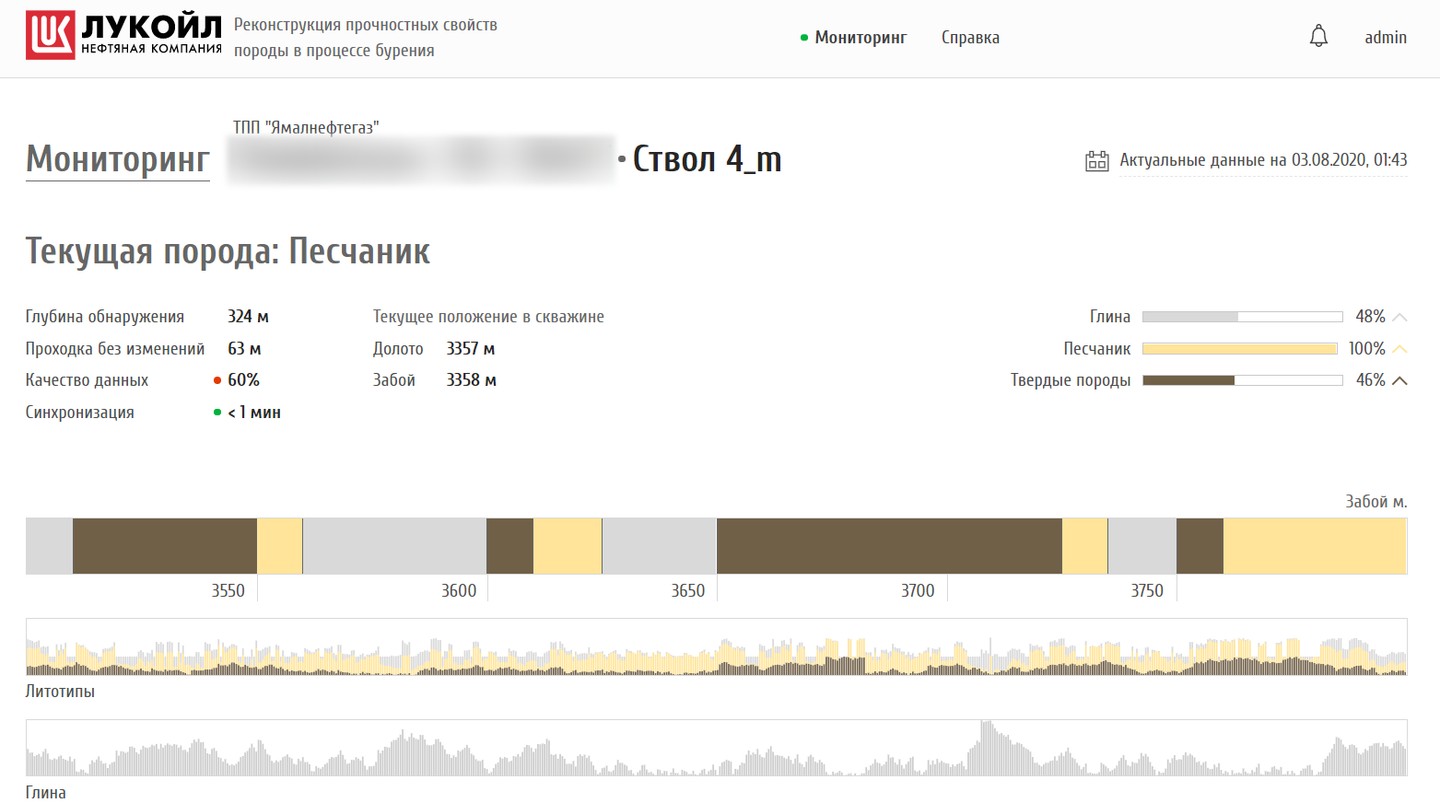
Wellbore page: lithotypes by depth
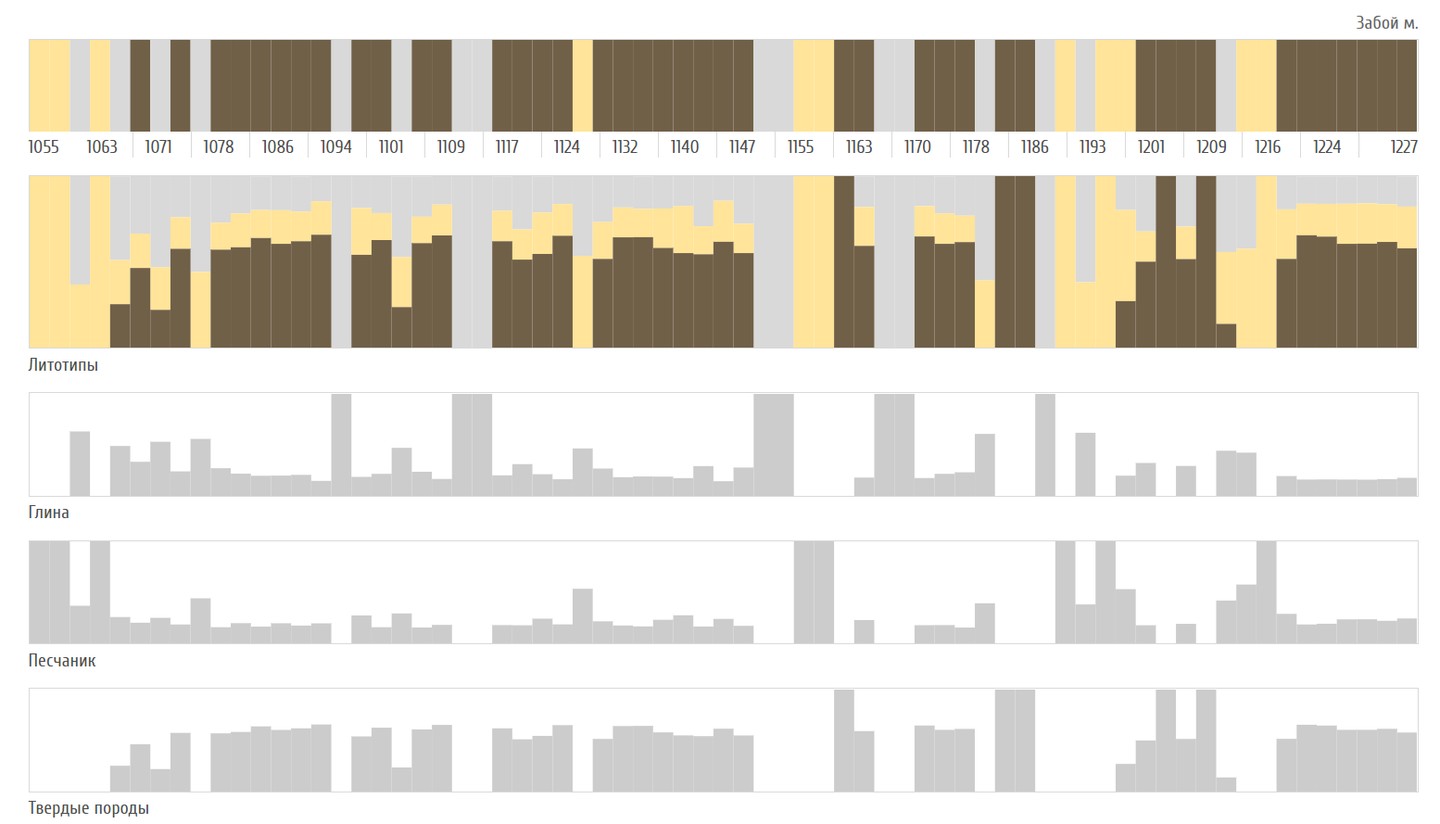
The current rock and the probabilities of three classes, bit and hole depth, a lithotype strip along the drilled metres and separate charts for clay, sandstone and hard rock.
A rock profile of the well is built while drilling.
Working in a closed network
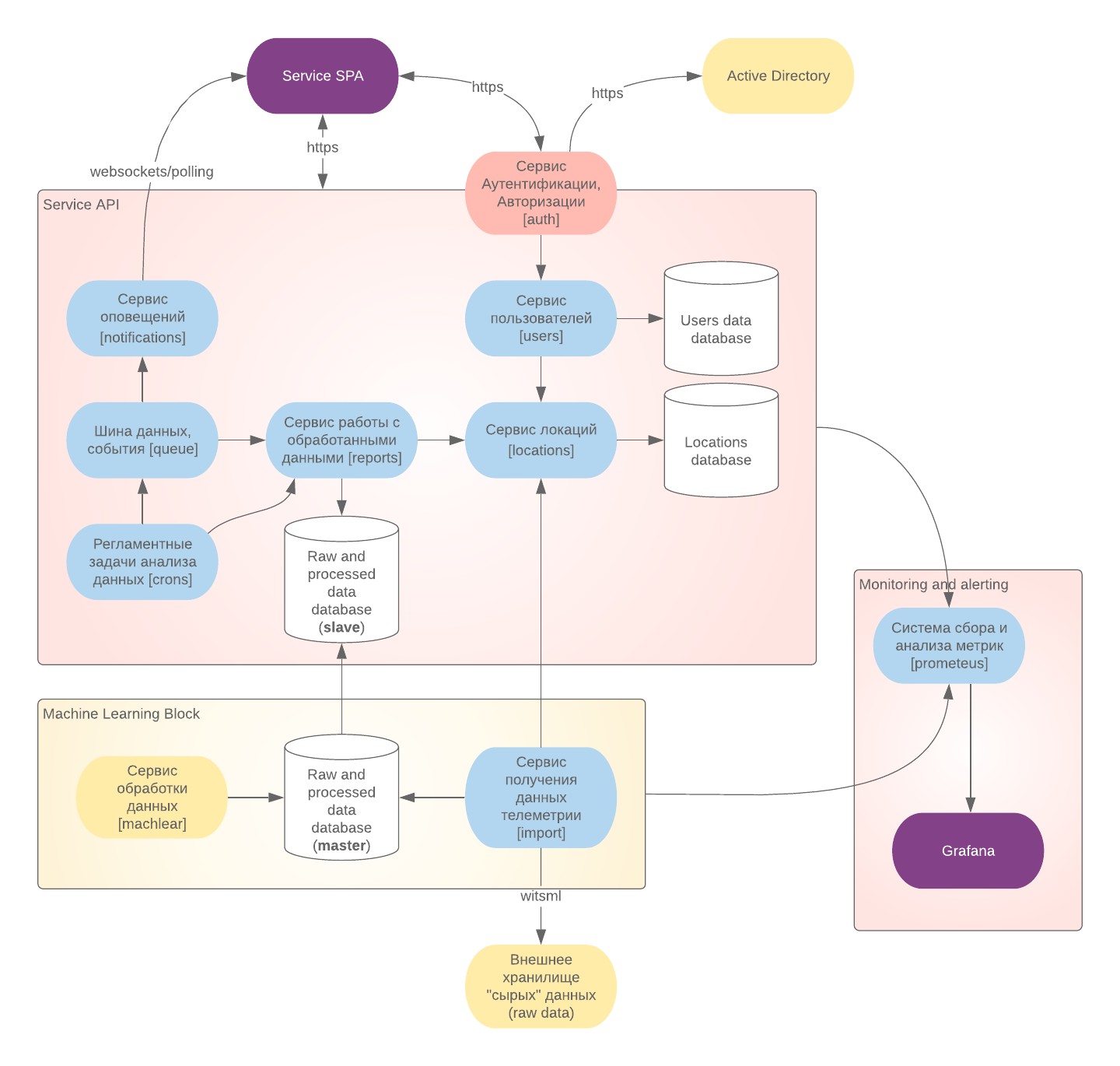
Sign-in through the corporate Active Directory, no registration on the site; access to sections by directory groups. The system is deployed to the client's Kubernetes without internet. The diagram shows its parts: telemetry import, the model block with its own database, data, user and alert services, and health monitoring of every service. The help has instructions on retraining the models on new data and rolling them out inside the network.
Drilling data never leaves the company network.
A prototype before development
In autumn 2019, before the contract, we built a clickable prototype of the forecast module: sign-in, monitoring with grouping and search, wellbore selection, a wellbore page with probability charts, events and help — for desktop and phone, with notes on every state of a card.
The client saw how the system would work before development began.